
- OS - Home
- OS - Overview
- OS - History
- OS - Evolution
- OS - Functions
- OS - Components
- OS - Structure
- OS - Architecture
- OS - Services
- OS - Properties
- Process Management
- Processes in Operating System
- States of a Process
- Process Schedulers
- Process Control Block
- Operations on Processes
- Process Suspension and Process Switching
- Process States and the Machine Cycle
- Inter Process Communication (IPC)
- Remote Procedure Call (RPC)
- Context Switching
- Threads
- Types of Threading
- Multi-threading
- System Calls
- Scheduling Algorithms
- Process Scheduling
- Types of Scheduling
- Scheduling Algorithms Overview
- FCFS Scheduling Algorithm
- SJF Scheduling Algorithm
- Round Robin Scheduling Algorithm
- HRRN Scheduling Algorithm
- Priority Scheduling Algorithm
- Multilevel Queue Scheduling
- Lottery Scheduling Algorithm
- Starvation and Aging
- Turn Around Time & Waiting Time
- Burst Time in SJF Scheduling
- Process Synchronization
- Process Synchronization
- Solutions For Process Synchronization
- Hardware-Based Solution
- Software-Based Solution
- Critical Section Problem
- Critical Section Synchronization
- Mutual Exclusion Synchronization
- Mutual Exclusion Using Interrupt Disabling
- Peterson's Algorithm
- Dekker's Algorithm
- Bakery Algorithm
- Semaphores
- Binary Semaphores
- Counting Semaphores
- Mutex
- Turn Variable
- Bounded Buffer Problem
- Reader Writer Locks
- Test and Set Lock
- Monitors
- Sleep and Wake
- Race Condition
- Classical Synchronization Problems
- Dining Philosophers Problem
- Producer Consumer Problem
- Sleeping Barber Problem
- Reader Writer Problem
- OS Deadlock
- Introduction to Deadlock
- Conditions for Deadlock
- Deadlock Handling
- Deadlock Prevention
- Deadlock Avoidance (Banker's Algorithm)
- Deadlock Detection and Recovery
- Deadlock Ignorance
- Resource Allocation Graph
- Livelock
- Memory Management
- Memory Management
- Logical and Physical Address
- Contiguous Memory Allocation
- Non-Contiguous Memory Allocation
- First Fit Algorithm
- Next Fit Algorithm
- Best Fit Algorithm
- Worst Fit Algorithm
- Buffering
- Fragmentation
- Compaction
- Virtual Memory
- Segmentation
- Paged Segmentation & Segmented Paging
- Buddy System
- Slab Allocation
- Overlays
- Free Space Management
- Locality of Reference
- Paging and Page Replacement
- Paging
- Demand Paging
- Page Table
- Page Replacement Algorithms
- Second Chance Page Replacement
- Optimal Page Replacement Algorithm
- Belady's Anomaly
- Thrashing
- Storage and File Management
- File Systems
- File Attributes
- Structures of Directory
- Linked Index Allocation
- Indexed Allocation
- Disk Scheduling Algorithms
- FCFS Disk Scheduling
- SSTF Disk Scheduling
- SCAN Disk Scheduling
- LOOK Disk Scheduling
- I/O Systems
- I/O Hardware
- I/O Software
- I/O Programmed
- I/O Interrupt-Initiated
- Direct Memory Access
- OS Types
- OS - Types
- OS - Batch Processing
- OS - Multiprogramming
- OS - Multitasking
- OS - Multiprocessing
- OS - Distributed
- OS - Real-Time
- OS - Single User
- OS - Monolithic
- OS - Embedded
- Popular Operating Systems
- OS - Hybrid
- OS - Zephyr
- OS - Nix
- OS - Linux
- OS - Blackberry
- OS - Garuda
- OS - Tails
- OS - Clustered
- OS - Haiku
- OS - AIX
- OS - Solus
- OS - Tizen
- OS - Bharat
- OS - Fire
- OS - Bliss
- OS - VxWorks
- Miscellaneous Topics
- OS - Security
- OS Questions Answers
- OS - Questions Answers
- OS Useful Resources
- OS - Quick Guide
- OS - Useful Resources
- OS - Discussion
What is Locality of Reference?
Locality of reference is the tendency of a program to use the same memory locations repeatedly or to access memory locations that are near each other for a particular time. This property is commonly seen in loops, repeated function calls, or when working with arrays.
Because memory access is predictable, computers can keep frequently used or nearby data stored in the fast memory like CPU cache to reduces the time needed to access the slower main memory and makes programs run faster.
Why Locality Matters for Performance?
Locality is important because accessing data from RAM is much slower than the CPU. By using locality, the cache can keep frequently used or nearby data ready, which helps the CPU work faster. Cache uses locality to −
- Reduce CPU stalls
- Speed up data retrieval
- Improve overall performance
- Lower memory bandwidth usage
Types of Locality of Reference
There are two main types of locality of reference −
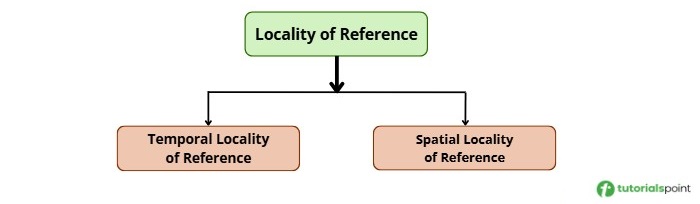
We will see each type in detail below.
Temporal Locality
Temporal Locality means that a program tends to use the same piece of data or instruction over and over again in a short period of time. Because of this, the computer keeps that data in fast memory, like cache or registers, so it can access it whenever needed.
For example: If a program keeps adding to the same variable inside a loop, it will use that variable repeatedly, showing the temporal locality.
Some examples of temporal locality include:
- Variables in loops that are accessed repeatedly.
- Functions that are called multiple times.
- Local variables and return addresses on the stack.
- Any data that is read or updated frequently, such as variables used in calculations or conditional checks.
Example
In this example, the variable sum is used repeatedly inside the loop. Since it is accessed many times in a short period, the CPU can keep it in cache or registers to update it quickly. This shows temporal locality.
#include <stdio.h>

int main() {
    int arr[10] = {1,2,3,4,5,6,7,8,9,10};
    int sum = 0;

    // sum is accessed repeatedly in the loop
    for (int i = 0; i < 10; i++) {
        sum += arr[i];
    }

    printf("Sum = %d\n", sum);
    return 0;
}
Following is the output that displays the calculated sum of all elements in the array.
Sum = 55
Advantages of Temporal Locality
Following are the advantages of temporal locality −
- Faster memory access because frequently used data stays in cache or registers.
- Better CPU performance as repeated operations do not need slower memory.
- Good use of cache by keeping recently used data ready to access.
Disadvantages of Temporal Locality
Following are the disadvantages of temporal locality −
- Limited benefit if data is not reused frequently.
- Cache may remove useful data if the working set is larger than cache size.
Spatial Locality
Spatial Locality means a program tends to use memory locations that are next to each other. The CPU stores these locations in the cache so it can access them quickly when needed.
For example − When a program reads elements of an array one by one, it accesses memory locations that are next to each other.
Some examples of spatial locality are:
- Accessing array elements one by one in order.
- Reading or writing records that are stored next to each other in memory.
- Accessing different values of a structure (like a student's name, age, and grade) that are stored together in memory.
Example
The following example shows spatial locality. In this program, the array elements are accessed one by one. Since these elements are stored next to each other in memory, the CPU can access them easily.
#include <stdio.h>

int main() {
    int arr[10] = {1,2,3,4,5,6,7,8,9,10};
    int sum = 0;

    //  accessing elements of an array in order
    for (int i = 0; i < 10; i++) {
        sum += arr[i];
    }

    printf("Sum = %d\n", sum);
    return 0;
}
Below is the output of the program that displays the calculated sum of all elements in the array.
Sum = 55
Advantages of Spatial Locality
Following are the advantages of spatial locality −
- Faster memory access by keeping nearby data in cache or registers.
- Better performance in sequential access, such as loops and arrays.
Disadvantages of Spatial Locality
Following are the disadvantages of spatial locality −
- Wastes cache space if nearby data is never accessed.
- Less effective for programs with random memory access patterns.
The Memory Hierarchy
Computers use different kinds of memory with different speeds and sizes. Faster memory is smaller and more expensive, while slower memory is larger and cheaper. Programs often use the same data again or access data stored close together. The CPU keeps important data in faster memory so it can access it quickly.
The main levels in the memory hierarchy are −
- Registers are the fastest and smallest memory inside the CPU.
- Cache is fast memory that stores recently used data.
- Main Memory (RAM) stores the data and instructions that a program is currently using.
- Storage (SSD or HDD) stores data permanently but is much slower than RAM.
Relationship Between Locality of Reference and Hit Ratio
The hit ratio shows how often the CPU finds the required data in fast memory like cache instead of fetching it from slower memory. It is calculated as −
Hit Ratio = Total Memory Accesses/Number of Hits
A hit happens when the data is found in cache. A miss occurs when the CPU has to access slower memory. The miss ratio is −
Miss Ratio = 1 - Hit Ratio
Effect on Average Memory Access
The higher hit ratio means faster memory access. Effective Access Time (EAT) is calculated as −
EAT = (Hit Rate x Hit Time) + (Miss Rate x Miss Time)
For example,
- Cache access = 2 ns, Main memory = 100 ns
- 95% hit ratio -> EAT = 6.9 ns
- 70% hit ratio -> EAT = 31.4 ns
Better locality helps the CPU get data from fast memory so programs run faster.
Difference Between Temporal Locality and Spatial Locality
The following table shows the difference between temporal locality and spatial locality −
| Feature | Temporal Locality | Spatial Locality |
|---|---|---|
| What it means | The program uses the same memory location again within a short time. | The program uses memory locations that are close to each other. |
| Focus | Reusing the same data. | Accessing nearby data. |
| Why it happens | Loops and repeated operations use the same variable many times. | Arrays and sequential instructions are stored next to each other. |
| How it is improved | Cache keeps recently used data ready for quick access. | Cache loads a block containing nearby data. |
| Use Case | A variable updated in every loop iteration. | Accessing elements of an array in order. |
| Example | Using the same variable in each step of a loop. | Reading data from memory locations placed side by side. |
Conclusion
We have learned about locality of reference and its types. Spatial locality is when a program uses memory locations that are close to each other. Temporal locality is when a program uses the same data or instructions repeatedly. Understanding these helps the computer run faster.
