
- SolidJS - Home
- SolidJS - Cheatsheet
- SolidJS - vs Vue, and Svelte
- SolidJS - Environment Setup
- SolidJS - First Solid App
- SolidJS - JSX Fundamentals
- SolidJS - Fine-grained Reactivity
- Building with Components
- SolidJS - Function Components
- SolidJS - Styling Your Components
- SolidJS - Conditional Rendering
- SolidJS - Dynamic Lists
- SolidJS - Passing Data
- SolidJS - Event Handling
- Routing, Data, and Async Operations
- SolidJS - Setting up Routes
- SolidJS - Input Handling
- SolidJS - Input Types
- SolidJS - Form Handling
- SolidJS Useful Resources
- SolidJS - Useful Resources
- SolidJS - Discussion
SolidJS - Passing Data
Read this chapter to learn how to pass data in SolidJS. We understand that components in SolidJS communicate through props and children, which allows for a clean data flow.
What are Props?
Props are short for properties, and they are used to pass information from one component to another. They are mainly used to send information from the parent component to the child component.
They are used as arguments for components in SolidJS. Props objects are read-only and have reactive properties, and are passed to components as attributes within JSX.
Syntax
Below is the basic syntax to create a component with props in SolidJS −
function Component_Name(props) {
  return (
    // use props inside JSX
    <>
      <h1>{props.property_name}</h1>
    </>
  );
}
In the above component, we have created a prop and used its property inside the <h1> tag. To use the above component, we have to use the following syntax in our return function, in which the value passed is "Hello" −
<Component_Name property_name="Hello"/>
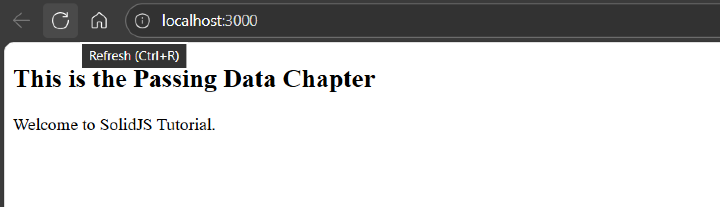
In the example below, we have created a component named "DemoProp", which uses a prop and displays the UI inside the JSX −
//Child Component
function DemoProp(props: { title: string; content: string }) {
  return (
    <div>
      <h2>{props.title}</h2>
      <p>{props.content}</p>
    </div>
  )
}

//Parent Component
function App() {
  return (
    <DemoProp
      title="This is the Passing Data Chapter"
      content="Welcome to SolidJS Tutorial."
    />
  )
}

export default App
Below is the output for the above code −
Different Types of Props
The following are the different types of props present in SolidJS −
Destructuring Props
In SolidJS, as we know, props are read-only, so their child components do not directly modify the data passed by the parent component. While in destructuring props (like { name }), you destructure the name property directly rather than using the props object.
In Solid, destructuring props is not recommended to use because it can break reactivity in the DOM.
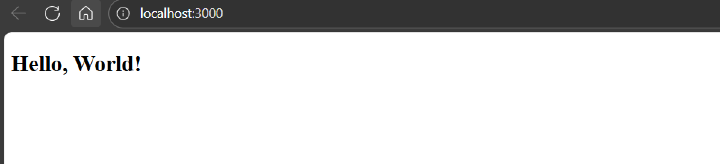
In the example below, we have created a component named "DestructuringProps", which represents a destructuring prop and displays the UI inside the JSX −
function DestructuringProps({ name }: { name: string }) {
  return <h2>Hello, {name}!</h2>
}

function App() {
  return <DestructuringProps name="World" />
}

export default App
Below is the output for the above code −
mergeProps
In SolidJS, mergeProps is a utility function that is designed to merge multiple reactive objects together without losing the reactivity. The mergeProps behaves similarly to Object.assign but will keep the reactivity of the properties that are being merged.
The mergeProps are used to override props with user-defined values, and also help in combining static and reactive properties together.
Syntax
Below is the basic syntax to declare a mergeProps in SolidJS −
const merged = mergeProps(prop1, prop2, ...);
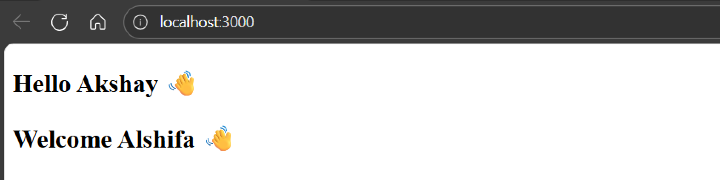
In the example below, we have created a component named "MergeProps", which represents a mergerProps and displays the UI inside the JSX −
import { mergeProps } from 'solid-js'

function MergeProps(props: { name?: string; message?: string }) {
  const defaultProps = { name: 'Alshifa', message: 'Welcome' }
  const merged = mergeProps(defaultProps, props)

  return (
    <h2>
      {merged.message} {merged.name} 👋
    </h2>
  )
}

function App() {
  return (
    <>
      <MergeProps name="Akshay" message="Hello" />
      <MergeProps /> {/*uses defaul prop values*/}
    </>
  )
}

export default App
Below is the output for the above code −
splitProps
In SolidJS, splitProps is also a utility function that is designed to divide single props objects into multiple sets of props, while preserving the reactivity of the individual properties.
The splitProps is useful for destructuring props without breaking the reactivity. It takes a props object and any number of arrays of keys; for each array of keys, it will return an array of props objects related to each set of keys, and an additional props object containing any remaining keys.
Syntax
Below is the basic syntax to declare a splitProps in SolidJS. Here, "set1" will contain only the given keys, key1 and key2, while "set2" will contain all the remaining keys.
const [set1, set2] = splitProps(props, ['key1', 'key2']);
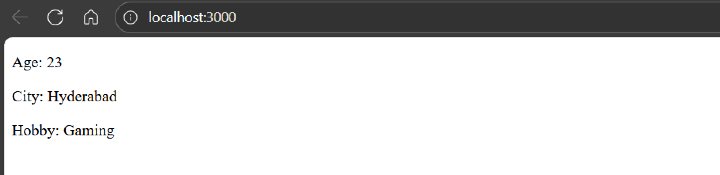
In the example below, we have created a component named "SplitProps", which represents a SplitProps and displays the UI inside the JSX −
import { splitProps } from 'solid-js'

function SplitProps(props: { age: number; city: string; hobby: string }) {
  const [set1, set2] = splitProps(props, ['age'])
  //
  return (
    <div>
      <p>Age: {set1.age}</p>
      <p>City: {set2.city}</p>
      <p>Hobby: {set2.hobby}</p>
    </div>
  )
}

function App() {
  return <SplitProps age={23} city="Hyderabad" hobby="Gaming" />
}

export default App
Below is the output for the above code −
Passing Props to children()
In most cases, simply using props inside the JSX will work without any issues, but there are some cases that will cause an issue, like when accessing props.children multiple times, or such as repeated creation of child components or elements could lead to unexpected behaviors.
SolidJS provides a children() method that helps us ensure that you always get the right child components without issues like those discussed above.
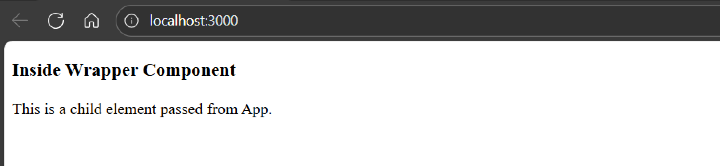
In the example below, we have created a component named "DemoWrapper", which safely uses the children() method with props and displays the UI inside the JSX −
import { children, ParentProps } from 'solid-js'

function DemoWrapper(props: ParentProps) {
  const resolved = children(() => props.children)
  // This will safely handle children

  return (
    <div>
      <h3>Inside Wrapper Component</h3>
      {resolved()}
    </div>
  )
}

function App() {
  return (
    <DemoWrapper>
      <p>This is a child element passed from App.</p>
    </DemoWrapper>
  )
}

export default App
Below is the output for the above code −
SolidJS provides powerful and simple tools for passing, organizing, and managing data between different components efficiently, which are props. Whereas functions like mergeProps and splitProps help in managing and organizing props without breaking the SolidJS fine-grained reactivity.. The children() method comes in handy for scenarios like unnecessary DOM re-creations or duplicate renders.
