
- SolidJS - Home
- SolidJS - Cheatsheet
- SolidJS - vs Vue, and Svelte
- SolidJS - Environment Setup
- SolidJS - First Solid App
- SolidJS - JSX Fundamentals
- SolidJS - Fine-grained Reactivity
- Building with Components
- SolidJS - Function Components
- SolidJS - Styling Your Components
- SolidJS - Conditional Rendering
- SolidJS - Dynamic Lists
- SolidJS - Passing Data
- SolidJS - Event Handling
- Routing, Data, and Async Operations
- SolidJS - Setting up Routes
- SolidJS - Input Handling
- SolidJS - Input Types
- SolidJS - Form Handling
- SolidJS Useful Resources
- SolidJS - Useful Resources
- SolidJS - Discussion
SolidJS - Event Handling
In this chapter, we will discuss Event Handling in SolidJS. This chapter will cover the two event handler types that are delegated events and native events along with the binding of data with these handlers.
What are Event Handlers?
Event handling in SolidJS is achieved through event handlers, which are functions that are called in response to specific events occurring in the DOM, such as when a user performs an action like clicking or tapping on a component.
There are two ways to add event listeners in SolidJS, as follows −
- on_ _(Event Delegation) − This event handler adds a listener to the document and forwards it to the element.
- on:_ _(Direct Event) − This event handler adds an event listener directly to the element.
Native events provide more control and behave like standard DOM events. Whereas the delegated events are more efficient in terms of performance and memory, because commonly used events share a single handler at once.
List of Delegated Events
The following is the list of element events that will be delegated in SolidJS −
- Mouse Events − mousedown, mouseup, mousemove, mouseover, and mouseout events.
- Pointer Events − pointerdown, pointerup, pointermove, pointerover, and pointerout events.
- Click Events − click, dblclick, and contextmenu events.
- Keyboard Events − keydown and keyup events.
- Input & Focus Events − beforeinput, input, focusin, and focusout events.
- Touch Events − touchstart, touchmove, and touchend events.
Adding Event Handlers
To add an event handler in SolidJS, we start by adding the event name either with on(native) or on:(delegated), and assign it to the function that we want to call when the event is sent. The delegated events are not case sensitive, which means they can be written using camelCase or all lowercase, but remember, they can be written in both ways. While native events are case sensitive.
Example of Delegated Event
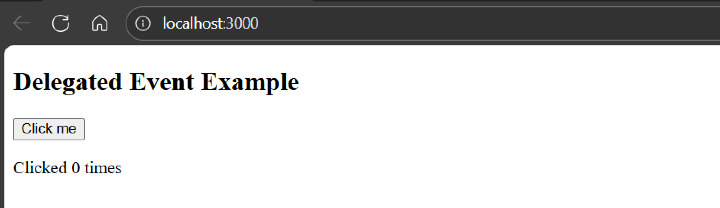
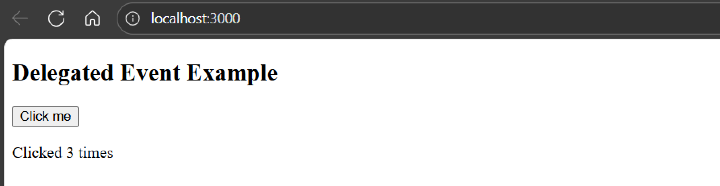
In the example below, we have created a component named "DelegatedDemo", in which we have created a delegated onClick event that increases the count on each click −
import { createSignal } from 'solid-js'

function DelegatedDemo() {
  const [count, setCount] = createSignal(0)

  function handleClick() {
    setCount(count() + 1)
  }

  return (
    <div>
      <h2>Delegated Event Example</h2>
      <button onClick={handleClick}>Click me</button>
      <p>Clicked {count()} times</p>
    </div>
  )
}

export default DelegatedDemo
Below is the output for the above code when the event handler is not clicked −
When you press the "Click me" button, it updates the count value based on each click, as shown in the output below:
Example of Native Event
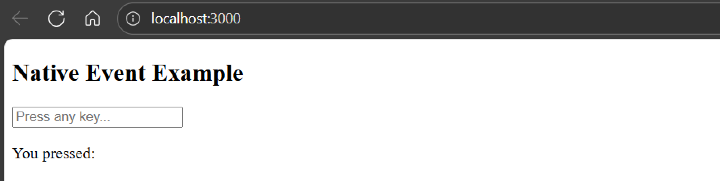
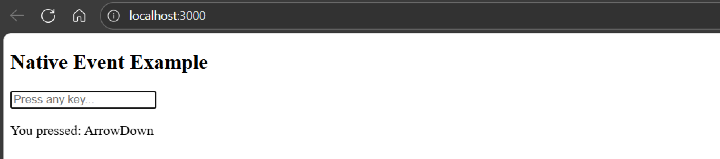
In the example below, we have created a component named "NativeDemo", in which we have created a native keydown event that shows which key is pressed −
import { createSignal } from 'solid-js'

function NativeDemo() {
  const [key, setKey] = createSignal('')

  return (
    <div>
      <h2>Native Event Example</h2>
      <input on:keydown={e => setKey(e.key)} placeholder="Press any key..." />
      <p>You pressed: {key()}</p>
    </div>
  )
}

export default NativeDemo
Below is the output for the above code when the event handler is not pressed −
When you press the "ArrowDown" key, it updates the input's value with the key that is pressed, as shown in the output below −
Binding Events with Data
SolidJS allows you to bind extra data to event handlers by passing an array [handler, data] where the first item is the handler function and the second item is the data to be passed. This reduces the overhead of using JavaScript's bind() function or inline arrow functions.
on<event_name> = [handler_Function, data]
Here, <event_name> is the name of the event (e.g., Click, Input), and handler_Function is the function that handles the event.
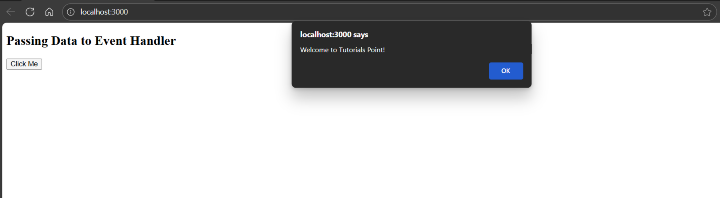
In the example below, we have created a component named "BindingDemo", in which we have created a native event that shows an alert and shows the data stored −
function BindingDemo() {
  const handler = (data, event) => {
    console.log('Data:', data)
    console.log('Event:', event)
    alert(data)
  }

  return (
    <div>
      <h2>Passing Data to Event Handler</h2>
      <button onClick={[handler, 'Welcome to Tutorials Point!']}>
        Click Me
      </button>
    </div>
  )
}

export default BindingDemo
Below is the output for the above code when the "Click me" button is clicked −
Considerations for Event Delegation
The following are the considerations for event delegation that you should keep in mind while working with SolidJS:
- Only one event handler across all the matching events globally is assigned to a single delegated listener per event type, even if the original element is removed.
- For infrequent events like mousemove, it is better to use native event binding (on:eventName) rather than delegation.
- The event.stopPropagation() behaves unexpectedly with delegated events since they are connected to the document, not the specific element. If you want to effectively stop propagation, use native events instead.
- onInput is fired right away when there is a change in the value. Whereas onChange will act only after the input loses focus (corresponding to standard browser behavior).
