- SAP Simple Finance - Home
- SAP HANA - Introduction
- SAP Simple Finance - Introduction
- SAP Simple Finance - Architecture
- Extend G/L Coding Block
- Universal Journal
- Document Number
- Display Financial Tables
- Deployment Options
- Post & Reverse Documents
- Reporting Options
- SAP Simple Finance - Migration
- Manual Reposting of Costs
- SAP Simple Finance - G/L Accounting
- Create a Primary Cost
- Create a Secondary Cost
- SAP Simple Finance - Ledger Mgmt
- Asset Accounting
- Create an Asset
- SAP Simple Finance - Asset Scrapping
- Create Default Account Assignment
- Management Accounting
- Profitability Analysis
- Period Lock Transaction
- New Period Closing Program
- SAP Simple Finance - Integration
- SAP Simple Finance - IBPF
- Consultant Capabilities
SAP Simple Finance - Universal Journal
A Universal Journal entry consists of a header and respective items and in some scenarios it is possible to have item entries without a header value. Universal Journal is a one-line item table with full detail for all the components. No reconciliation is required and data is stored only once.
Header Table BKPF
Respective Item Table ACDOCA
Respective item table ACDOCA consists of all the fields required for General Ledger, Asset Accounting, and Material Ledger, etc.
Universal Journal contains 6-digit line item numbering
Universal Journal contains 23-digit currency fields
For each business transaction in one of the application components, a journal entry is created −
- General Ledger Accounting
- Asset Accounting
- Controlling
- Material Ledger
- Profitability Analysis
The Journal Entry removes the separation between Financial Accounting and Controlling hence there is no need for any reconciliation between FI and CO, or between FI - General Ledger and FI - Asset Accounting.
Following are the details of the technical component of Simple Finance −
| Technical Name | SFIN_20_ACCOUNTING_UJE |
| Country Dependency | Valid for all countries |
| Software Component Version | SAP_FIN 720 |
| Application Component | Financial Accounting (FI) Controlling (CO) Accounting General (AC) |
As mentioned above, a universal journal entry maintains 23-digit currency fields which brings the currency concept for FI and CO.
For each journal entry, there is a ledger maintained in which the business transaction is posted. You can also enhance the journal entry by extending the coding block and adding CO-PA characteristics.
All Universal Journal entries are written to a new table - ACDOCA and no entries are made to the old tables. However, you can continue to use reports that use data from the old tables.
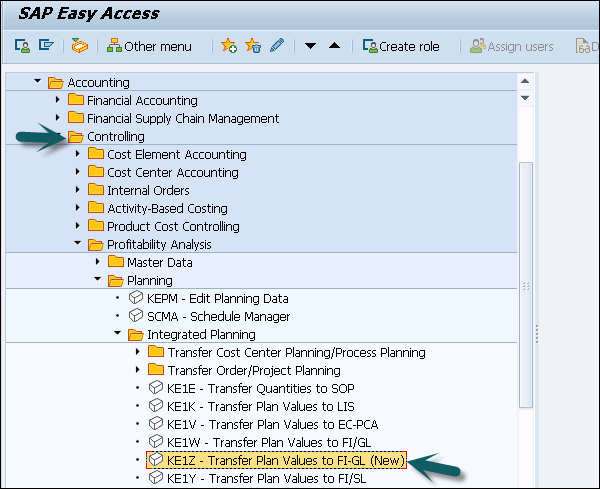
Navigate to SAP Easy Access → Accounting → Controlling → Profitability Analysis → Planning → Integrated Planning → Transfer Plan Values to FI-GL (New).
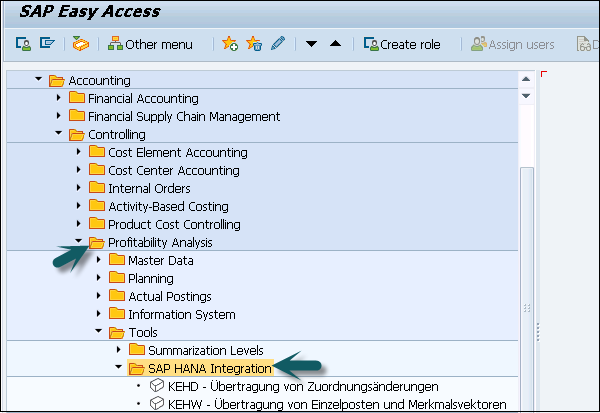
Navigate to SAP Easy Access → Accounting → Controlling → Profitability Analysis → Planning → Tools → HANA Integration.