- Pycharm - Home
- Pycharm - Introduction
- Pycharm - Installation
- Pycharm - Understanding Basics
- Pycharm - Keymaps
- Pycharm - Shortcuts
- Pycharm - Omni
- Pycharm - Macros
- Pycharm - Micros
- Pycharm - Improving & Writing Code
- Pycharm - Console
- Pycharm - Interpreters
- Pycharm - Debugging & Breakpoints
- Pycharm - Integration of Version Control
- Pycharm - HTML & CSS Integration
- Pycharm - JavaScript Support
- Pycharm - Tips
- Pycharm - Database Tools
- Pycharm - Exporting Data
- Pycharm - Web Frameworks
- Pycharm - Django
- Pycharm - Pyramid
- Pycharm - Flask
PyCharm Resources
PyCharm - Understanding Basics
This chapter will discuss the basics of PyCharm and make you feel comfortable to begin working in PyCharm editor.
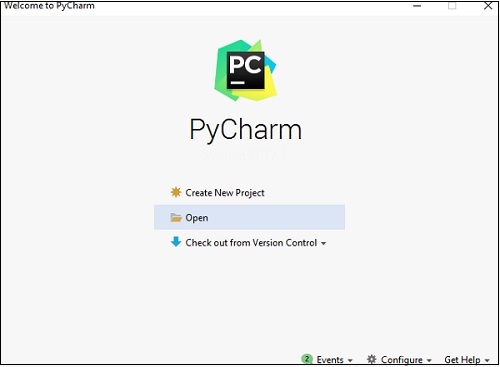
When you launch PyCharm for the first time, you can see a welcome screen with entry points to IDE such as −
- Creating or opening the project
- Checking out the project from version control
- Viewing the documentation
- Configuring the IDE
Now we will start creating new files in a sample project to understand the basics of PyCharm Editor.
Click on the New Script button to create a new python script file under a default project PyCharmMiscProject. Rename the file to main.py.
The code included in main.py is as follows −
y = 3

def print_stuff():
   print ("Calling print_stuff")
   print (y)
   z = 4
   print (z)
   print("exiting print_stuff")

print_stuff() # we call print_stuff and the program execution goes to (***)
print(y) # works fine
print (z) # NameError!!!
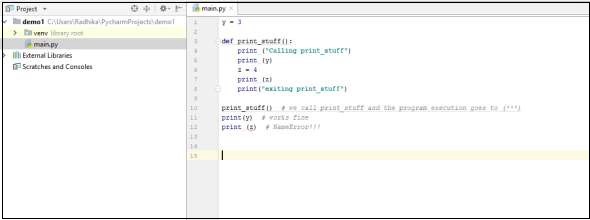
The code created in the file main.py using PyCharm Editor is displayed as shown below −
This code can be run within IDE environment. The basic demonstration of running a program is discussed below −
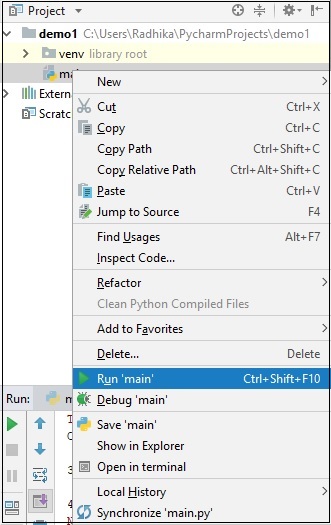
Note that we have included some errors within the specified code such that console can execute the code and display output as the way it is intended to.