
- Pycharm - Home
- Pycharm - Introduction
- Pycharm - Installation
- Pycharm - Understanding Basics
- Pycharm - Keymaps
- Pycharm - Shortcuts
- Pycharm - Omni
- Pycharm - Macros
- Pycharm - Micros
- Pycharm - Improving & Writing Code
- Pycharm - Console
- Pycharm - Interpreters
- Pycharm - Debugging & Breakpoints
- Pycharm - Integration of Version Control
- Pycharm - HTML & CSS Integration
- Pycharm - JavaScript Support
- Pycharm - Tips
- Pycharm - Database Tools
- Pycharm - Exporting Data
- Pycharm - Web Frameworks
- Pycharm - Django
- Pycharm - Pyramid
- Pycharm - Flask
PyCharm Resources
Selected Reading
PyCharm - KeyMaps
PyCharm includes various Keymaps to show the most-used commands in the editor. This chapter discusses Keymaps in detail.
You can find the list of Keymaps available in the file menu Settings -> Keymap... as shown in the screenshot given below −
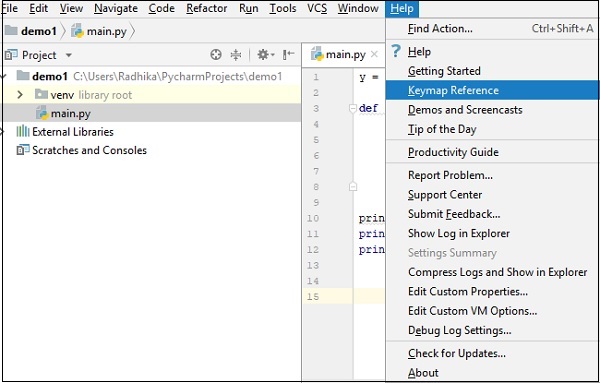
You can find the list of Keymaps and the available shortcuts in PDF format as shown below −
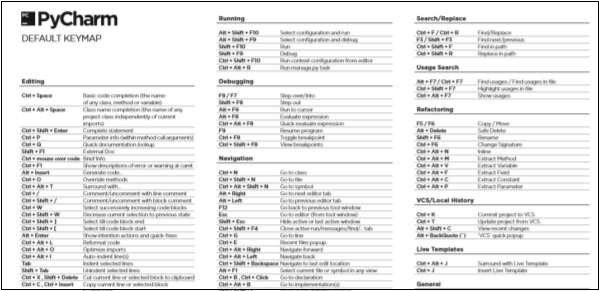
Note − The default Keymap for Windows and Linux operating systems is default, while in Mac OS the default Keymap is OSX 10.5.
You can also search keymap keyword using search box.
The default Keymap includes various sections for Editor Actions, Main Menu, Tool Windows, External tools, Version Control System, Macros, Quick Lists, Plug-ins and Other options as well.

Advertisements