- MERN Stack - Home
- MERN Stack - Installation
- MERN Stack - MongoDB Setup
- MERN Stack - Node Setup
- MERN Stack - Connect React with Node
- MERN Stack - Folder Structure
- MERN Stack Useful Resources
- MERN Stack - Useful Resources
- MERN Stack - Discussion
The MERN Stack Installation Guide
To begin using the MERN stack, we first need to install each technology, framework, and library. If we install Node.js, we can then easily set up the other components: MongoDB, Express.js, and React.
Install Node.js and npm
Node.js is one of the most important technologies in the MERN stack. It is an open-source, cross-platform JavaScript runtime environment that allows developers to execute JavaScript code outside of a web browser. It enables server-side rendering (SSR) and the creation of various types of applications.
To install Node.js, visit the official Node.js website and download the latest version.
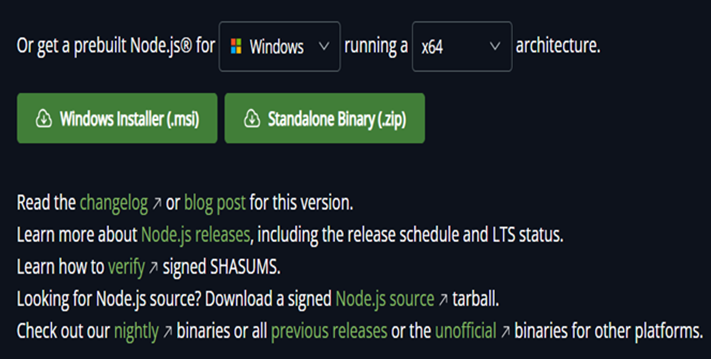
Download the appropriate installer for your operating system from the above link. Once installed, open your terminal or command prompt and run the command node -v or node --version to verify the installation. You will see the installed version of Node.js displayed. For example, my installed version is v23.9.0.
Install npm
Once you have confirmed that Node.js is installed on your system, it becomes very easy to use npm. npm (Node Package Manager) is typically bundled with Node.js and is used to manage and install packages or dependencies for your projects.
npm is already installed with Node.js. You can check its version by running the command npm -v.
Install MongoDB
MongoDB is the database component of the MERN stack that stores application data in a flexible, JSON-like format. To install MongoDB on your system, follow the steps below according to your operating system.
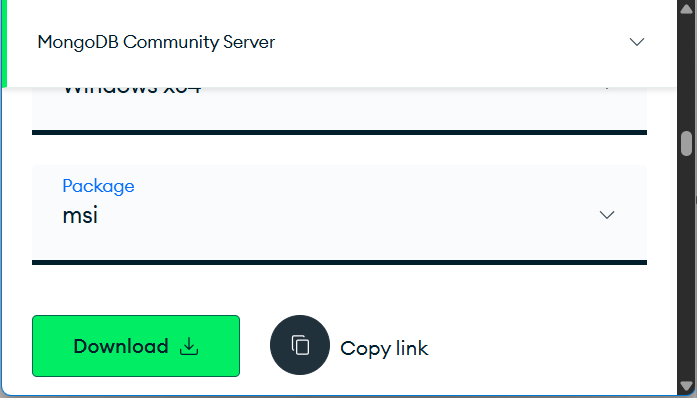
Download the MongoDB Community Edition from the official MongoDB website. Select Windows as your OS, choose the latest version, and download the MSI Installer. Once it will download follow the installation instructions specific to your operating system.
Choose Complete Setup. Make sure to check "Install MongoDB as a Service". After installation, open Command Prompt and start MongoDB with: net start MongoDB
Verify the installation: mongosh if you see the MongoDB shell prompt (e.g., test>), MongoDB is running successfully.
Project Setup
Once you have installed all the required tools such as Node.js and MongoDB, you can create a new project directory for your MERN application. You can either create the directory manually or use the command prompt with the following command −
mkdir mern-project
Inside this directory create a separate directory for your frontend and backend. You can either create the directory or use the command prompt with the following command −
mkdir frontend backend
Backend setup Node.js and Express.js
Navigate to the backend directory by using the cd backend then use the npm init command to install the package.json file for backend.
To install Express.js and other necessary backend dependencies (such as mongoose for MongoDB interaction and cors for handling cross-origin requests), use the following command: npm install <dependency_name>
npm install express mongoose cors dotenv
Frontend Setup
Navigate to the frontend directory using the command cd frontend. Then, create a React.js project using either of the following commands: npx create-react-app to set up a React app in the current directory using Create React App. npm create vite@latest to set up a React app in the current directory using Vite.
You can install any frontend dependencies you may need (e.g., axios for making HTTP requests).
npm install axios
Folder Structure
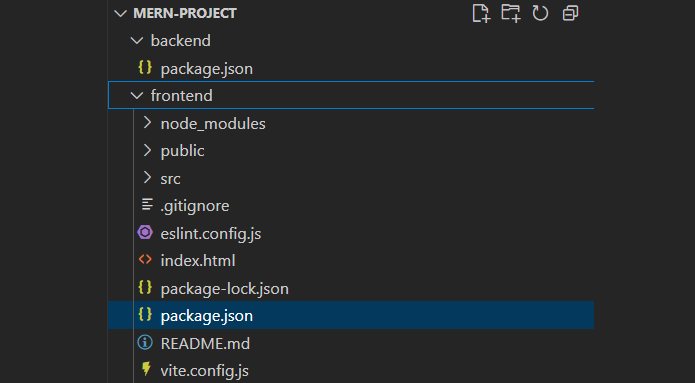
The following is the folder structure after setting up and installing both the backend and frontend.
Conclusion
By following the above steps, you have successfully installed and configured all the essential components of the MERN stack: MongoDB, Express.js, React.js, and Node.js. Each technology plays a crucial role in building modern, full-stack JavaScript applications. With the environment set up, you are now ready to start developing your MERN project, building RESTful APIs in the backend using Express and Node.js, connecting to MongoDB for data storage, and creating an interactive user interface using React.js.
