- FastAPI - Home
- FastAPI - Introduction
- FastAPI - Hello World
- FastAPI - OpenAPI
- FastAPI - Uvicorn
- FastAPI - Type Hints
- FastAPI - IDE Support
- FastAPI - Rest Architecture
- FastAPI - Path Parameters
- FastAPI - Query Parameters
- FastAPI - Parameter Validation
- FastAPI - Pydantic
- FastAPI - Request Body
- FastAPI - Templates
- FastAPI - Static Files
- FastAPI - HTML Form Templates
- FastAPI - Accessing Form Data
- FastAPI - Uploading Files
- FastAPI - Cookie Parameters
- FastAPI - Header Parameters
- FastAPI - Response Model
- FastAPI - Nested Models
- FastAPI - Dependencies
- FastAPI - CORS
- FastAPI - Crud Operations
- FastAPI - SQL Databases
- FastAPI - Using MongoDB
- FastAPI - Using GraphQL
- FastAPI - Websockets
- FastAPI - FastAPI Event Handlers
- FastAPI - Mounting A Sub-App
- FastAPI - Middleware
- FastAPI - Mounting Flast App
- FastAPI - Deployment
FastAPI Useful Resources
FastAPI - Hello World
Getting Started
The first step in creating a FastAPI app is to declare the application object of FastAPI class.
from fastapi import FastAPI
app = FastAPI()
This app object is the main point of interaction of the application with the client browser. The uvicorn server uses this object to listen to clients request.
The next step is to create path operation. Path is a URL which when visited by the client invokes visits a mapped URL to one of the HTTP methods, an associated function is to be executed. We need to bind a view function to a URL and the corresponding HTTP method. For example, the index() function corresponds to / path with get operation.
@app.get("/")
async def root():
   return {"message": "Hello World"}
The function returns a JSON response, however, it can return dict, list, str, int, etc. It can also return Pydantic models.
Example - API returning 'Hello World'
Save the following code as main.py
main.py
from fastapi import FastAPI

app = FastAPI()

@app.get("/")
async def index():
   return {"message": "Hello World"}
Start the Server
Start the uvicorn server by mentioning the file in which the FastAPI application object is instantiated.
uvicorn main:app --reload

INFO:     Will watch for changes in these directories: ['D:\\Projects\\python\\myenv']
INFO:     Uvicorn running on http://127.0.0.1:8000 (Press CTRL+C to quit)
INFO:     Started reloader process [10888] using StatReload
INFO:     Started server process [13932]
INFO:     Waiting for application startup.
INFO:     Application startup complete.
Output
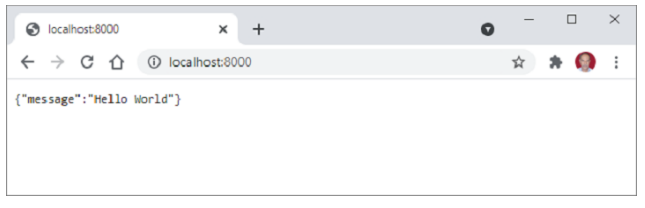
Open the browser and visit http://localhost:/8000. You will see the JSON response in the browser window.