
- JSF Tutorial
- JSF - Home
- JSF - Overview
- JSF - Environment Setup
- JSF - Architecture
- JSF - Life Cycle
- JSF - First Application
- JSF - Managed Beans
- JSF - Page Navigation
- JSF - Basic Tags
- JSF - Facelet Tags
- JSF - Convertor Tags
- JSF - Validator Tags
- JSF - DataTable
- JSF - Composite Components
- JSF - Ajax
- JSF - Event Handling
- JSF - JDBC Integration
- JSF - Spring Integration
- JSF - Expression Language
- JSF - Internationalization
- JSF Useful Resources
- JSF - Quick Guide
- JSF - Useful Resources
- JSF - Discussion
JSF - actionListener
When the user interacts with the components, such as h:commandButton or h:link, the JSF fires action events which can be handled in two ways.
| S.No | Technique & Description |
|---|---|
| 1 | Method Binding Pass the name of the managed bean method in actionListener attribute of UI Component. |
| 2 | ActionListener Implement ActionListener interface and pass the implementation class name to actionListener attribute of UI Component. |
Method Binding
Define a method
public void updateData(ActionEvent e) {
   data = "Hello World";
}
Use the above method
<h:commandButton id = "submitButton"
   value = "Submit" action = "#{userData.showResult}"
   actionListener = "#{userData.updateData}" />
</h:commandButton>
ActionListener
Implement ActionListener
public class UserActionListener implements ActionListener {

   @Override
   public void processAction(ActionEvent arg0)
   throws AbortProcessingException {

      //access userData bean directly
      UserData userData = (UserData) FacesContext.getCurrentInstance().
      getExternalContext().getSessionMap().get("userData");
      userData.setData("Hello World");
   }
}
Use listener method
<h:commandButton id = "submitButton1"
   value = "Submit" action = "#{userData.showResult}" >
   <f:actionListener type = "com.tutorialspoint.test.UserActionListener" />
</h:commandButton>
Example Application
Let us create a test JSF application to test the actionListener in JSF.
| Step | Description |
|---|---|
| 1 | Create a project with a name helloworld under a package com.tutorialspoint.test as explained in the JSF - First Application chapter. |
| 2 | Modify UserData.java file as explained below. |
| 3 | Create UserActionListener.java file under a package com.tutorialspoint.test. Modify it as explained below. |
| 4 | Modify home.xhtml as explained below. Keep the rest of the files unchanged. |
| 5 | Modify result.xhtml as explained below. Keep the rest of the files unchanged. |
| 6 | Compile and run the application to make sure the business logic is working as per the requirements. |
| 7 | Finally, build the application in the form of war file and deploy it in Apache Tomcat Webserver. |
| 8 | Launch your web application using appropriate URL as explained below in the last step. |
UserData.java
package com.tutorialspoint.test;

import java.io.Serializable;
import java.util.LinkedHashMap;
import java.util.Map;

import javax.faces.bean.ManagedBean;
import javax.faces.bean.SessionScoped;
import javax.faces.event.ValueChangeEvent;

@ManagedBean(name = "userData", eager = true)
@SessionScoped
public class UserData implements Serializable {
   private static final long serialVersionUID = 1L;
   private static Map<String,String> countryMap;
   private String data = "sample data";

   public String showResult() {
      return "result";
   }

   public void updateData(ActionEvent e) {
      data="Hello World";
   }

   public String getData() {
      return data;
   }

   public void setData(String data) {
      this.data = data;
   }
}
UserActionListener.java
package com.tutorialspoint.test;

import javax.faces.context.FacesContext;
import javax.faces.event.AbortProcessingException;
import javax.faces.event.ActionEvent;
import javax.faces.event.ActionListener;

public class UserActionListener implements ActionListener {

   @Override
   public void processAction(ActionEvent arg0)
   throws AbortProcessingException {

      //access userData bean directly
      UserData userData = (UserData) FacesContext.getCurrentInstance().
      getExternalContext().getSessionMap().get("userData");
      userData.setData("Hello World");
   }
}
home.xhtml
<?xml version = "1.0" encoding = "UTF-8"?>
<!DOCTYPE html PUBLIC "-//W3C//DTD XHTML 1.0 Transitional//EN"
"http://www.w3.org/TR/xhtml1/DTD/xhtml1-transitional.dtd">

<html xmlns = "http://www.w3.org/1999/xhtml"
   xmlns:h = "http://java.sun.com/jsf/html"
   xmlns:f = "http://java.sun.com/jsf/core">

   <h:head>
      <title>JSF tutorial</title>
   </h:head>

   <h:body>
      <h2>actionListener Examples</h2>

      <h:form>
         <h2>Method Binding</h2>
         <hr/>

         <h:commandButton id = "submitButton"
            value = "Submit" action = "#{userData.showResult}"
            actionListener = "#{userData.updateData}" />
         </h:commandButton>
         <h2>ActionListener interface</h2>
         <hr/>

         <h:commandButton id = "submitButton1"
            value = "Submit" action = "#{userData.showResult}" >
            <f:actionListener
               type = "com.tutorialspoint.test.UserActionListener" />
         </h:commandButton>
      </h:form>

   </h:body>
</html>
result.xhtml
<?xml version = "1.0" encoding = "UTF-8"?>
<!DOCTYPE html PUBLIC "-//W3C//DTD XHTML 1.0 Transitional//EN"
"http://www.w3.org/TR/xhtml1/DTD/xhtml1-transitional.dtd">

<html xmlns = "http://www.w3.org/1999/xhtml"
   xmlns:f = "http://java.sun.com/jsf/core"
   xmlns:h = "http://java.sun.com/jsf/html">

   <h:head>
      <title>JSF Tutorial!</title>
   </h:head>

   <h:body>
      <h2>Result</h2>
      <hr />
      #{userData.data}
   </h:body>
</html>
Once you are ready with all the changes done, let us compile and run the application as we did in JSF - First Application chapter. If everything is fine with your application, this will produce the following result.
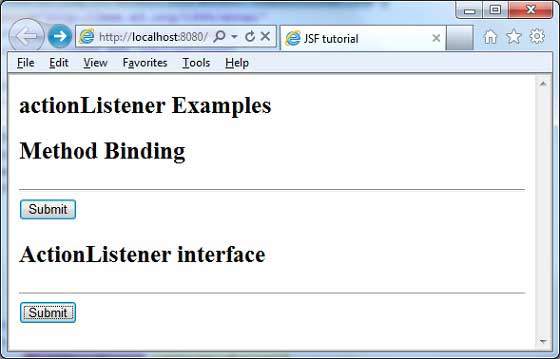
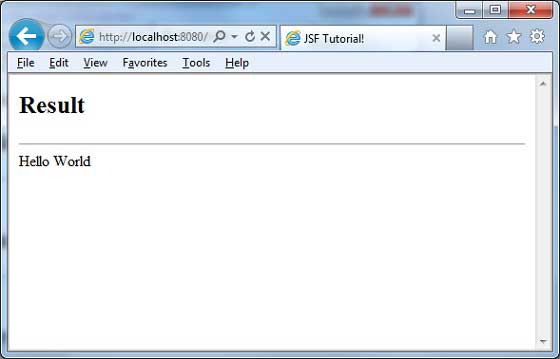
Click any submit button. You will see the following result.
To Continue Learning Please Login