
- Less - Nested Rules
- Less - Nested Directives and Bubbling
- Less - Operations
- Less - Escaping
- Less - Functions
- Less - Namespaces and Accessors
- Less - Scope
- Less - Comments
- Less - Importing
- Less - Variables
- Less - Extend
- Less - Mixins
- Less - Parametric Mixins
- Less - Mixins as Functions
- Less - Passing Rulesets to Mixins
- Less - Import Directives
- Less - Import Options
- Less - Mixin Guards
- Less - CSS Guards
- Less - Loops
- Less - Merge
- Less - Parent Selectors
- Functions
- Less - Misc Functions
- Less - String Functions
- Less - List Functions
- Less - Math Functions
- Less - Type Functions
- Less - Color Defination Functions
- Less - Color Channel Functions
- Less - Color Operation
- Less - Color Blending Functions
- Usage
- Less - Command Line Usage
- Using Less In The Browser
- Less - Browser support
- Less - Plugins
- Less - Programmatic Usage
- Less - Online Compilers
- Less - GUIs
- Less - Editors and Plugins
- Less - Third Party Compilers
- Less - Frameworks
- Less Useful Resources
- Less - Quick Guide
- Less - Cheatsheet
- Less - Useful Resources
- Less - Discussion
Selected Reading
LESS - Namespaces and Accessors
Description
Namespaces are used to group the mixins under a common name. Using namespaces, you can avoid conflict in name and encapsulate a group of mixins from outside.
Example
The following example demonstrates the use of namespaces and accessors in the LESS file −
<html>
   <head>
      <title>Less Namespaces and Accessors</title>
      <link rel = "stylesheet" type = "text/css" href = "style.css" />
   </head>

   <body>
      <h1>Example using Namespaces and Accessors</h1>
      <p class = "myclass">LESS enables customizable,
      manageable and reusable style sheet for web site.</p>
   </body>
</html>
Now create the style.less file.
style.less
.class1 {
   .class2 {
      .val(@param) {
         font-size: @param;
         color:green;
      }
   }
}

.myclass {
   .class1 > .class2 > .val(20px);
}
You can compile the style.less file to style.css by using the following command −
lessc style.less style.css
Execute the above command; it will create the style.css file automatically with the following code −
style.css
.myclass {
   font-size: 20px;
   color: green;
}
Output
Follow these steps to see how the above code works −
Save the above html code in the namespaces_accessors.html file.
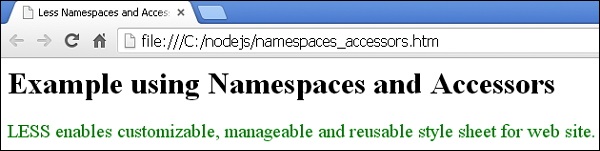
Open this HTML file in a browser, the following output will get displayed.

Advertisements