- jQuery - Home
- jQuery - Roadmap
- jQuery - Overview
- jQuery - Basics
- jQuery - Syntax
- jQuery - Selectors
- jQuery - Events
- jQuery - Attributes
- jQuery - AJAX
- jQuery CSS Manipulation
- jQuery - CSS Classes
- jQuery - Dimensions
- jQuery - CSS Properties
- jQuery Traversing
- jQuery - Traversing
- jQuery - Traversing Ancestors
- jQuery - Traversing Descendants
- jQuery References
- jQuery - Selectors
- jQuery - Events
- jQuery - Effects
- jQuery - HTML/CSS
- jQuery - Traversing
- jQuery - Miscellaneous
- jQuery - Properties
- jQuery - Utilities
- jQuery Plugins
- jQuery - Plugins
- jQuery - PagePiling.js
- jQuery - Flickerplate.js
- jQuery - Multiscroll.js
- jQuery - Slidebar.js
- jQuery - Rowgrid.js
- jQuery - Alertify.js
- jQuery - Progressbar.js
- jQuery - Slideshow.js
- jQuery - Drawsvg.js
- jQuery - Tagsort.js
- jQuery - LogosDistort.js
- jQuery - Filer.js
- jQuery - Whatsnearby.js
- jQuery - Checkout.js
- jQuery - Blockrain.js
- jQuery - Producttour.js
- jQuery - Megadropdown.js
- jQuery - Weather.js
- jQuery Useful Resources
- jQuery - Questions and Answers
- jQuery - Quick Guide
- jQuery - Cheatsheet
- jQuery - Useful Resources
- jQuery - Discussion
jQuery event.stopImmediatePropagation() Method
The jQuery event.stopImmediatePropagation() method is used to stop the rest of the handlers from being executed. This method also stops the bubbling by calling event.stopPropagation().
You can use jQuery event.isImmediatePropagationStopped() to know whether this method was ever called (on that event object).
The event.stopImmediatePropagation() and event.stopPropagation() methods are similar, but there are a few differences between them as shown below −
- The event.stopPropagation() method stops the event from bubbling up to the only parent elements.
- It does not prevent other handlers on the same element from executing.
- The event.stopImmediatePropagation() also stops the event from bubbling up to the parent element
- It prevents any other event handlers on the same element from executing.
Syntax
Following is the syntax of the jQuery event.stopImmediatePropagation() method −
event.stopImmediatePropagation()
Parameters
This method does not accept any parameter.
Return Value
This method does not return any value.
Example 1
The following is the basic example of the jQuery event.stopImmediatePropagation() method −
<html>
   <head>
      <title>The jQuery Example</title>
      <script src="https://ajax.googleapis.com/ajax/libs/jquery/3.6.0/jquery.min.js"></script>
      <style>
         div{
            background-color: green;
            color: white;
            width: 300px;
            padding: 20px
         }
      </style>
   </head>

   <body>
      <p>Click on the below box to see the result:</p>
      <div>
         This is div element.
      </div>
      </div>
      <script>
      $(document).ready(function() {
         $('div').click(function(event){
            alert("Handler 1 triggered.")
            event.stopImmediatePropagation();
         });
         $('div').click(function(event){
            alert("Handler 2 triggered.");
            //event.stopImmediatePropagation();
         });
         $('div').click(function(event){
            alert("Handler 3 triggered.");
            //event.stopImmediatePropagation();
         });
    });
      </script>
   </body>
</html>
Output
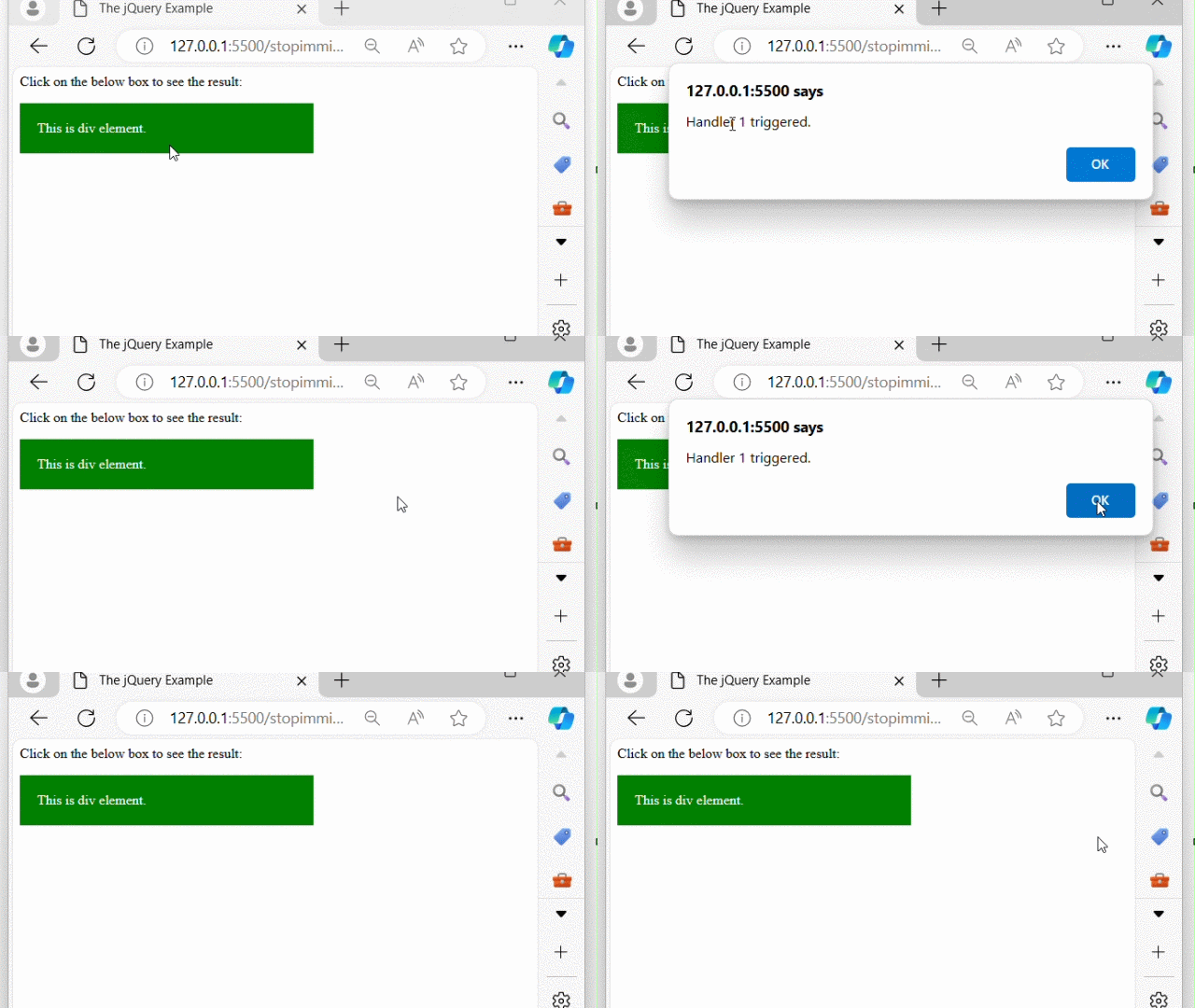
The above program displayed a div element with some text. When we click the divs, a respective pop-up alert will appear, indicating which event handler executed −
Example 2
Using the event.isImmediatePropagationStopped() method along with the event.stopImmediatePropagation() method to check whether this method was ever called −
<html>
<head>
    <script src="https://ajax.googleapis.com/ajax/libs/jquery/3.6.0/jquery.min.js"></script>
    <style>
        div{
            width: 200px;
            padding: 20px;
            align-items: center;
            justify-content: center;
            color: white;
            font-size: 20px;
        }
    </style>
</head>
<body>
   <p>Click on any box to see the effect:</p>
   <div id="div1" style="background-color:rgb(69, 238, 100);">
       Div 1
       <div id="div2" style="background-color:rgb(13, 138, 13);">
            Div 2
            <div id="div3" style="background-color:rgb(23, 89, 128);">
               Div 3
            </div>
      </div>
  </div>
  <p>Click on the below button to check whether propagation stopped or not.</p>
  <button>Check</button><span></span>
  <script>
  $(document).ready(function() {
    $("div").click(function(event){
        $('span').text("This is : " + $(this).text());
        event.stopImmediatePropagation();
        $('button').click(function(){
            if(event.isImmediatePropagationStopped()){
               $('span').text("Is immediate propagation stopped? " + event.isImmediatePropagationStopped());
            }
            else{
               $('span').text("Is immediate propagation stopped? " + event.isImmediatePropagationStopped());
            }
        });
    });
});
  </script>
</body>
</html>
Output
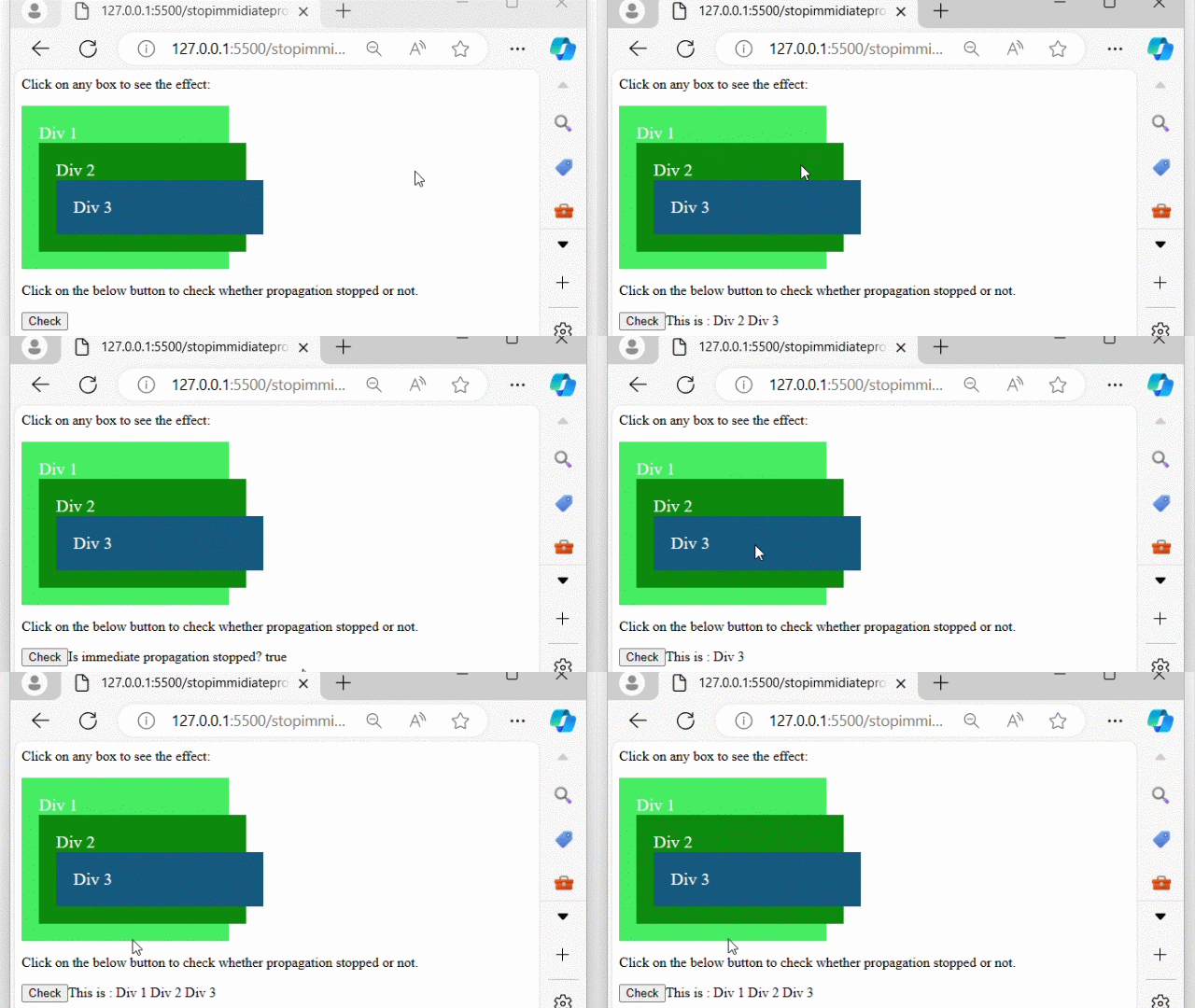
After executing the above program, displays three nested divs and a button element. When any of div is clicked message appear indicates which div was clicked. If the button is clicked "true" is print −