
Article Categories
- All Categories
-
 Data Structure
-
 Networking
-
 RDBMS
RDBMS
-
 Operating System
-
 Java
Java
-
 MS Excel
-
 iOS
iOS
-
 HTML
HTML
-
 CSS
CSS
-
 Android
-
 Python
-
 C Programming
-
 C++
C++
-
 C#
C#
-
 MongoDB
-
 MySQL
MySQL
-
 Javascript
-
 PHP
PHP
-
 Economics & Finance
Selected Reading
How to set the legends using ggplot2 on top-right side in R?
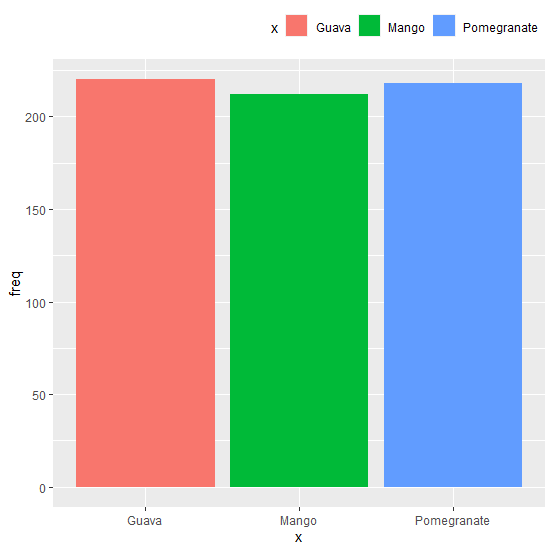
The default position of legend in a plot created by using ggplot2 is right hand side but we can change the position by using theme function that has legend.position argument and legend.justification argument. To set the legend on top-right side we can use legend.position="top" and legend.justification="right".
Example
Consider the below data frame:
Consider the below data frame:
> x<-c("Mango","Guava","Pomegranate")
> freq<-c(212,220,218)
> df<-data.frame(x,freq)
> df
Output
x freq
1 Mango 212
2 Guava 220
3 Pomegranate 218
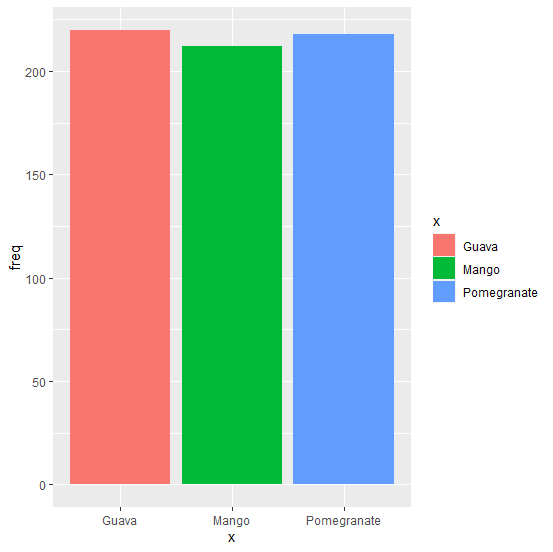
Loading ggplot2 package and creating bar chart with legend:
> library(ggplot2)
> ggplot(df,aes(x,freq,fill=x))+geom_bar(stat="identity")
Output:
Creating the bar chart with legend on top-right hand side of the chart:
Example
> ggplot(df,aes(x,freq,fill=x))+geom_bar(stat="identity")+theme(legend.position="top",legend.justification="right")
Output:

Updated on: 2026-03-11T22:50:53+05:30
3K+ Views

Advertisements