
- Neo4j CQL Write Clauses
- Neo4j - Merge Command
- Neo4j - Set Clause
- Neo4j - Delete Clause
- Neo4j - Remove Clause
- Neo4j - Foreach Clause
- Neo4j CQL Read Clause
- Neo4j - Match Clause
- Neo4j - Optional Match Clause
- Neo4j - Where Clause
- Neo4j - Count Function
- Neo4j CQL General Clauses
- Neo4j - Return Clause
- Neo4j - Order By Clause
- Neo4j - Limit Clause
- Neo4j - Skip Clause
- Neo4j - With Clause
- Neo4j - Unwind Clause
- Neo4j CQL Functions
- Neo4j - String Functions
- Neo4j - Aggregation Function
- Neo4j CQL Admin
- Neo4j - Backup & Restore
- Neo4j - Index
- Neo4j - Create Unique Constraint
- Neo4j - Drop Unique
- Neo4j Useful Resources
- Neo4j - Quick Guide
- Neo4j - Useful Resources
- Neo4j - Discussion
Neo4j CQL - Relationship &; WHERE clause
Create Relationship with WHERE clause
In Neo4j CQL, We can create a Relationship between two Nodes in different ways.
Create a Relationship between two existing nodes
Create a two Nodes and Relationship between them at a time
Create a Relationship between two existing nodes with WHERE clause
We have already discussed first two approaches in the previous chapters. Now we are going to discuss on "Create a Relationship between two existing nodes with WHERE clause" in this chapter
Create Relationship with WHERE clause syntax:
MATCH (<node1-label-name>:<node1-name>),(<node2-label-name>:<node2-name>)
WHERE <condition>
CREATE (<node1-label-name>)-[<relationship-label-name>:<relationship-name>
       {<relationship-properties>}]->(<node2-label-name>)
Syntax Description
| S.No. | Syntax Element | Description |
|---|---|---|
| 1. | MATCH,WHERE,CREATE | They are Neo4j CQL keywords. |
| 2. | <node1-label-name> | It is a Node one label name used to create a Relationship. |
| 3. | <node1-name> | It is a Node one name used to create a Relationship. |
| 4. | <node2-label-name> | It is a Node one label name used to create a Relationship. |
| 5. | <node2-name> | It is a Node one name used to create a Relationship. |
| 6. | <condition> | It is a Neo4j CQL WHERE clause condition. It may be simple or complex. |
| 7. | <relationship-label-name> | It is a label name of newly creating Relationship between Node one and Node two. |
| 8. | <relationship-name> | It is a name of newly creating Relationship between Node one and Node two. |
| 9. | <relationship-properties> | It is a properties list(key-value pairs) of newly creating Relationship between Node one and Node two. |
Example1:-
This example demonstrates how to Create a Relationship between two existing nodes with WHERE clause.
Steps to follow:
Open Neo4j Data Browser
Type the below command on Data Browser to verify our required Customer node is available in our Neo4j Database.
It is Neo4j Data Browser Homepage
MATCH (cust:Customer)
RETURN cust.id,cust.name,cust.dob
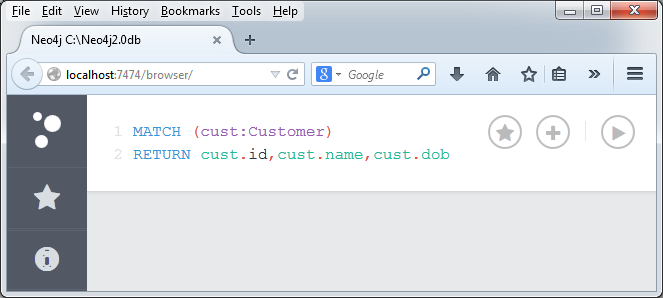
Click on "Execute" button and observe the results.
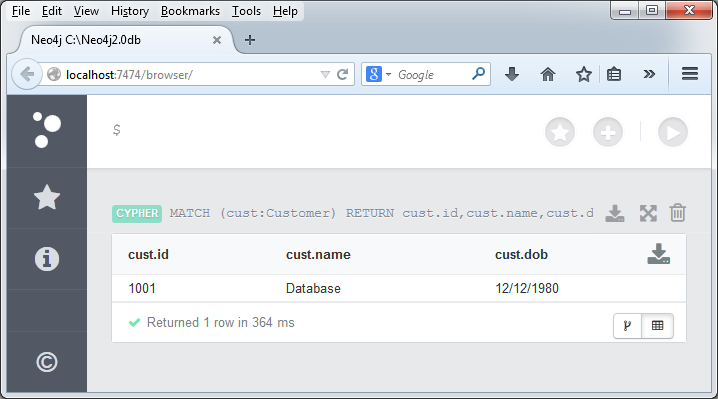
If we observe the results, it shows that our required Customer node is available in our Neo4j Database.
Type the below command on Data Browser to verify our required CreditCard node is available in our Neo4j Database.
MATCH (cc:CreditCard)
RETURN cc.id,cc.number,cc.expiredate,cc.cvv
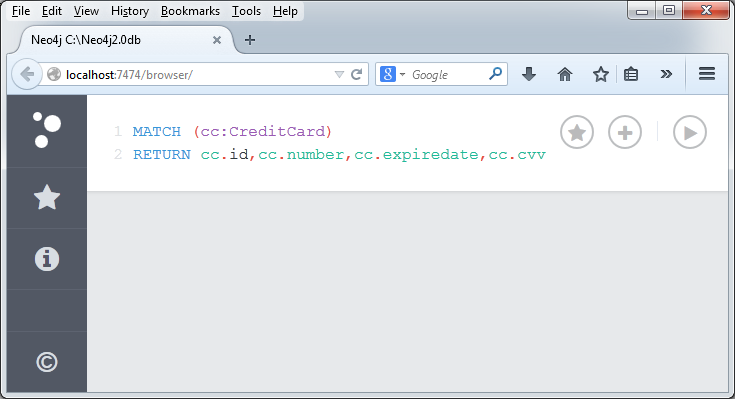
Click on "Execute" button and observe the results.
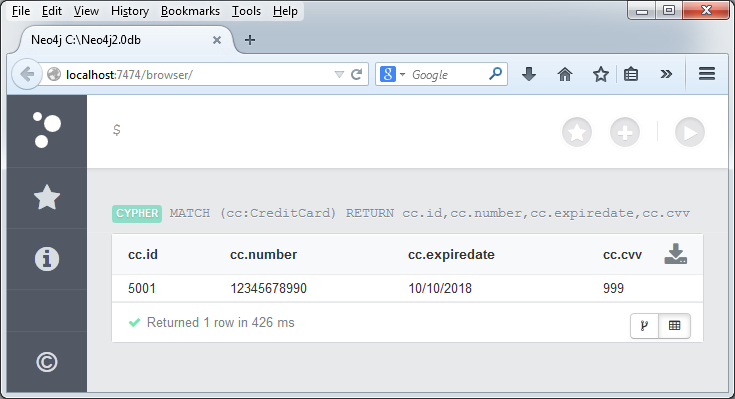
If we observe the results, it shows that our required CreditCard node is available in our Neo4j Database.
Type the below command on Data Browser to create a Relationship between Customer and CreditCard Nodes.
MATCH (cust:Customer),(cc:CreditCard)
WHERE cust.id = "1001" AND cc.id= "5001"
CREATE (cust)-[r:DO_SHOPPING_WITH{shopdate:"12/12/2014",price:55000}]->(cc)
RETURN r
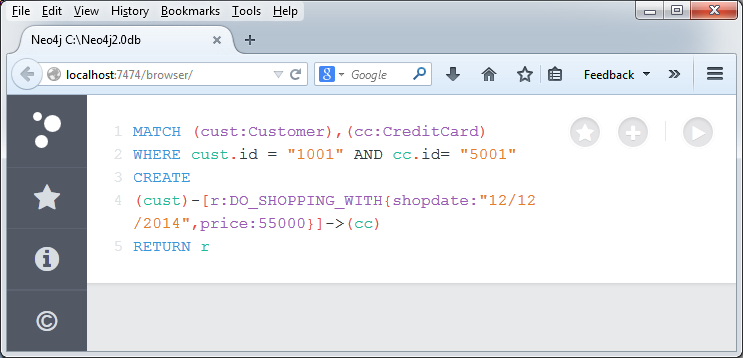
Click on "Execute" button and observe the results.
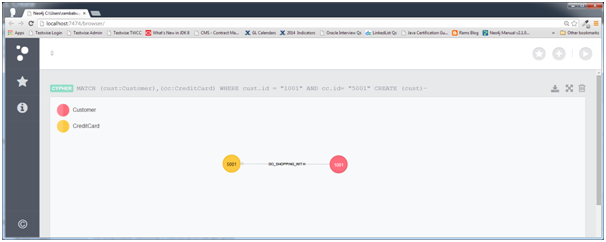
Click on Relationship and observe its properties in a separate window
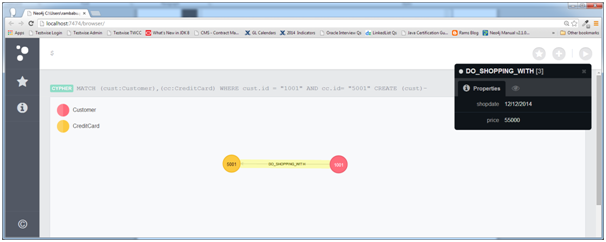
Now we have created a NEW Relationship between two existing Nodes by using Neo4j CQL WHERE Clause.