
- Neo4j CQL Write Clauses
- Neo4j - Merge Command
- Neo4j - Set Clause
- Neo4j - Delete Clause
- Neo4j - Remove Clause
- Neo4j - Foreach Clause
- Neo4j CQL Read Clause
- Neo4j - Match Clause
- Neo4j - Optional Match Clause
- Neo4j - Where Clause
- Neo4j - Count Function
- Neo4j CQL General Clauses
- Neo4j - Return Clause
- Neo4j - Order By Clause
- Neo4j - Limit Clause
- Neo4j - Skip Clause
- Neo4j - With Clause
- Neo4j - Unwind Clause
- Neo4j CQL Functions
- Neo4j - String Functions
- Neo4j - Aggregation Function
- Neo4j CQL Admin
- Neo4j - Backup & Restore
- Neo4j - Index
- Neo4j - Create Unique Constraint
- Neo4j - Drop Unique
- Neo4j Useful Resources
- Neo4j - Quick Guide
- Neo4j - Useful Resources
- Neo4j - Discussion
Neo4j CQL - CREATE
Neo4j CQL CREATE A Node With Properties
Neo4j CQL "CREATE" Command is used to create Node with properties. It creates a Node with some properties(key-value pairs) to store data.
CREATE command syntax:
CREATE (
   <node-name>:<label-name>
   {
      <Property1-name>:<Property1-Value>
      ........
      <Propertyn-name>:<Propertyn-Value>
   }
)
Syntax Description
| Syntax Element | Description |
|---|---|
| <node-name> | It is a node name we are going to create. |
| <label-name> | It is a node label name |
| <Property1-name>...<Propertyn-name> | Properties are key-value pairs. |
| <Property1-value>...<Propertyn-value> | Properties are key-value pairs. |
Example
This Example is demonstrates how to create a Dept Node with some properties(deptno,dname,location). Follow the below given steps -
1. Open Neo4j Data Browser
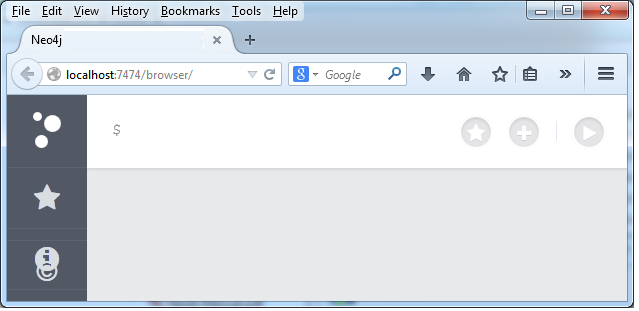
It is Neo4j Data Browser Homepage
2. Type the below command at dollar prompt in Data Browser.
CREATE (dept:Dept { deptno:10,dname:"Accounting",location:"Hyderabad" })
Here dept is a node name
Dept is a label name for emp node
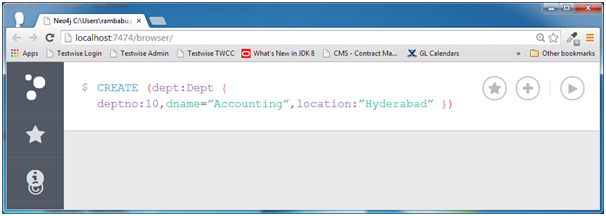
Here Property names are deptno,dname,location
Property values are 10,"Accounting","Hyderabad"
As we discussed, Property a name-value pair.
Property = deptno:10
As deptno is a integer property so we have not used a single quote or double quotes to define its value 10.
As dname and location are of String type properties so we have used a single quote or double quotes to define its value 10.
NOTE - To define String type Property values, we need to use either single quote or double quotes.
3. Click on Execute button and see the success message in the Data Browser.
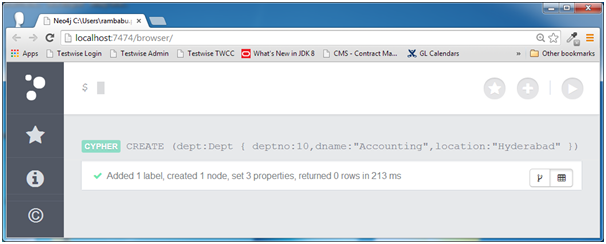
If you observe the success message, it tells us that
- One Label is created i.e. "Dept"
- One Node is created i.e. "dept"
- Three Properties are created i.e. deptno,dname,location
Example
This Example is demonstrates how to create a Employee Node with some properties(id,name,sal,deptno). Follow the below given steps -
1. Open Neo4j Data Browser
It is Neo4j Data Browser Homepage
2. Type the below command at dollar prompt in Data Browser.
CREATE (emp:Employee{id:123,name:"Lokesh",sal:35000,deptno:10})
Here emp is a node name
Employee is a label name for dept node
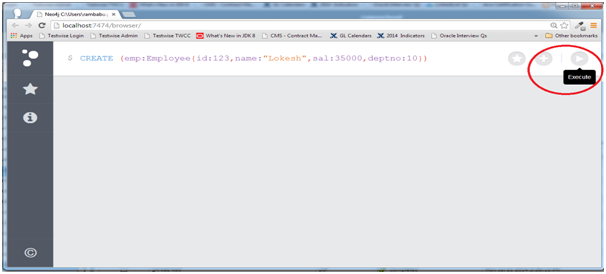
3. Click on Execute button and see the success message in the Data Browser.
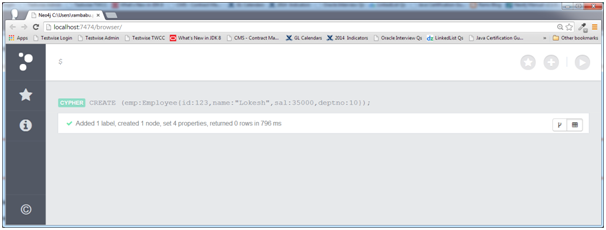
Observe successful message
Added 1 label, created 1 node, set 4 properties, returned 0 rows
This command has create one node "emp" with 4 properties ("id","name","sal","deptno") and assigned a label "Employee".
We will discuss how to retrieve node details in coming section.