
Article Categories
- All Categories
-
 Data Structure
-
 Networking
-
 RDBMS
RDBMS
-
 Operating System
-
 Java
Java
-
 MS Excel
-
 iOS
iOS
-
 HTML
HTML
-
 CSS
CSS
-
 Android
-
 Python
-
 C Programming
-
 C++
C++
-
 C#
C#
-
 MongoDB
-
 MySQL
MySQL
-
 Javascript
-
 PHP
PHP
-
 Economics & Finance
Authorize a new user in SAP
Basic things first, even if you are using a trial version, you still need to provide the license information and a developer key.
Using BCUSER for Trial Version
Instead of using a DDIC user, you can try using a BCUSER for your requirement as it is a part of the trial version. BCUSER is a business client user that comes pre-configured with trial systems and provides appropriate access for development activities.
Adding SAP_ALL Profile
You can include the SAP_ALL profile for your designated user. This profile contains all authorization objects and provides complete system access, making it suitable for development and testing purposes.
SAP_ALL gets generated automatically whenever you transport authorization objects from one system to another.
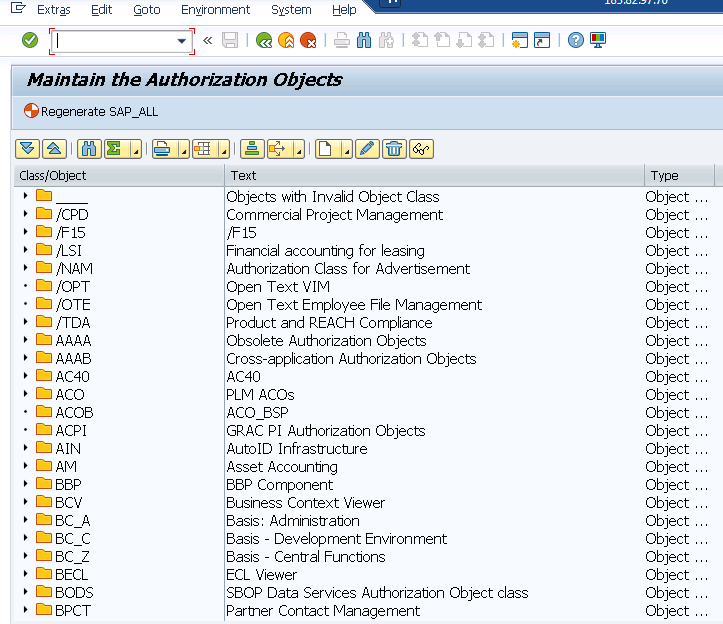
Generating SAP_ALL Profile
You can generate SAP_ALL using the following methods ?
Method 1: Use report RSUSR406 or transaction SU21. This generates SAP_ALL only in the current client where the report is executed.
* Execute report RSUSR406 in SE38
* Or use transaction SU21 ? Utilities ? Generate ? SAP_ALL Profile
Method 2: Use report AGR_REGENERATE_SAP_ALL. This report generates SAP_ALL in all clients within the system.
* Execute report AGR_REGENERATE_SAP_ALL in SE38
* This will regenerate SAP_ALL profile across all clients
Conclusion
Authorizing a new user in SAP involves setting up proper user types like BCUSER for trial systems and assigning appropriate profiles such as SAP_ALL. The SAP_ALL profile can be generated using various reports to ensure comprehensive system access for development activities.

472 Views
