
Article Categories
- All Categories
-
 Data Structure
-
 Networking
-
 RDBMS
RDBMS
-
 Operating System
-
 Java
Java
-
 MS Excel
-
 iOS
iOS
-
 HTML
HTML
-
 CSS
CSS
-
 Android
-
 Python
-
 C Programming
-
 C++
C++
-
 C#
C#
-
 MongoDB
-
 MySQL
MySQL
-
 Javascript
-
 PHP
PHP
-
 Economics & Finance
Selected Reading
Make a custom cursor appear when the user moves the mouse over some text in a Java Swing JDialog
At first set the label on which you want the custom cursor to be visible on hover:
JLabel label = new JLabel("Demo text! Hand cursor is visible on hover...");
Now, set cursor to be visible as Hand Cursor instead of the default Cursor:
label.setCursor(Cursor.getPredefinedCursor(Cursor.HAND_CURSOR));
The following is an example to make a custom cursor appear when the user moves the mouse over some text:
Example
import java.awt.Cursor;
import javax.swing.JDialog;
import javax.swing.JFrame;
import javax.swing.JLabel;
import javax.swing.JOptionPane;
public class SwingDemo extends JFrame {
   private void ShowDialog() {
      JLabel label = new JLabel("Demo text! Hand cursor is visible on hover...");
      label.setCursor(Cursor.getPredefinedCursor(Cursor.HAND_CURSOR));
      JOptionPane pane = new JOptionPane(label);
      pane.setOptions(new Object[] { "Close" });
      JDialog dialog = pane.createDialog(this, "Info");
      dialog.setVisible(true);
   }
   public static void main(String[] args) {
      SwingDemo demo = new SwingDemo();
      demo.setDefaultCloseOperation(JFrame.EXIT_ON_CLOSE);
      demo.setSize(600, 450);
      demo.setVisible(true);
      demo.ShowDialog();
   }
}
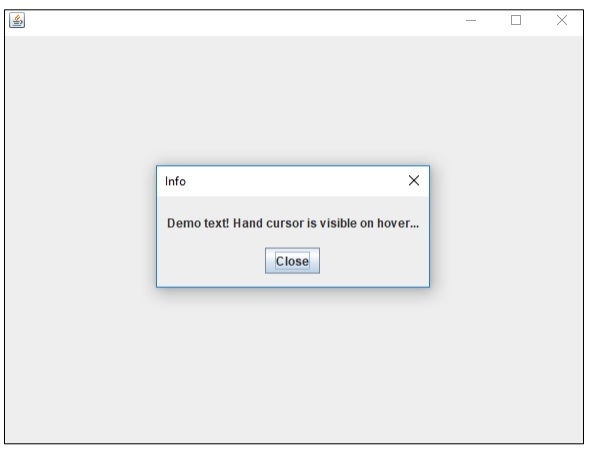
The output is as follows. When you will keep cursor under the Dialog text “Demo text! Hand cursor is visible on hover...”, then the cursor will convert to Hand Cursor:
Output

Updated on: 2019-07-30T22:30:26+05:30
951 Views

Advertisements