
Article Categories
- All Categories
-
 Data Structure
-
 Networking
-
 RDBMS
RDBMS
-
 Operating System
-
 Java
Java
-
 MS Excel
-
 iOS
iOS
-
 HTML
HTML
-
 CSS
CSS
-
 Android
-
 Python
-
 C Programming
-
 C++
C++
-
 C#
C#
-
 MongoDB
-
 MySQL
MySQL
-
 Javascript
-
 PHP
PHP
-
 Economics & Finance
Selected Reading
How to select element using XPATH syntax on Selenium for Python?
We can select elements using xpath with Selenium webdriver. Xpath is one of the most important locators. There are two types of xpath. They are known as absolute [starting from parent node in DOM] and relative xpath [starting from anywhere in DOM].
The xpath syntax is − //tagname[@attribute='value'] or //*[@attribute='value'].
Let us consider the html code of an element that we shall identify with the help of xpath−

The xpath expression is //input[@name='firstname'] or //*[@name='firstname'].
Example
from selenium import webdriver
driver = webdriver.Chrome(executable_path="C:\chromedriver.exe")
driver.implicitly_wait(0.5)
driver.get("https://www.tutorialspoint.com/selenium/selenium_automation_practice.htm")
// identify element with xpath
l = driver.find_element_by_xpath("//input[@name='firstname']")
l.send_keys("Python")
driver.quit()
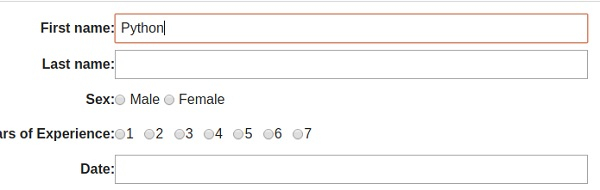
Output

Updated on: 2020-09-18T07:54:10+05:30
1K+ Views

Advertisements