
Article Categories
- All Categories
-
 Data Structure
-
 Networking
-
 RDBMS
RDBMS
-
 Operating System
-
 Java
Java
-
 MS Excel
-
 iOS
iOS
-
 HTML
HTML
-
 CSS
CSS
-
 Android
-
 Python
-
 C Programming
-
 C++
C++
-
 C#
C#
-
 MongoDB
-
 MySQL
MySQL
-
 Javascript
-
 PHP
PHP
-
 Economics & Finance
Selected Reading
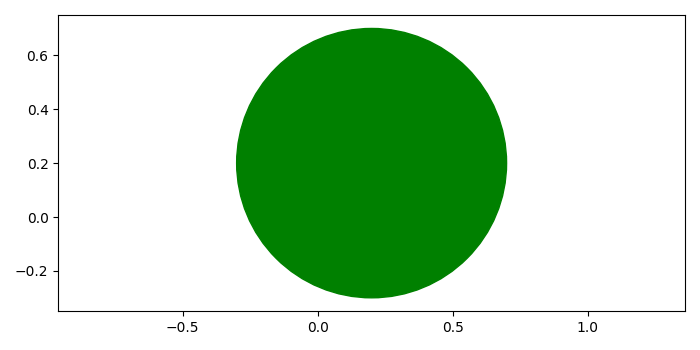
How to plot a circle in Matplotlib?
To plot a circle in matplotlib, we can take the following steps −
Create a new figure or activate an existing figure using figure() method.
Add a subplot arrangement to the current axis.
Create a true circle at a center using Circle class.
Add a patch to the current axis.
Set limits of the x and y axes.
To display the figure, use show() method.
Example
from matplotlib import pyplot as plt, patches
plt.rcParams["figure.figsize"] = [7.00, 3.50]
plt.rcParams["figure.autolayout"] = True
fig = plt.figure()
ax = fig.add_subplot()
circle1 = patches.Circle((0.2, 0.2), radius=0.5, color='green')
ax.add_patch(circle1)
ax.axis('equal')
plt.show()
Output

Updated on: 2021-05-08T08:53:08+05:30
14K+ Views

Advertisements