
Article Categories
- All Categories
-
 Data Structure
-
 Networking
-
 RDBMS
RDBMS
-
 Operating System
-
 Java
Java
-
 MS Excel
-
 iOS
iOS
-
 HTML
HTML
-
 CSS
CSS
-
 Android
-
 Python
-
 C Programming
-
 C++
C++
-
 C#
C#
-
 MongoDB
-
 MySQL
MySQL
-
 Javascript
-
 PHP
PHP
-
 Economics & Finance
Selected Reading
How to capture the text from Alert Message in Selenium Webdriver?
We can capture the text from the alert message in Selenium webdriverwith the help of the Alert interface. By default, the webdriver object has control over the main page, once an alert pop-up gets generated, we have to shift the webdriver focus from the main page to the alert.
This is done with the help of the switchTo().alert() method. Once the driver focus is shifted, we can obtain the text of the pop-up with the help of the method switchTo().alert().getText(). Finally we shall use the accept method to accept the alert and dismiss method to dismiss it.
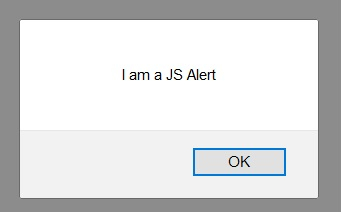
Let us take an example of the below alert and obtain its message −
Syntax
Alert a = driver.switchTo().alert();
String s= driver.switchTo().alert().getText();
a.accept();
Example
import org.openqa.selenium.By;
import org.openqa.selenium.WebDriver;
import org.openqa.selenium.WebElement;
import org.openqa.selenium.firefox.FirefoxDriver;
import java.util.concurrent.TimeUnit;
public class JsEnterText{
   public static void main(String[] args) {
      System.setProperty("webdriver.gecko.driver",
"C:\Users\ghs6kor\Desktop\Java\geckodriver.exe");
      WebDriver driver = new FirefoxDriver();
      //implicit wait
      driver.manage().timeouts().implicitlyWait(5, TimeUnit.SECONDS);
      //URL launch
      driver.get("https://the-internet.herokuapp.com/javascript_alerts");
      // identify element
      WebElement l = driver.
      findElement(By.xpath("//*[text()='Click for JS Alert']"));
      l.click();
      //switch focus to alert
      Alert a = driver.switchTo().alert();
      //get alert text
      String s= driver.switchTo().alert().getText();
      System.out.println("Alert text is: " + s);
      //accepting alert
      a.accept();
      driver.quit();
   }
}
Output


Updated on: 2021-04-03T11:00:34+05:30
3K+ Views

Advertisements