
Article Categories
- All Categories
-
 Data Structure
-
 Networking
-
 RDBMS
RDBMS
-
 Operating System
-
 Java
Java
-
 MS Excel
-
 iOS
iOS
-
 HTML
HTML
-
 CSS
CSS
-
 Android
-
 Python
-
 C Programming
-
 C++
C++
-
 C#
C#
-
 MongoDB
-
 MySQL
MySQL
-
 Javascript
-
 PHP
PHP
-
 Economics & Finance
How can I display an image using cv2 in Python?
To display an image using cv2 in Python, we need to follow a sequence of steps: load the image, display it in a window, wait for user input, and clean up the resources.
Steps to Display an Image
- Load an image from a file using
cv2.imread() - Display the image in a specified window using
cv2.imshow() - Wait for a key press using
cv2.waitKey() - Destroy all HighGUI windows using
cv2.destroyAllWindows()
Example
Here's a complete example that demonstrates how to display an image ?
import cv2

# Load an image from file
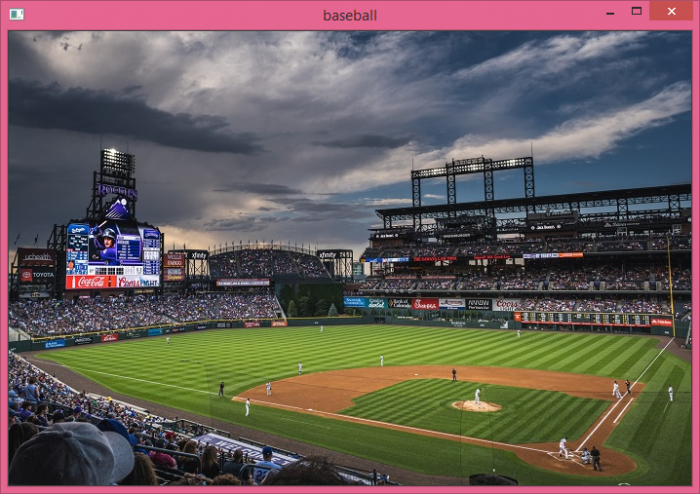
img = cv2.imread("baseball.png", cv2.IMREAD_COLOR)

# Check if image was loaded successfully
if img is not None:
    # Display the image in a window named "baseball"
    cv2.imshow("baseball", img)

    # Wait for a key press (0 means wait indefinitely)
    cv2.waitKey(0)

    # Close all OpenCV windows
    cv2.destroyAllWindows()
else:
    print("Error: Could not load image")
Key Functions Explained
cv2.imread()
Loads an image from the specified file path. The second parameter specifies the color mode ?
-
cv2.IMREAD_COLOR− Loads image in BGR color format (default) -
cv2.IMREAD_GRAYSCALE− Loads image in grayscale -
cv2.IMREAD_UNCHANGED− Loads image with alpha channel if present
cv2.imshow()
Displays the image in a window. Takes two parameters: window name and the image object.
cv2.waitKey()
Waits for a key press. Parameter 0 means wait indefinitely, any positive number specifies milliseconds to wait.
cv2.destroyAllWindows()
Closes all OpenCV windows and frees up resources.
Output
When you run this code, it will display the image in a separate window like this ?
Important Notes
- Make sure the image file exists in the specified path
- Always check if the image loaded successfully before displaying
- Use
cv2.waitKey(0)to keep the window open until a key is pressed - Always call
cv2.destroyAllWindows()to clean up resources
Conclusion
Displaying images with cv2 requires four main steps: loading with imread(), displaying with imshow(), waiting with waitKey(), and cleanup with destroyAllWindows(). Always include error checking to ensure the image loads successfully.

1K+ Views
