
Article Categories
- All Categories
-
 Data Structure
-
 Networking
-
 RDBMS
RDBMS
-
 Operating System
-
 Java
Java
-
 MS Excel
-
 iOS
iOS
-
 HTML
HTML
-
 CSS
CSS
-
 Android
-
 Python
-
 C Programming
-
 C++
C++
-
 C#
C#
-
 MongoDB
-
 MySQL
MySQL
-
 Javascript
-
 PHP
PHP
-
 Economics & Finance
Selected Reading
How to center an annotation horizontally over a point in Matplotlib?
To center an annotation horizontally over a point, we can take the following steps−
- Create points for x and y using numpy.
- Create labels using xpoints.
- Use scatter() method to scatter the points.
- Iterate labels, xpoints and ypoints and annotate the plot with label, x and y with different properties, make horizontal alignment ha=center.
- To display the figure, use show() method.
Example
import numpy as np
from matplotlib import pyplot as plt
plt.rcParams["figure.figsize"] = [7.00, 3.50]
plt.rcParams["figure.autolayout"] = True
xpoints = np.linspace(1, 10, 10)
ypoints = np.random.rand(10)
labels = ["%.2f" % i for i in xpoints]
plt.scatter(xpoints, ypoints, c=xpoints)
for label, x, y in zip(labels, xpoints, ypoints):
plt.annotate(
   label,
   xy=(x, y), xytext=(-20, 20),
   textcoords='offset points', ha='center', va='bottom',
   bbox=dict(boxstyle='round,pad=0.5', fc='green', alpha=0.5),
   arrowprops=dict(arrowstyle='->', connectionstyle='arc3,rad=0'))
plt.show()
Output
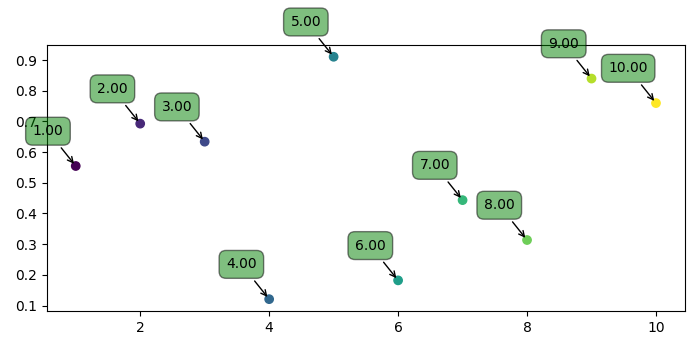

Updated on: 2021-05-07T07:43:18+05:30
1K+ Views

Advertisements