
Article Categories
- All Categories
-
 Data Structure
-
 Networking
-
 RDBMS
RDBMS
-
 Operating System
-
 Java
Java
-
 MS Excel
-
 iOS
iOS
-
 HTML
HTML
-
 CSS
CSS
-
 Android
-
 Python
-
 C Programming
-
 C++
C++
-
 C#
C#
-
 MongoDB
-
 MySQL
MySQL
-
 Javascript
-
 PHP
PHP
-
 Economics & Finance
Creating a QR Code of a link in React JS
In this article, we will see how to create a QR code of a link in React JS. A QR code is a two-dimensional barcode that is readable on smartphones. You must have seen QR codes on websites that you can scan which redirects you to a page. For example, to access WhatsApp from your laptop, you can go to "web.whatsapp.com" and then open WhatsApp on your phone and scan the given QR code.
Example
First create a React project ?
npx create-react-app tutorialpurpose
Go to the project directory ?
cd tutorialpurpose
Install the qrcode.react package ?
npm i --save qrcode.react
This library is going to help us in generating QR codes and add dependencies to do so.
Now insert the following lines of code in App.js ?
import QRCode from "qrcode.react";
export default function App() {
   return (
      <div style={{ marginTop: 200, display: "flex",flexDirection: "row" }}>
         <div>
            <QRCode
               value="https://www.tutorialspoint.com/"style={{ marginRight: 50 }}/>
            <p>Tutorialspoint </p>
         </div>
      <div>
          <QRCode value="https://www.google.com/" style={{marginRight: 50 }} />
          <p>google</p>
      </div>
      <div>
          <QRCode value="https://github.com/" style={{marginRight: 50 }} />
          <p>github</p>
      </div>
      <div>
          <QRCode value="https://www.instagram.com/" style={{ marginRight: 50 }}/>
          <p>instagram</p>
      </div>
      <div>
          <QRCode value="https://discord.com/" style={{marginRight: 50 }} />
          <p>discord</p>
         </div>
      </div>
   );
}
Explanation
The code takes a link, processes it, and then renders a QR code for that link.
Here we first imported our QRCode object which takes one parameter called "value" which takes the link of which you want to make a QR code.
You can also apply styles on it only for positioning and size.
We have taken the links of the following 5 websites and generated their QR codes ?
Output
On execution, it will produce the following output ?
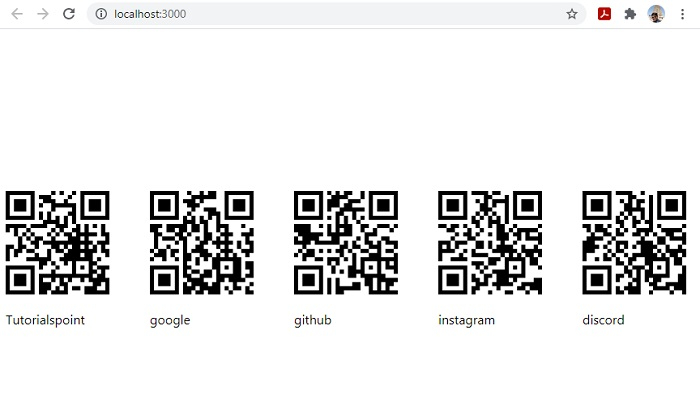
Scan any of the codes with your mobile phone and it will prompt you with the link to open that page in a browser

3K+ Views
