
Article Categories
- All Categories
-
 Data Structure
-
 Networking
-
 RDBMS
RDBMS
-
 Operating System
-
 Java
Java
-
 MS Excel
-
 iOS
iOS
-
 HTML
HTML
-
 CSS
CSS
-
 Android
-
 Python
-
 C Programming
-
 C++
C++
-
 C#
C#
-
 MongoDB
-
 MySQL
MySQL
-
 Javascript
-
 PHP
PHP
-
 Economics & Finance
Selected Reading
Checking technical information associated with screen field in SAP without any documentation
When you have report selection screen option, you can use Ctrl+S to enter the variant screen. Press Technical Name button to display technical name information for the respective field.
In case you want more information related to parameter field, you can write an ABAP code to see the definition.
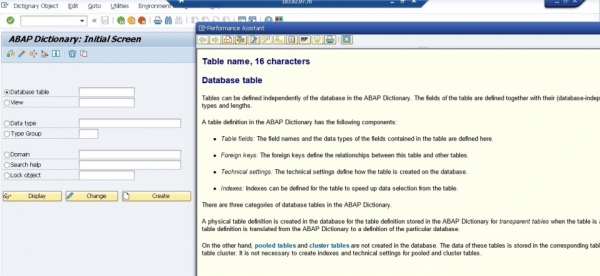
Mostly, F1 key is used to get all the details about the technical details of a particular field as shown in below:
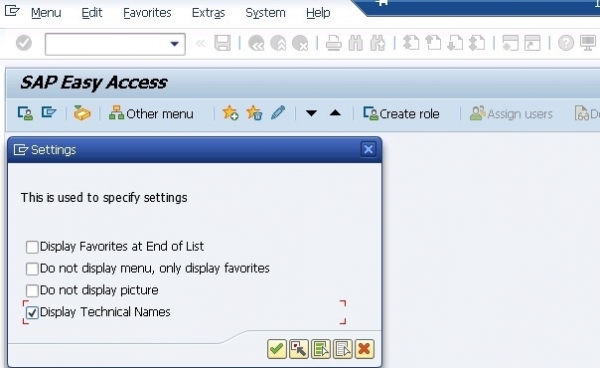
Also if you want to see Technical name of objects in SAP ECC Easy access for all the modules, you can navigate to Extras -> Settings

Updated on: 2019-07-30T22:30:20+05:30
923 Views

Advertisements