
Article Categories
- All Categories
-
 Data Structure
-
 Networking
-
 RDBMS
RDBMS
-
 Operating System
-
 Java
Java
-
 MS Excel
-
 iOS
iOS
-
 HTML
HTML
-
 CSS
CSS
-
 Android
-
 Python
-
 C Programming
-
 C++
C++
-
 C#
C#
-
 MongoDB
-
 MySQL
MySQL
-
 Javascript
-
 PHP
PHP
-
 Economics & Finance
Installing free version of SAP ERP to learn ABAP
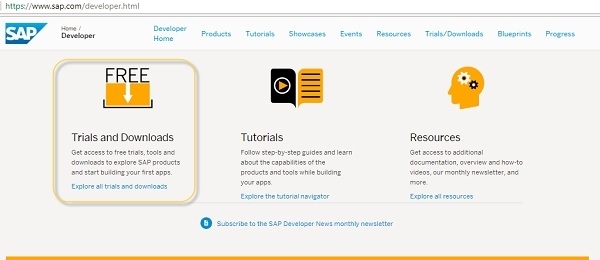
You can install a free trial from the SAP site, but for that, you require an SAP Partner ID. SAP also provides a developer trial which you can access through the following link −
https://developers.sap.com/trials-downloads.html
License Requirements
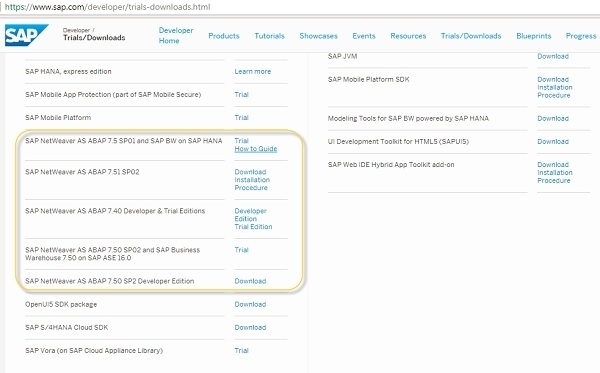
The SAP NetWeaver Application Server ABAP comes with a temporary license that allows you to log on to the system. As a first step before using the system, you need to install a 90-day Minisap license to continue working beyond the initial trial period.
You can see all SAP NetWeaver AS ABAP versions available for download, installation procedures, and how-to guides as well.
Additional Resources
You can refer to the SAP developer portal to learn about license terms, Product Availability Matrix (PAM), and other details related to developer trial installation. The developer trial provides a complete ABAP development environment suitable for learning and practicing ABAP programming concepts.
This free installation gives you access to all the essential tools needed to start your ABAP learning journey, including the ABAP Development Tools (ADT) and the classic SAP GUI interface.

4K+ Views
