
Article Categories
- All Categories
-
 Data Structure
-
 Networking
-
 RDBMS
RDBMS
-
 Operating System
-
 Java
Java
-
 MS Excel
-
 iOS
iOS
-
 HTML
HTML
-
 CSS
CSS
-
 Android
-
 Python
-
 C Programming
-
 C++
C++
-
 C#
C#
-
 MongoDB
-
 MySQL
MySQL
-
 Javascript
-
 PHP
PHP
-
 Economics & Finance
Selected Reading
What is the importance of JViewport class in Java?
JViewport
- A JViewport class defines the basic scrolling model and it is designed to support both logical scrolling and pixel-based scrolling.
- The viewport's child called the view is scrolled by calling JViewport.setViewPosition() method.
- A JViewport class supports logical scrolling, that is a kind of scrolling in which view coordinates are not pixels.
- To support a logical scrolling, JViewport defines a small set of methods that can be used to define the geometry of a viewport and a view. By default, these methods just report the pixel dimensions of the viewport and view.
Example
import java.awt.*;
import javax.swing.*;
public class JViewportTest extends JFrame {
   public JViewportTest() {
      setTitle("JViewport Test");
      setLayout(new FlowLayout());
      JLabel label = new JLabel(new ImageIcon("C:/Users/User/Desktop/Java Answers/logo.jpg"));
      JViewport viewport = new JViewport();
      viewport.setView(label);
      viewport.setExtentSize(new Dimension(350, 350));
      viewport.setViewPosition(new Point(50, 25));
      viewport.setPreferredSize(new Dimension(350, 275));
      add(viewport);
      setSize(400, 300);
      setLocationRelativeTo(null);
      setDefaultCloseOperation(JFrame.EXIT_ON_CLOSE);
      setVisible(true);
   }
   public static void main(String[] args) {
      new JViewportTest();
   }
}
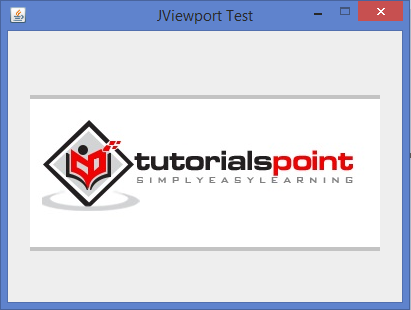
Output

Updated on: 2020-02-11T11:11:40+05:30
667 Views

Advertisements