
Article Categories
- All Categories
-
 Data Structure
-
 Networking
-
 RDBMS
RDBMS
-
 Operating System
-
 Java
Java
-
 MS Excel
-
 iOS
iOS
-
 HTML
HTML
-
 CSS
CSS
-
 Android
-
 Python
-
 C Programming
-
 C++
C++
-
 C#
C#
-
 MongoDB
-
 MySQL
MySQL
-
 Javascript
-
 PHP
PHP
-
 Economics & Finance
Traditional C formatting in Arduino print
If you are familiar with the C language and would like to use the formatting options provided by C language in the Arduino print statements, then there's an easy way to do it. All you need to do is define a character array, and populate it using sprintf(). Within sprintf, you can use the C language formatting. Later, you can simply print out that buffer. The following example code demonstrates how this is done −
Example
char print_buf[100];
void setup() {
   Serial.begin(9600);
}
void loop() {
   // put your main code here, to run repeatedly:
   for(int i = 0; i < 50; i++){
         sprintf(print_buf,"Current loop count : %d<br>", i);
         Serial.println(print_buf);
         delay(1000);
      }
}
The Serial Monitor output is −
Output
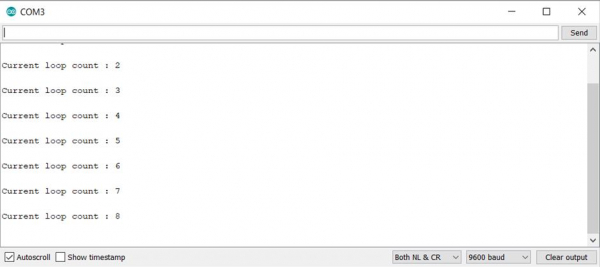
It is a good practice to try and ensure that you don't over-populate the buffer. For instance, in the above code, the print_buf has been declared with a size of 100. So, if more than 100 characters are populated in the print_buf, it can result in some runtime errors, depending on your board and code structure.

643 Views
