
Article Categories
- All Categories
-
 Data Structure
-
 Networking
-
 RDBMS
RDBMS
-
 Operating System
-
 Java
Java
-
 MS Excel
-
 iOS
iOS
-
 HTML
HTML
-
 CSS
CSS
-
 Android
-
 Python
-
 C Programming
-
 C++
C++
-
 C#
C#
-
 MongoDB
-
 MySQL
MySQL
-
 Javascript
-
 PHP
PHP
-
 Economics & Finance
Selected Reading
Stop Autoscroll in Serial Terminal in Arduino
Suppose you have a code like the one below −
Example
void setup() {
   Serial.begin(9600);
}
void loop() {
   // put your main code here, to run repeatedly:
   Serial.println(analogRead(A0));
}
As you can see, it is continuously printing the results of ADC conversion on A0 pin. Such programs can fill up the Serial Terminal quickly, faster than your eyes can register. For such cases, you may want to simply stop the scrolling in the Serial Monitor. You can do that by unchecking the Autoscroll checkbox at the left bottom of the Serial Monitor Window.
Output
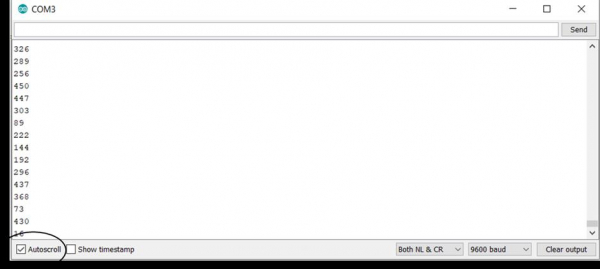
Once that is done, you can read the values at your own pace by using the scroll bar.

Updated on: 2021-03-23T11:30:33+05:30
2K+ Views

Advertisements