
Article Categories
- All Categories
-
 Data Structure
-
 Networking
-
 RDBMS
RDBMS
-
 Operating System
-
 Java
Java
-
 MS Excel
-
 iOS
iOS
-
 HTML
HTML
-
 CSS
CSS
-
 Android
-
 Python
-
 C Programming
-
 C++
C++
-
 C#
C#
-
 MongoDB
-
 MySQL
MySQL
-
 Javascript
-
 PHP
PHP
-
 Economics & Finance
Show Matplotlib graphs to image as fullscreen
To show matplotlib graphs as fullscreen, we can use the full_screen_toggle() method from the figure manager. This is useful when you want to maximize the plot window for better visualization or presentation purposes.
Steps
Create a figure or activate an existing figure using
figure()methodPlot your data using matplotlib plotting functions
Get the figure manager of the current figure using
get_current_fig_manager()Toggle fullscreen mode using
full_screen_toggle()methodDisplay the figure using
show()method
Basic Example
Here's how to create a simple plot and display it in fullscreen mode ?
import matplotlib.pyplot as plt

# Configure figure size and layout
plt.rcParams["figure.figsize"] = [7.00, 3.50]
plt.rcParams["figure.autolayout"] = True

# Create figure and plot data
plt.figure()
plt.plot([1, 2, 3, 4], [1, 4, 2, 3], marker='o')
plt.title('Sample Line Plot')
plt.xlabel('X-axis')
plt.ylabel('Y-axis')

# Get figure manager and toggle fullscreen
manager = plt.get_current_fig_manager()
manager.full_screen_toggle()

# Display the plot
plt.show()
Advanced Example with Multiple Plots
You can also use fullscreen mode with subplots for complex visualizations ?
import matplotlib.pyplot as plt
import numpy as np

# Create sample data
x = np.linspace(0, 10, 100)
y1 = np.sin(x)
y2 = np.cos(x)

# Create subplots
fig, (ax1, ax2) = plt.subplots(2, 1, figsize=(8, 6))

# Plot on first subplot
ax1.plot(x, y1, 'b-', label='sin(x)')
ax1.set_title('Sine Wave')
ax1.legend()
ax1.grid(True)

# Plot on second subplot
ax2.plot(x, y2, 'r-', label='cos(x)')
ax2.set_title('Cosine Wave')
ax2.legend()
ax2.grid(True)

# Get figure manager and toggle fullscreen
manager = plt.get_current_fig_manager()
manager.full_screen_toggle()

plt.tight_layout()
plt.show()
Key Points
The
full_screen_toggle()method works on the figure manager, not the figure itselfThis method toggles between fullscreen and windowed mode each time it's called
The fullscreen feature depends on the matplotlib backend being used
Some backends may not support fullscreen functionality
Backend Compatibility
Different matplotlib backends have varying support for fullscreen mode. The method works best with interactive backends like Qt5Agg, TkAgg, and GTK3Agg.
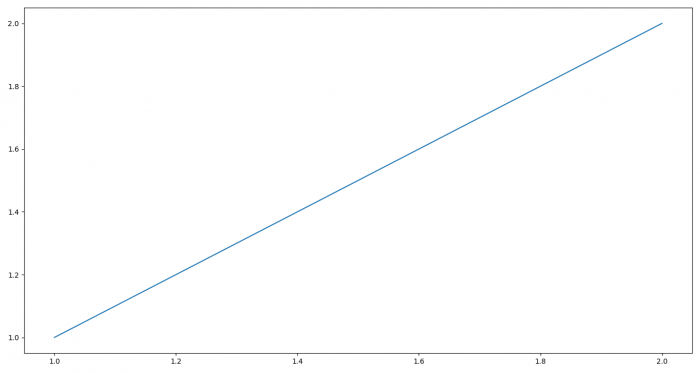
Output
When executed, the plot window will automatically switch to fullscreen mode, maximizing the visualization area. The exact appearance depends on your operating system and matplotlib backend.
Conclusion
Use full_screen_toggle() method from the figure manager to display matplotlib plots in fullscreen mode. This feature enhances visualization for presentations and detailed data analysis, though backend compatibility should be considered.

17K+ Views
