
Article Categories
- All Categories
-
 Data Structure
-
 Networking
-
 RDBMS
RDBMS
-
 Operating System
-
 Java
Java
-
 MS Excel
-
 iOS
iOS
-
 HTML
HTML
-
 CSS
CSS
-
 Android
-
 Python
-
 C Programming
-
 C++
C++
-
 C#
C#
-
 MongoDB
-
 MySQL
MySQL
-
 Javascript
-
 PHP
PHP
-
 Economics & Finance
Selected Reading
Selenium WebDriver With Java Quickstart.
We can work with Selenium webdriver with Java Quickstart template. This can be done by following the below steps −
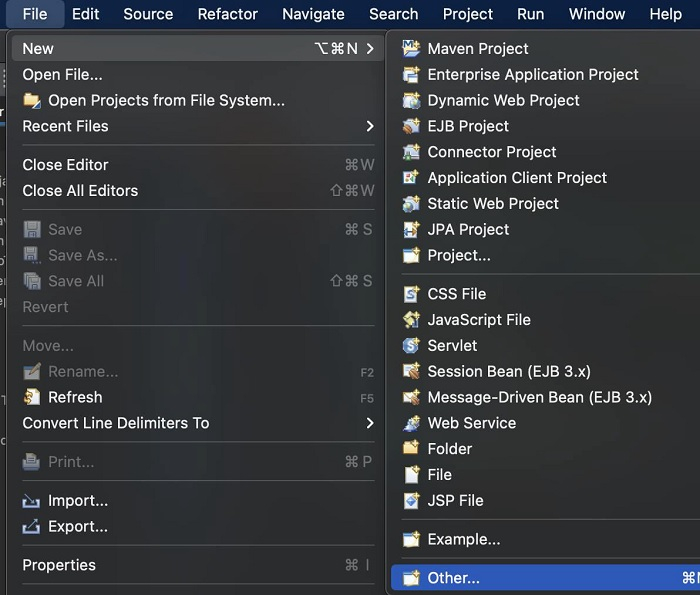
Step1− Click on the File menu in Eclipse. Then select the option New. Next click on Other.
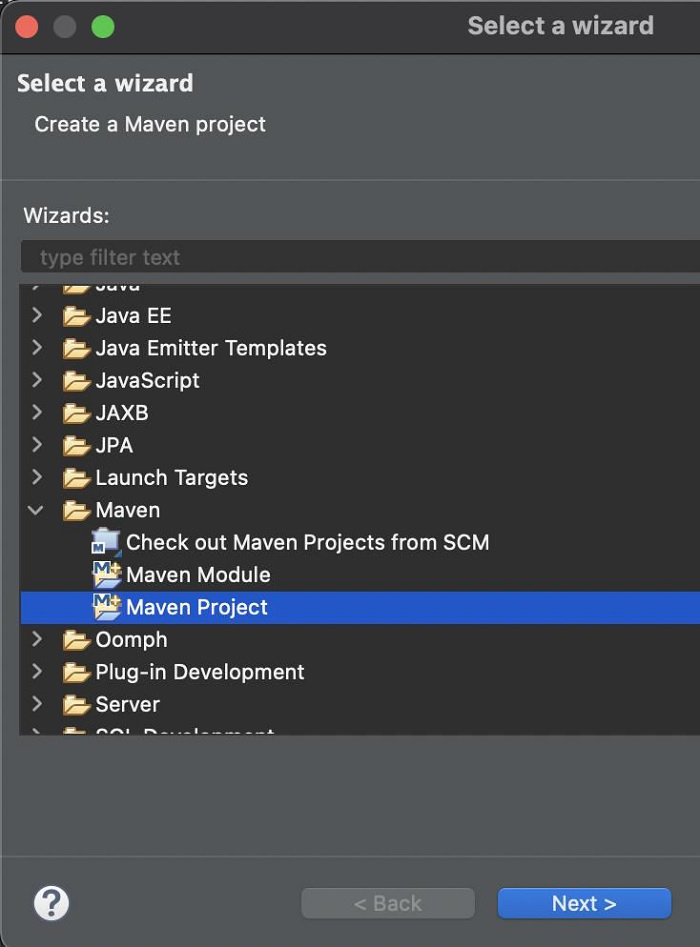
Step2− Click on Maven Project from the Maven folder. Then click on Next.
Step3− Proceed with the further steps.
Step4− Select maven-archetype-quickstart template. Then click on Next.

Step5− Add GroupId as Selenium, Artifact Id as Automation-Selenium, and proceed.
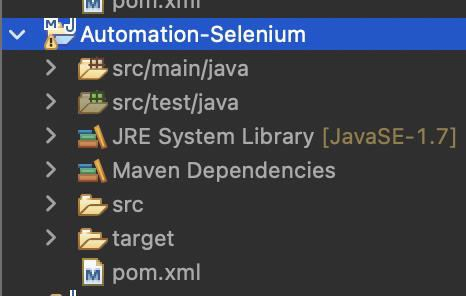
Step6− A project should get created with an archetype project structure. The Selenium-related scripts should be written within the src/test/java folder.

Updated on: 2021-11-22T10:56:04+05:30
1K+ Views

Advertisements