
Article Categories
- All Categories
-
 Data Structure
-
 Networking
-
 RDBMS
RDBMS
-
 Operating System
-
 Java
Java
-
 MS Excel
-
 iOS
iOS
-
 HTML
HTML
-
 CSS
CSS
-
 Android
-
 Python
-
 C Programming
-
 C++
C++
-
 C#
C#
-
 MongoDB
-
 MySQL
MySQL
-
 Javascript
-
 PHP
PHP
-
 Economics & Finance
Saving images in Python at a very high quality
To save images in Python with very high quality, you need to control the image format and resolution. The most effective approach is using matplotlib's savefig() method with optimized parameters.
Steps for High-Quality Image Saving
Create fig and ax variables using
subplots()method, where default nrows and ncols are 1.Plot the data using
plot()method.Add axes labels using
ylabel()andxlabel().Use vector formats like .eps, .pdf, or .svg for scalable quality.
Increase the DPI (dots per inch) value for raster formats like PNG.
Use
savefig()method with quality parameters to save locally.Display the figure using
plt.show().
Example: Saving with EPS Format
EPS (Encapsulated PostScript) is a vector format that maintains quality at any scale ?
import matplotlib.pyplot as plt

fig, ax = plt.subplots()

plt.plot([0, 5], [0, 5], linewidth=2, color='blue', marker='o')

plt.ylabel("Y-axis")
plt.xlabel("X-axis")
plt.title("High Quality Plot")

image_format = 'eps'
image_name = 'myimage.eps'

fig.savefig(image_name, format=image_format, dpi=1200, bbox_inches='tight')
plt.show()
Example: High-DPI PNG Format
For raster formats like PNG, increase DPI for better quality ?
import matplotlib.pyplot as plt
import numpy as np

x = np.linspace(0, 10, 100)
y = np.sin(x)

fig, ax = plt.subplots(figsize=(10, 6))
plt.plot(x, y, linewidth=2, color='red')

plt.ylabel("Amplitude")
plt.xlabel("Time")
plt.title("Sine Wave - High Quality")
plt.grid(True, alpha=0.3)

# Save with high DPI for PNG
fig.savefig('sine_wave.png', format='png', dpi=300, bbox_inches='tight',
            facecolor='white', edgecolor='none')
plt.show()
Quality Parameters
| Parameter | Purpose | Recommended Values |
|---|---|---|
dpi |
Resolution (dots per inch) | 300-1200 for print, 72-150 for web |
bbox_inches |
Tight bounding box | 'tight' removes extra whitespace |
facecolor |
Background color | 'white' for clean backgrounds |
format |
File format | 'eps', 'pdf', 'svg' for vector; 'png' for raster |
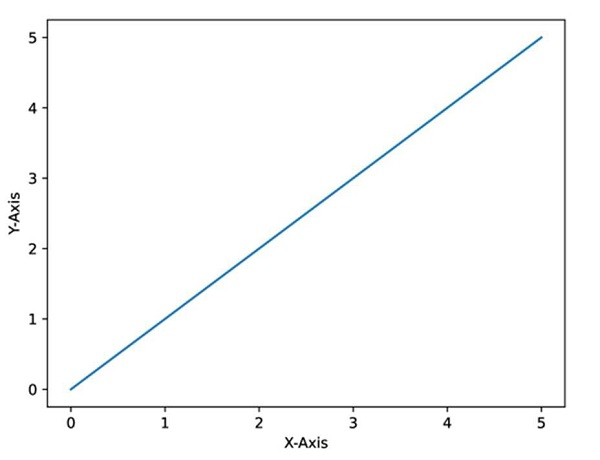
Output
Conclusion
Use vector formats (EPS, PDF, SVG) for scalable high-quality images. For raster formats like PNG, set DPI to 300+ and use bbox_inches='tight' to remove extra whitespace and achieve professional results.

9K+ Views
