
Article Categories
- All Categories
-
 Data Structure
-
 Networking
-
 RDBMS
RDBMS
-
 Operating System
-
 Java
Java
-
 MS Excel
-
 iOS
iOS
-
 HTML
HTML
-
 CSS
CSS
-
 Android
-
 Python
-
 C Programming
-
 C++
C++
-
 C#
C#
-
 MongoDB
-
 MySQL
MySQL
-
 Javascript
-
 PHP
PHP
-
 Economics & Finance
Perform addition and subtraction using CherryPy
CherryPy, a versatile Python web framework, offers a convenient and efficient way to perform addition and subtraction operations. In this article, we delve into the process of utilizing CherryPy to carry out basic arithmetic calculations within a web application.
By leveraging CherryPy's lightweight and intuitive features, developers can effortlessly implement addition and subtraction functionalities, making mathematical operations seamless and easily accessible to users.
Installation
First, install CherryPy using pip ?
pip install cherrypy
Creating a Calculator Web Application
Below are the steps to create a calculator web application with CherryPy ?
Import the CherryPy module to create a web application.
Define a class called
Calculatorwith methods for index, add, and subtract.The index method serves as the homepage at
http://localhost:8080.The add and subtract methods are decorated with
@cherrypy.exposeto make them accessible via URLs.Both methods handle error checking for invalid inputs and missing parameters.
Example
import cherrypy

class Calculator:
    @cherrypy.expose
    def index(self):
        return "Welcome to the Calculator!"

    @cherrypy.expose
    def add(self, a=None, b=None):
        if a is not None and b is not None:
            try:
                result = int(a) + int(b)
                return f"The sum of {a} and {b} is: {result}"
            except ValueError:
                return "Invalid input. Please provide valid numbers."
        else:
            return "Please provide two numbers for addition."

    @cherrypy.expose
    def subtract(self, a=None, b=None):
        if a is not None and b is not None:
            try:
                result = int(a) - int(b)
                return f"The difference between {a} and {b} is: {result}"
            except ValueError:
                return "Invalid input. Please provide valid numbers."
        else:
            return "Please provide two numbers for subtraction."

if __name__ == '__main__':
    cherrypy.quickstart(Calculator())
Running the Application
To run the calculator application ?
Save the code in a Python file, for example,
calculator.py.Open a terminal and navigate to the directory containing the file.
Run the program using
python calculator.py.Open a web browser and visit
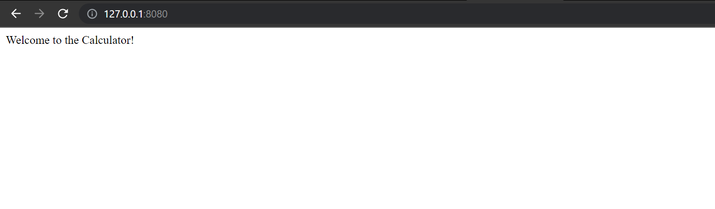
http://localhost:8080to see the welcome message.
URL Patterns
Use these URL patterns to perform calculations ?
Addition:
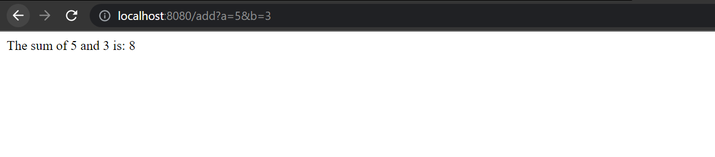
http://localhost:8080/add?a=5&b=3Subtraction:
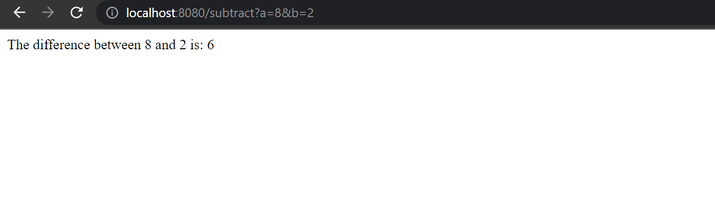
http://localhost:8080/subtract?a=8&b=2
Output
When you run the application, the terminal shows ?
C:\Users\Tutorialspoint>python calculator.py
[26/May/2023:16:19:13] ENGINE Listening for SIGTERM.
[26/May/2023:16:19:13] ENGINE Bus STARTING
[26/May/2023:16:19:13] ENGINE Set handler for console events.
[26/May/2023:16:19:13] ENGINE Started monitor thread 'Autoreloader'.
[26/May/2023:16:19:13] ENGINE Serving on http://127.0.0.1:8080
[26/May/2023:16:19:13] ENGINE Bus STARTED
Browser Results
Homepage (http://localhost:8080):
Addition (http://localhost:8080/add?a=5&b=3):
Subtraction (http://localhost:8080/subtract?a=8&b=2):
Key Features
Error Handling: The application validates input parameters and handles invalid data gracefully.
URL Parameters: Uses query parameters to pass numbers for calculation.
Exposed Methods: The
@cherrypy.exposedecorator makes methods accessible via web URLs.Simple Routing: Each method corresponds to a URL endpoint automatically.
Conclusion
CherryPy provides a convenient and efficient solution for performing addition and subtraction operations within web applications. The framework's lightweight design and intuitive routing make it easy to create mathematical web services with proper error handling and user-friendly responses.

349 Views
