
Article Categories
- All Categories
-
 Data Structure
-
 Networking
-
 RDBMS
RDBMS
-
 Operating System
-
 Java
Java
-
 MS Excel
-
 iOS
iOS
-
 HTML
HTML
-
 CSS
CSS
-
 Android
-
 Python
-
 C Programming
-
 C++
C++
-
 C#
C#
-
 MongoDB
-
 MySQL
MySQL
-
 Javascript
-
 PHP
PHP
-
 Economics & Finance
Selected Reading
How to run multiple test cases using TestNG Test Suite in Selenium?
We can run multiple test cases using TestNG test suite in Selenium webdriver. To execute test cases simultaneously, we have to enable parallel execution in TestNG.
A TestNG execution is driven by the TestNG xml file. To trigger parallel execution we have to use the attributes – parallel and thread-count. The attribute threadcount controls the number of threads to be triggered while executing the tests in a parallel mode. The values that can be set for parallel attributes are – tests, classes, instances and methods.
Example
import org.testng.annotations.Test;
public class TestNG15 {
   @Test
   public void tC1() {
      System.out.println("Test Case 1");
   }
   @Test
   public void tC2() {
      System.out.println("Test Case 2");
   }
   @Test
   public void tC3() {
      System.out.println("Test Case 3");
   }
   @Test
   public void tC4() {
      System.out.println("Test Case 4");
   }
}
TestNG XML Implementation.
<!DOCTYPE suite SYSTEM "https://testng.org/testng-1.0.dtd" >
<!—parallel methods set for execution with 2 threads-->
<suite name="Test-Suite" parallel="methods" thread-count="2">
   <test name="Tutorialspoint" >
      <classes>
         <class name="TestNG15" />
      </classes>
   </test>
</suite>
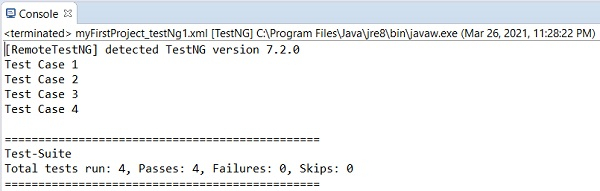
Output
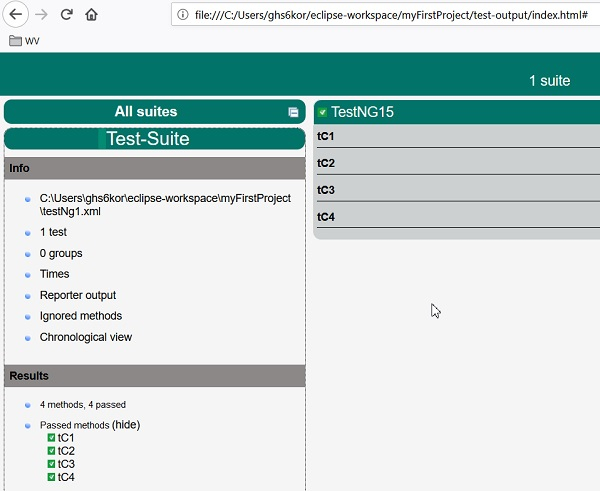
TestNG report in html format obtained from project folder test-output→index.html.

Updated on: 2021-04-07T09:23:19+05:30
4K+ Views

Advertisements