
Article Categories
- All Categories
-
 Data Structure
-
 Networking
-
 RDBMS
RDBMS
-
 Operating System
-
 Java
Java
-
 MS Excel
-
 iOS
iOS
-
 HTML
HTML
-
 CSS
CSS
-
 Android
-
 Python
-
 C Programming
-
 C++
C++
-
 C#
C#
-
 MongoDB
-
 MySQL
MySQL
-
 Javascript
-
 PHP
PHP
-
 Economics & Finance
Selected Reading
How to make firefox headless programmatically in Selenium with python?
We can make firefox headless programmatically in Selenium. This can be done with the help of the FirefoxOptions class. We shall then create an object option for that class.
We shall set the parameter options.headless to True value. This information of the browser has to be passed to the driver object. We have to add the import statement: from selenium.webdriver.firefox.options import Options as FirefoxOptions for FirefoxOptions class.
Syntax
options = webdriver.FirefoxOptions()
options.headless = True
Example
Code Implementation.
from selenium import webdriver
from selenium.webdriver.firefox.options import Options as FirefoxOptions
#object of FirefoxOptions
options = webdriver.FirefoxOptions()
#set options.headless to True
options.headless = True
driver = webdriver.
Firefox(executable_path="C:\geckodriver.exe", options=options)
driver.implicitly_wait(0.4)
driver.get("https://www.tutorialspoint.com/index.htm")
#identify element
m = driver.find_element_by_xpath("//*[text()='Library']")
driver.execute_script("arguments[0].click();",m)
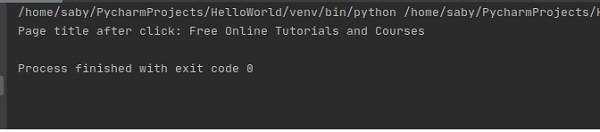
print("Page title after click: " + driver.title)
driver.quit()
Output

Updated on: 2020-12-28T13:26:54+05:30
1K+ Views

Advertisements