
Article Categories
- All Categories
-
 Data Structure
-
 Networking
-
 RDBMS
RDBMS
-
 Operating System
-
 Java
Java
-
 MS Excel
-
 iOS
iOS
-
 HTML
HTML
-
 CSS
CSS
-
 Android
-
 Python
-
 C Programming
-
 C++
C++
-
 C#
C#
-
 MongoDB
-
 MySQL
MySQL
-
 Javascript
-
 PHP
PHP
-
 Economics & Finance
Selected Reading
How to load an image and show the image using Keras?
To load and display an image using Keras, we use the load_img() method from keras.preprocessing.image. This method loads an image file and allows us to set a target size for display.
Steps
- Import the
imagemodule fromkeras.preprocessing - Use
load_img()method to load the image file - Set the target size of the image using the
target_sizeparameter - Display the image using the
show()method
Syntax
The basic syntax for loading an image is ?
keras.preprocessing.image.load_img(path, target_size=None)
Parameters
- path ? Path to the image file
- target_size ? Tuple of integers (height, width) to resize the image
Example
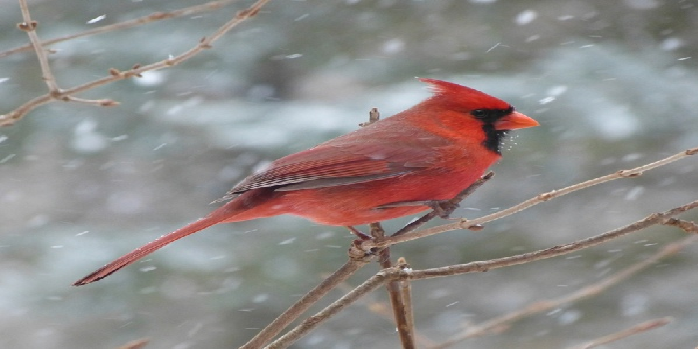
Here's how to load and display an image using Keras ?
from keras.preprocessing import image

# Load image with target size
img = image.load_img('bird.jpg', target_size=(350, 750))

# Display the image
img.show()
Loading Image Without Resizing
You can also load an image without specifying a target size ?
from keras.preprocessing import image

# Load image with original size
img = image.load_img('bird.jpg')

# Display the image
img.show()
Working with Different Image Formats
Keras supports various image formats including JPEG, PNG, BMP, and TIFF ?
from keras.preprocessing import image

# Load different image formats
jpg_img = image.load_img('image.jpg', target_size=(224, 224))
png_img = image.load_img('image.png', target_size=(224, 224))

jpg_img.show()
png_img.show()
Output
The output will display the loaded image with the specified dimensions ?
Conclusion
Use keras.preprocessing.image.load_img() to load images with optional resizing. The show() method displays the loaded image, making it useful for image preprocessing in deep learning workflows.

Updated on: 2026-03-25T21:28:56+05:30
2K+ Views

Advertisements