
Article Categories
- All Categories
-
 Data Structure
-
 Networking
-
 RDBMS
RDBMS
-
 Operating System
-
 Java
Java
-
 MS Excel
-
 iOS
iOS
-
 HTML
HTML
-
 CSS
CSS
-
 Android
-
 Python
-
 C Programming
-
 C++
C++
-
 C#
C#
-
 MongoDB
-
 MySQL
MySQL
-
 Javascript
-
 PHP
PHP
-
 Economics & Finance
How to Import Multiple Projects into a Single Git Repository?
A monorepo, short for "monolithic repository," is a single repository containing multiple projects, it's commonly used by large-scale projects or organizations that want to simplify dependency management, build processes and overall project structure.
Read this tutorial to learn how to move multiple projects into a single Git repository while maintaining their unique commit history. We'll also outline the tools and processes needed to seamlessly merge multiple projects into a single repository.
Step-by-Step Guide to Importing Projects
Here is a step-by-step guide on how to import multiple projects into a single repository -
Step 1: Cloning and Preparing the Main Repository
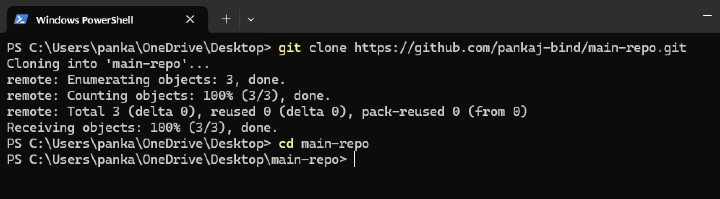
1) Create a new repository on your Git hosting service (e.g., GitHub, GitLab) if you haven?t already, this will serve as the main repository.
git clone <git-repository-url><br><div style="text-align: left;">cd main-repo</div>
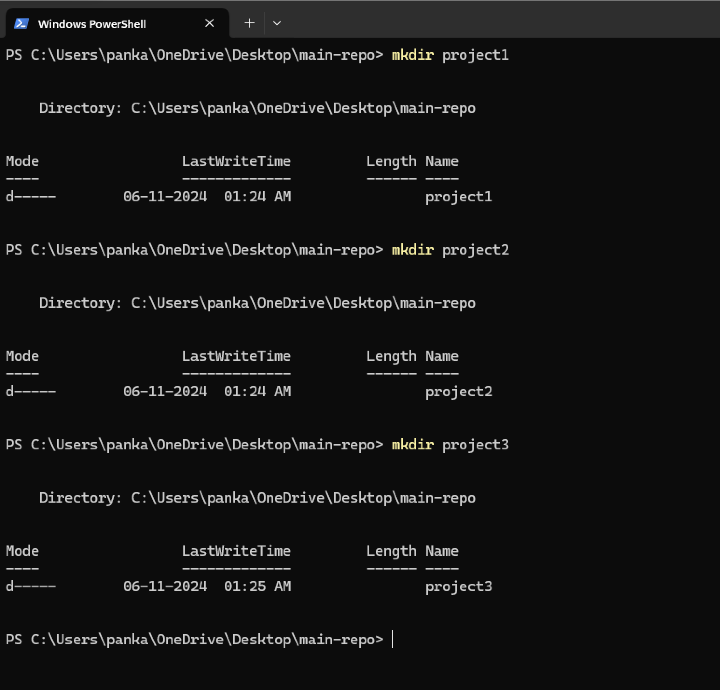
2) Prepare folder structure for each project inside main repository-
mkdir project1
mkdir project2
mkdir project3
Step 2: Importing Existing Projects
To maintain commit history of each project we will import each existing repository as a subdirectory within main repository.1) Navigate to project folder in main repo-
cd project1<br>
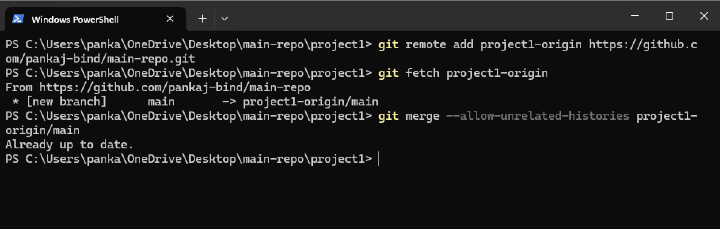
2) Add project?s Git repository as a remote-
git remote add project1-origin <git-repository-url>
3) Fetch and move project history-
git fetch project1-origin <br>git merge --allow-unrelated-histories project1-origin/main
Repeat this process for project2 and project3 also.
4) Move the project files into a subdirectory to keep them organized.
Step 3: Commit and push changes
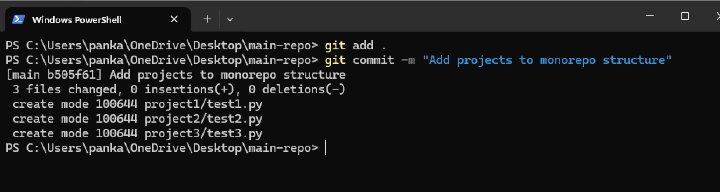
1) Commit All Changes: After verifying everything, make a final commit-
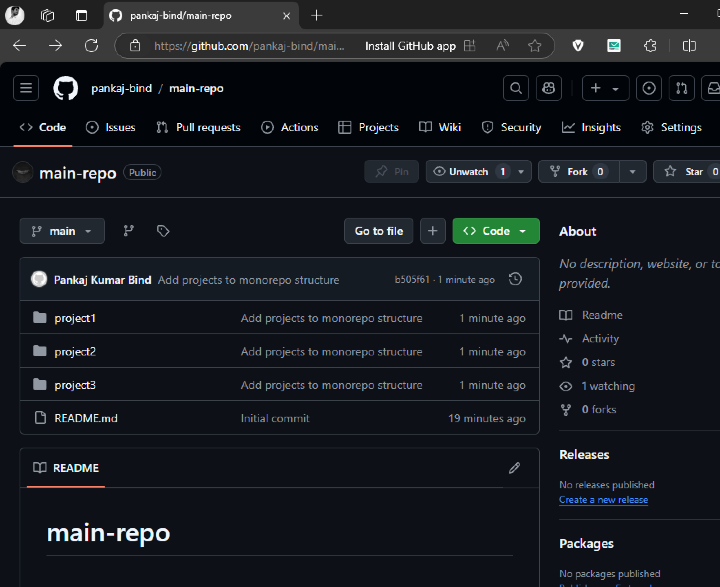
git add .<br>git commit -m "Add projects to monorepo structure"
2) Push to Remote Repository:
git push origin main
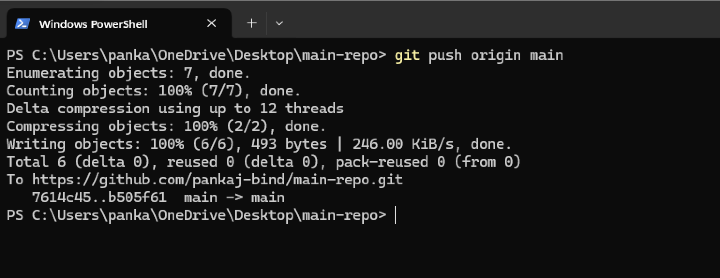
Preview on GitHub:
Conclusion
Importing multiple projects into a single Git repository is very useful for managing related projects. By following the steps described in this tutorial, you will be able to keep a history of each project and create a structured and organized monorepo setup.

1K+ Views
