
Article Categories
- All Categories
-
 Data Structure
-
 Networking
-
 RDBMS
RDBMS
-
 Operating System
-
 Java
Java
-
 MS Excel
-
 iOS
iOS
-
 HTML
HTML
-
 CSS
CSS
-
 Android
-
 Python
-
 C Programming
-
 C++
C++
-
 C#
C#
-
 MongoDB
-
 MySQL
MySQL
-
 Javascript
-
 PHP
PHP
-
 Economics & Finance
How to detect cat faces in an image in OpenCV using Python?
Cat face detection in images uses Haar cascade classifiers, a machine learning approach trained on positive images (with cat faces) and negative images (without cat faces). OpenCV provides a pre-trained Haar cascade specifically for cat face detection.
Downloading the Haar Cascade
You can find the required Haar cascade file at the official OpenCV GitHub repository ?
https://github.com/opencv/opencv/tree/master/data/haarcascadesDownload haarcascade_frontalcatface.xml by clicking on the file, opening it in raw format, then right-clicking and saving it to your project directory.
Steps for Cat Face Detection
Import OpenCV and read the input image
Convert the image to grayscale for processing
Initialize the Haar cascade classifier with
haarcascade_frontalcatface.xmlDetect cat faces using
detectMultiScale()Draw bounding rectangles around detected faces
Display the result
Example 1: Single Cat Detection
This example demonstrates detecting a cat face in an image and drawing a bounding box around it ?
# import required libraries
import cv2

# read the input image
img = cv2.imread('cat.jpg')

# convert the input image to grayscale
gray = cv2.cvtColor(img, cv2.COLOR_BGR2GRAY)

# read the haarcascade to detect cat faces
cat_cascade = cv2.CascadeClassifier('haarcascades/haarcascade_frontalcatface.xml')

# Detects cat faces in the input image
faces = cat_cascade.detectMultiScale(gray, 1.1, 3)
print('Number of detected cat faces:', len(faces))

# if atleast one cat face is detected
if len(faces) > 0:
    print("Cat face detected")
    for (x,y,w,h) in faces:
        # To draw a rectangle around the face
        cv2.rectangle(img,(x,y),(x+w,y+h),(0,255,255),2)
        cv2.putText(img, 'cat face', (x, y-3),
        cv2.FONT_HERSHEY_SIMPLEX, 0.5, (0,255,0), 1)
else:
    print("No cat face detected")

# Display the image
cv2.imshow('Cat Image',img)
cv2.waitKey(0)
cv2.destroyAllWindows()
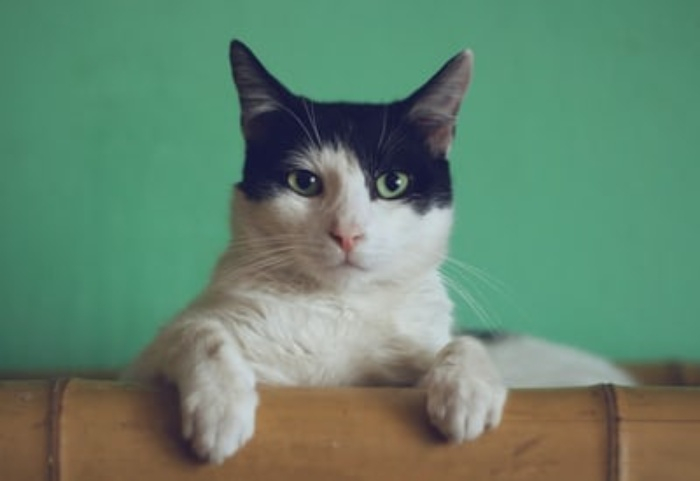
The input image used ?
Output
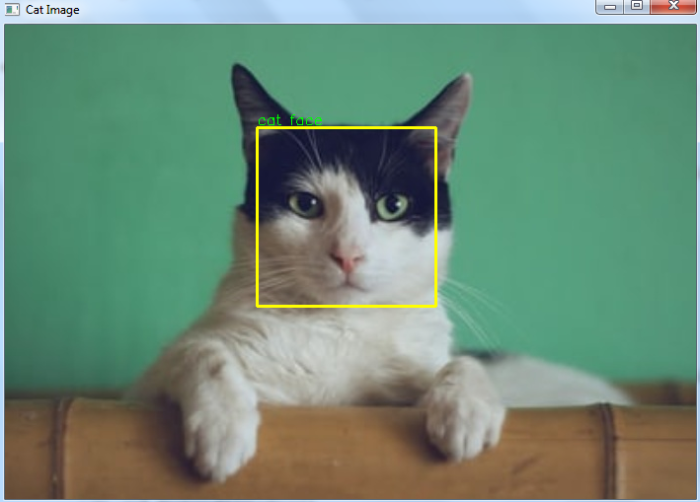
Number of detected cat faces: 1
Cat face detected
The output window shows the detected cat face with a yellow bounding box ?
Example 2: Multiple Cat Detection
This example detects multiple cat faces in a single image ?
# import required libraries
import cv2

# read the input image
img = cv2.imread('two-cats.jpg')

# convert the input image to grayscale
gray = cv2.cvtColor(img, cv2.COLOR_BGR2GRAY)

# read the haarcascade to detect cat faces
cat_cascade = cv2.CascadeClassifier('haarcascades/haarcascade_frontalcatface.xml')

# Detects cat faces in the input image
faces = cat_cascade.detectMultiScale(gray, 1.1, 3)
print('Number of detected cat faces:', len(faces))

# if atleast one cat face is detected
if len(faces) > 0:
    for (x,y,w,h) in faces:
        print("Cat face detected")

        # To draw a rectangle around the face
        cv2.rectangle(img,(x,y),(x+w,y+h),(0,255,255),2)
        cv2.putText(img, 'cat face', (x, y-3),
        cv2.FONT_HERSHEY_SIMPLEX, 0.5, (0,255,0), 1)
else:
    print("No cat face detected")

# Display the image
cv2.imshow('Cat Image',img)
cv2.waitKey(0)
cv2.destroyAllWindows()
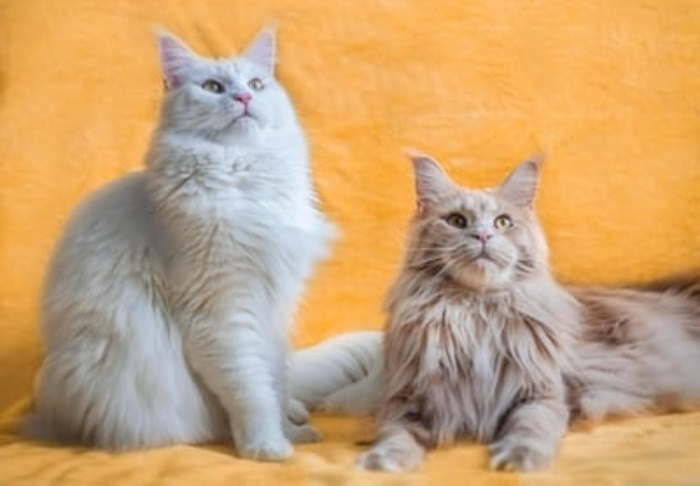
The input image with two cats ?
Output
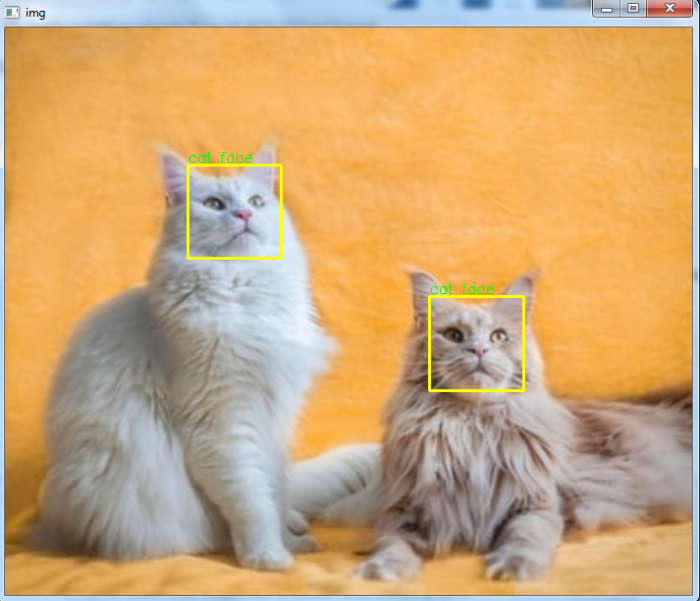
Number of detected cat faces: 2
Cat face detected
Cat face detected
The output window displays both detected cat faces with bounding boxes ?
Key Points
The
detectMultiScale()method returns coordinates in (x,y,w,h) formatParameters 1.1 and 3 control scale factor and minimum neighbors for detection accuracy
Grayscale conversion improves processing speed and accuracy
The cascade file path must be correct for successful detection
Conclusion
Haar cascade classifiers provide an efficient method for cat face detection in OpenCV. Use detectMultiScale() to identify faces and cv2.rectangle() to visualize the results with bounding boxes.

3K+ Views
