
Article Categories
- All Categories
-
 Data Structure
-
 Networking
-
 RDBMS
RDBMS
-
 Operating System
-
 Java
Java
-
 MS Excel
-
 iOS
iOS
-
 HTML
HTML
-
 CSS
CSS
-
 Android
-
 Python
-
 C Programming
-
 C++
C++
-
 C#
C#
-
 MongoDB
-
 MySQL
MySQL
-
 Javascript
-
 PHP
PHP
-
 Economics & Finance
Selected Reading
How to create two vertical lines on a plot with shaded area in-between using R?
Sometimes we want to place a vertical rectangle on a plot that has different color as compared to the rest of the plot area. This vertical rectangle is created based on the conditional values of x axis and represent the pivot area or unimportant area depending on the characteristics of the data. These values of x variable are placed as vertical lines on the plot and the area between these lines is shaded. It can be done by using geom_rect function.
Example
Consider the below data frame −
> x<-rpois(10,2)
> y<-rpois(10,5)
> df<-data.frame(x,y)
> df
Output
  x y
1 2 9
2 3 7
3 1 3
4 2 2
5 1 4
6 5 8
7 2 8
8 1 4
9 1 7
10 2 5
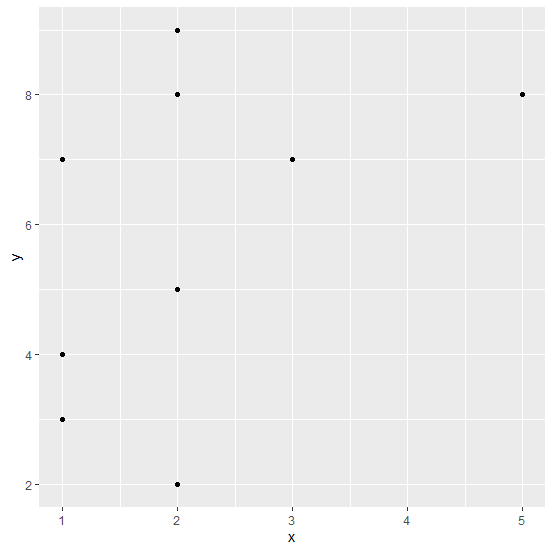
Creating a scatterplot between x and y −
> library(ggplot2)
> ggplot(df,aes(x,y))+geom_point()
Output
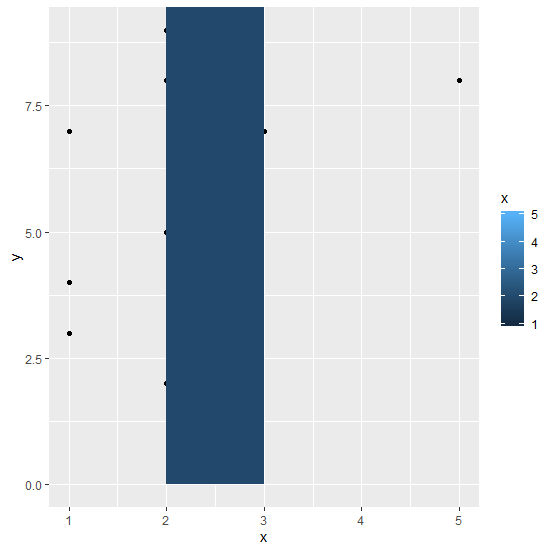
Adding vertical lines at x=2 and x=3 with shaded area in-between −
> ggplot(df,aes(x,y))+geom_point()+geom_rect(aes(xmin=2,xmax=3,ymin=0,ymax=Inf,fill
=x))
Output

Updated on: 2026-03-11T22:50:51+05:30
507 Views

Advertisements