
Article Categories
- All Categories
-
 Data Structure
-
 Networking
-
 RDBMS
RDBMS
-
 Operating System
-
 Java
Java
-
 MS Excel
-
 iOS
iOS
-
 HTML
HTML
-
 CSS
CSS
-
 Android
-
 Python
-
 C Programming
-
 C++
C++
-
 C#
C#
-
 MongoDB
-
 MySQL
MySQL
-
 Javascript
-
 PHP
PHP
-
 Economics & Finance
Selected Reading
How to create nested test suites for Selenium IDE?
We can create nested test suites for Selenium IDE. A group of tests constitutes a test suite. First, to create a test suite we have to follow the below steps as listed below −
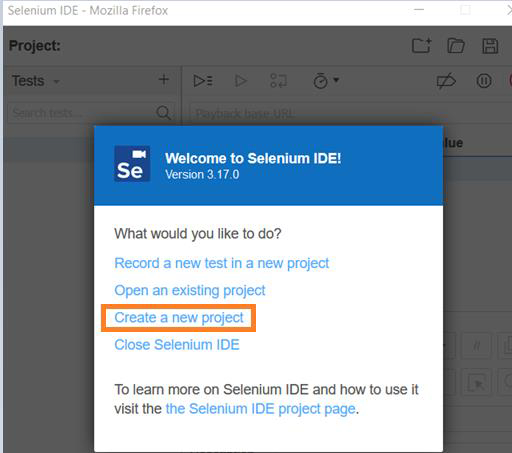
Step1: Launch Selenium IDE. Then click on Create a new project link.
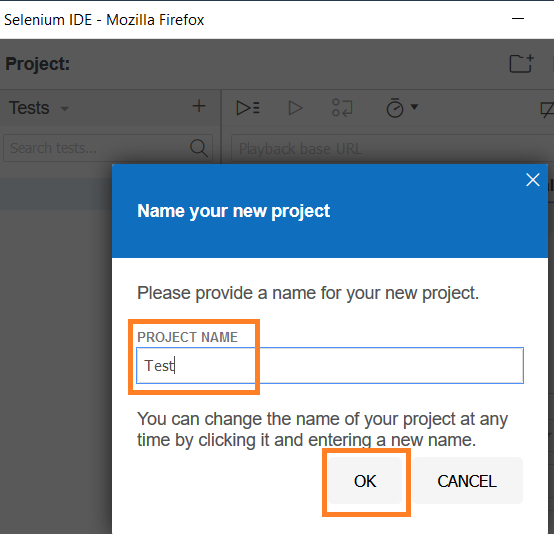
Step2 − Provide the PROJECT NAME. Then click on OK.
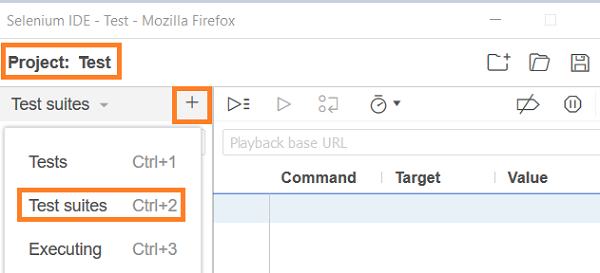
Step3 − Select Test Suites from the dropdown under the Project name. Then click on + button.
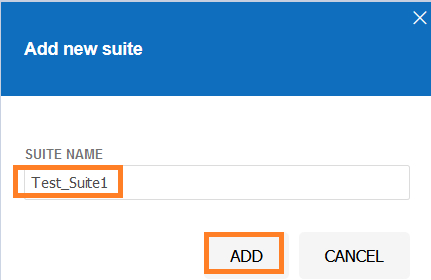
Step4 − Add SUITE NAME, then click on ADD.
Step5 − The new suite Test_Suite1 gets created. Click on it and select the option Add tests.
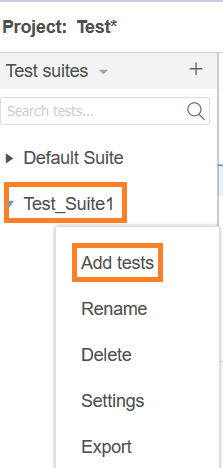
Repeat the steps 3 and 4, to create additional test suites to have nested test suites in Selenium IDE.

Updated on: 2021-02-02T12:26:38+05:30
529 Views

Advertisements