
Article Categories
- All Categories
-
 Data Structure
-
 Networking
-
 RDBMS
RDBMS
-
 Operating System
-
 Java
Java
-
 MS Excel
-
 iOS
iOS
-
 HTML
HTML
-
 CSS
CSS
-
 Android
-
 Python
-
 C Programming
-
 C++
C++
-
 C#
C#
-
 MongoDB
-
 MySQL
MySQL
-
 Javascript
-
 PHP
PHP
-
 Economics & Finance
How to create an Animated Art on Your Linux Terminal?
Linux terminals can display animated art using ASCII characters and specialized packages. These animations range from simple moving text to complex scenes like trains and castles, created using shell scripting and command-line utilities.
Installing and Running the Steam Locomotive
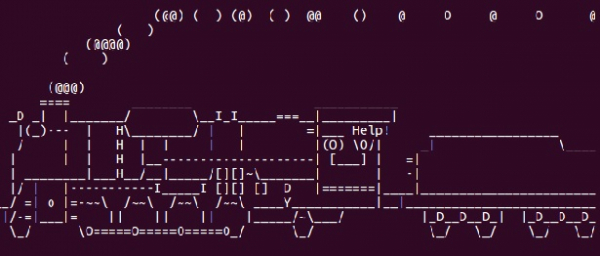
The sl package creates a fun train animation that "runs" across your terminal screen. Install it using the package manager and execute with a simple command ?
sudo apt-get install sl
sl
Running the above code displays an animated steam locomotive moving across your terminal ?
Creating ASCII Castle Animation
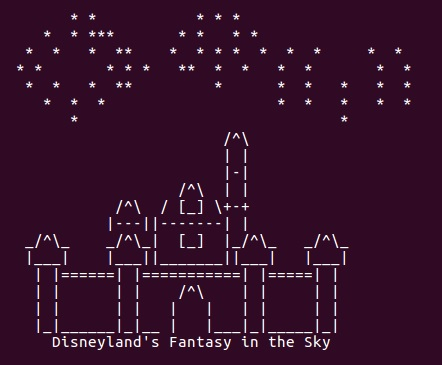
You can stream and display animated ASCII art directly from online repositories. The castle animation demonstrates complex terminal graphics ?
curl -s http://artscene.textfiles.com/vt100/castle.vt | pv -q -L 9600
This command downloads and displays the castle animation at a controlled speed ?
Using Figlet for ASCII Text Art
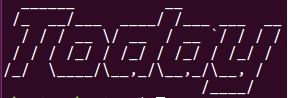
Figlet converts regular text into large ASCII art fonts. Combined with toilet, it offers various styling options for terminal text ?
sudo apt install figlet toilet
figlet -f slant "Today"
The output shows stylized ASCII text using the slant font ?
Additional Figlet Options
Explore different fonts and effects with figlet ?
# List available fonts
figlet -l

# Use different fonts
figlet -f block "Linux"
figlet -f digital "Terminal"

# Combine with toilet for colors
toilet -f mono12 "Animated"
Conclusion
Linux terminal animations bring creativity to command-line interfaces using ASCII art packages like sl, figlet, and online repositories. These tools transform simple text into engaging visual displays perfect for demonstrations or entertainment.

5K+ Views
