
Article Categories
- All Categories
-
 Data Structure
-
 Networking
-
 RDBMS
RDBMS
-
 Operating System
-
 Java
Java
-
 MS Excel
-
 iOS
iOS
-
 HTML
HTML
-
 CSS
CSS
-
 Android
-
 Python
-
 C Programming
-
 C++
C++
-
 C#
C#
-
 MongoDB
-
 MySQL
MySQL
-
 Javascript
-
 PHP
PHP
-
 Economics & Finance
Selected Reading
How to convert a string into uppercase in AngularJS?
Sometimes we may need to represent a name or a string in capital letters. To convert a string into uppercase in AngularJS, we can use the uppercase filter to change its case to uppercase.
Syntax
- In HTML Template Binding
{{uppercase_expression | uppercase}}
- In JavaScript
$filter('uppercase')()
Example ? Conversion to Upper Case
Create a file "uppercase.html" in your Angular project directory and copy-paste the following code snippet.
<!DOCTYPE html>
<html>

<head>
   <title>uppercase Filter</title>
   <script src="https://ajax.googleapis.com/ajax/libs/angularjs/1.5.6/angular.min.js"></script>
</head>


<body ng-app="app"
   style="text-align:Center">
   <h1 style="color:green">
      Welcome to Tutorials Point
   </h1>
   <h2 style="color: grey;">
      AngularJS | UpperCase Filter
   </h2>
   <div ng-controller="example">
      <p>
         <h2>
            Original: {{message}}
         </h2>
         <h2>
            Modified: {{message | uppercase}}
         </h2>
      <p>
   </div>
   <script>
      angular.module('app', [])
         .controller('example',['$scope', function($scope) {
         $scope.message = 'simply learning';
      }]);
   </script>
</body>
</html>
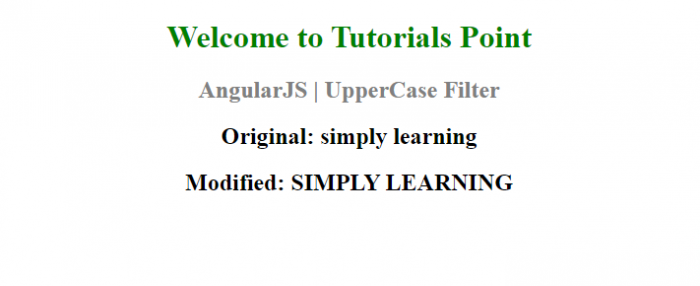
Output
To run the above code, just go to your file and run it as a normal HTML file. You will see the following output on the browser window.

Updated on: 2021-10-06T08:04:23+05:30
1K+ Views

Advertisements