
Article Categories
- All Categories
-
 Data Structure
-
 Networking
-
 RDBMS
RDBMS
-
 Operating System
-
 Java
Java
-
 MS Excel
-
 iOS
iOS
-
 HTML
HTML
-
 CSS
CSS
-
 Android
-
 Python
-
 C Programming
-
 C++
C++
-
 C#
C#
-
 MongoDB
-
 MySQL
MySQL
-
 Javascript
-
 PHP
PHP
-
 Economics & Finance
Selected Reading
Fetch value from Alert pop up in jQuery
To fetch value from alert pop up, use alert(). At first, use prompt() to input the value from user. Following is the code −
Example
<!DOCTYPE html>
<html lang="en">
<head>
<meta charset="UTF-8">
<meta name="viewport" content="width=device-width, initialscale=1.0">
<title>Document</title>
<link rel="stylesheet" href="//code.jquery.com/ui/1.12.1/themes/base/jquery-ui.css">
<script src="https://code.jquery.com/jquery-1.12.4.js"></script>
<script src="https://code.jquery.com/ui/1.12.1/jquery-ui.js"></script>
</head>
<body>
<script>
   var value = prompt("Please enter an integer value");
   var multiplyBy10=10*value;
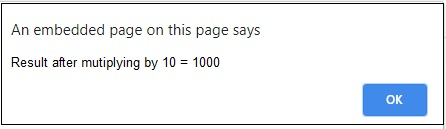
   alert("Result after multiplying by 10 = "+ multiplyBy10);
</script>
</body>
</html>
To run the above program, save the file name “anyName.html(index.html)” and right click on the file. Select the option “Open with Live Server” in VS Code editor −
Output
This will produce the following output −
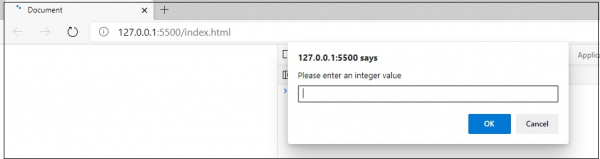
Put an integer value and click the OK button.
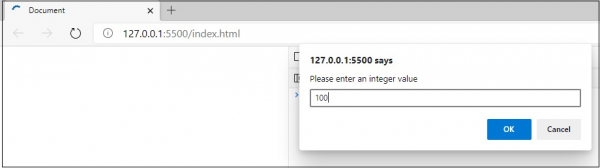
After clicking the OK button, the snapshot is as follows −

Updated on: 2026-03-11T22:50:52+05:30
714 Views

Advertisements