
Article Categories
- All Categories
-
 Data Structure
-
 Networking
-
 RDBMS
RDBMS
-
 Operating System
-
 Java
Java
-
 MS Excel
-
 iOS
iOS
-
 HTML
HTML
-
 CSS
CSS
-
 Android
-
 Python
-
 C Programming
-
 C++
C++
-
 C#
C#
-
 MongoDB
-
 MySQL
MySQL
-
 Javascript
-
 PHP
PHP
-
 Economics & Finance
Facts App Using Tkinter module
In Python, we can use the Tkinter module and randfacts module to create a Facts generator App. Tkinter is Python's built-in GUI toolkit that allows you to create graphical applications with buttons, labels, text boxes, and other widgets. The randfacts module generates random interesting facts. In this article, we will implement a Fact App Generator GUI application using Tkinter and the randfacts module.
Installing Required Dependencies
To create the facts generator app, we first need to install the randfacts module using pip. Type the following command in your terminal or command prompt ?
pip install randfacts
Understanding the Application Structure
Our Facts Generator App consists of two main functions ?
create_widgets() ? Creates a frame container to hold the generated facts and a button that triggers fact generation. The frame provides organized layout for displaying multiple facts.
generate_fact() ? Uses
randfacts.getFact()to retrieve a random fact and creates a new label widget to display it. Each new fact appears below the previous one.
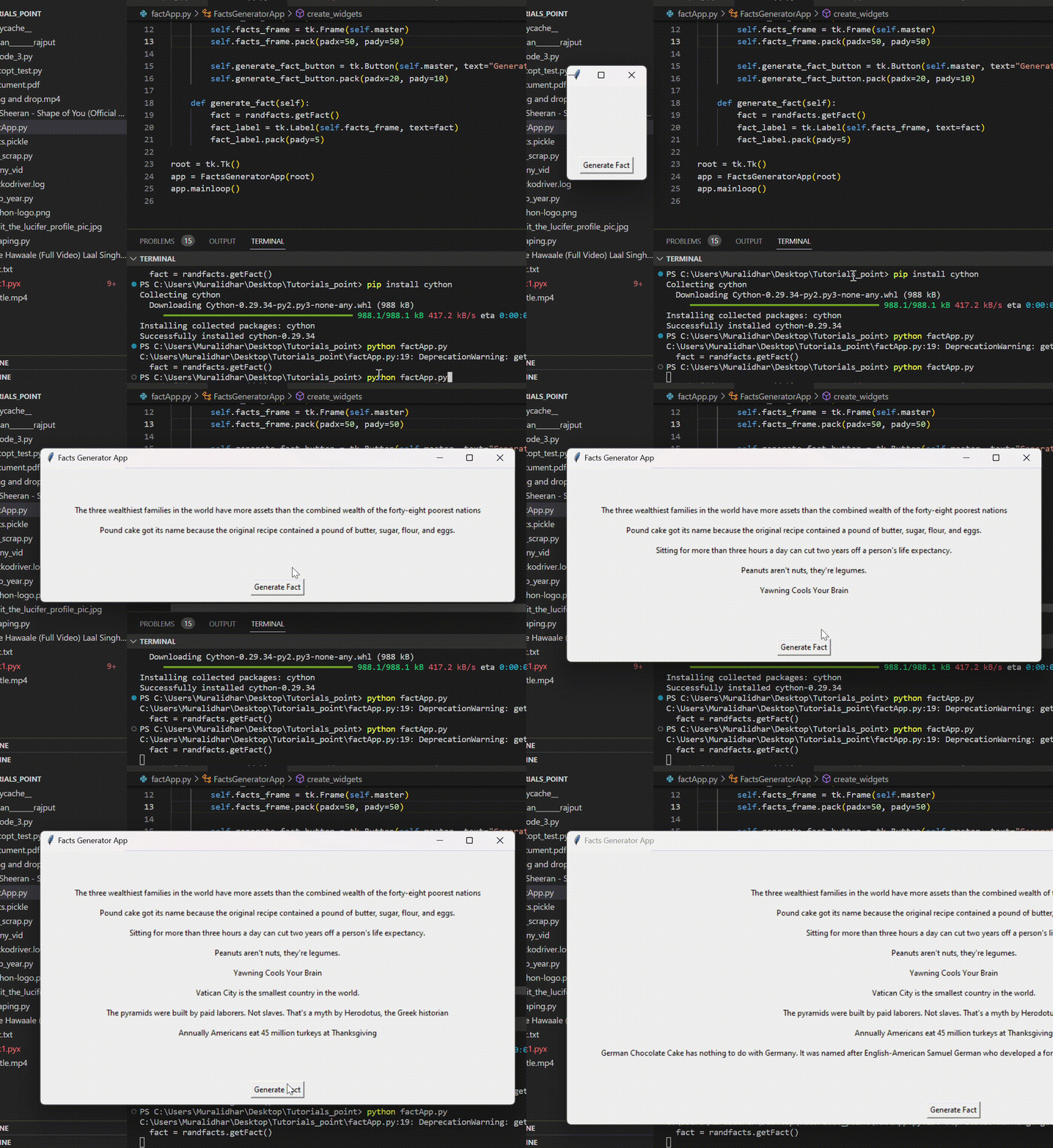
When the user clicks the "Generate Fact" button, a new fact is generated and displayed in the facts frame widget.
Complete Facts Generator Application
import tkinter as tk
import randfacts

class FactsGeneratorApp(tk.Frame):
    def __init__(self, master=None):
        super().__init__(master)
        self.master = master
        self.master.title("Facts Generator App")
        self.master.geometry("600x400")
        self.create_widgets()

    def create_widgets(self):
        # Create frame to hold facts
        self.facts_frame = tk.Frame(self.master, bg="lightblue")
        self.facts_frame.pack(padx=20, pady=20, fill="both", expand=True)

        # Add scrollbar for multiple facts
        self.scrollbar = tk.Scrollbar(self.facts_frame)
        self.scrollbar.pack(side="right", fill="y")

        # Create canvas for scrollable content
        self.canvas = tk.Canvas(self.facts_frame, yscrollcommand=self.scrollbar.set)
        self.canvas.pack(side="left", fill="both", expand=True)

        self.scrollbar.config(command=self.canvas.yview)

        # Frame inside canvas for facts
        self.inner_frame = tk.Frame(self.canvas)
        self.canvas.create_window((0, 0), window=self.inner_frame, anchor="nw")

        # Generate fact button
        self.generate_fact_button = tk.Button(
            self.master,
            text="Generate Fact",
            command=self.generate_fact,
            bg="green",
            fg="white",
            font=("Arial", 12, "bold")
        )
        self.generate_fact_button.pack(padx=20, pady=10)

    def generate_fact(self):
        try:
            fact = randfacts.getFact()
            fact_label = tk.Label(
                self.inner_frame,
                text=fact,
                wraplength=550,
                justify="left",
                bg="white",
                padx=10,
                pady=5,
                relief="solid",
                borderwidth=1
            )
            fact_label.pack(pady=5, fill="x")

            # Update scroll region
            self.inner_frame.update_idletasks()
            self.canvas.config(scrollregion=self.canvas.bbox("all"))

        except Exception as e:
            error_label = tk.Label(
                self.inner_frame,
                text=f"Error: {str(e)}",
                fg="red"
            )
            error_label.pack(pady=5)

# Create and run the application
root = tk.Tk()
app = FactsGeneratorApp(root)
root.mainloop()
Key Features
Scrollable Interface ? The canvas and scrollbar allow viewing multiple facts without cluttering the window
Text Wrapping ? Long facts are automatically wrapped to fit within the window width
Error Handling ? Try-except blocks handle potential network or module errors gracefully
Styling ? Custom colors, fonts, and borders make the interface more appealing
How It Works
The application creates a main window with a scrollable frame for displaying facts and a button to generate new ones. When clicked, the button calls randfacts.getFact() to retrieve a random fact and displays it as a styled label. The scrollable interface ensures users can view all generated facts even when the list becomes long.
Output
Conclusion
This Facts Generator App demonstrates how to combine Tkinter's GUI capabilities with external modules like randfacts. The application provides an interactive way to learn interesting facts while showcasing essential GUI programming concepts like event handling, scrollable interfaces, and error management.

363 Views
