
Article Categories
- All Categories
-
 Data Structure
-
 Networking
-
 RDBMS
RDBMS
-
 Operating System
-
 Java
Java
-
 MS Excel
-
 iOS
iOS
-
 HTML
HTML
-
 CSS
CSS
-
 Android
-
 Python
-
 C Programming
-
 C++
C++
-
 C#
C#
-
 MongoDB
-
 MySQL
MySQL
-
 Javascript
-
 PHP
PHP
-
 Economics & Finance
Difference between Working with Tkinter and Tix
Python offers two prominent libraries for GUI development: Tkinter and Tix. In this tutorial, we will highlight the features, differences, and implementation examples of both Tkinter and Tix.
Understanding Tkinter
Tkinter, short for Tk interface, is the standard GUI toolkit included with Python. It is based on the Tk GUI toolkit and provides a set of tools for creating interactive and visually appealing user interfaces. Tkinter is beginner-friendly, making it an excellent choice for those new to GUI development.
Tkinter Features
Simple and Lightweight Tkinter is easy to learn and lightweight, making it a suitable choice for small to medium-sized applications.
Basic Widgets Tkinter provides a standard set of widgets such as buttons, labels, entry widgets, and more, allowing developers to create common GUI components easily.
Cross-Platform Compatibility Applications developed with Tkinter are cross-platform compatible, running on major operating systems like Windows, macOS, and Linux without modification.
Tkinter Implementation Example
Let's create a simple Tkinter application that displays a window with a button ?
import tkinter as tk

def on_button_click():
    label.config(text="Hello, Tkinter!")

# Create the main window
root = tk.Tk()
root.title("Tkinter Example")
root.geometry("720x250")

# Create a button and link it to the on_button_click function
button = tk.Button(root, text="Click Me", command=on_button_click)
button.pack(pady=10)

# Create a label to display the message
label = tk.Label(root, text="")
label.pack(pady=10)

# Run the Tkinter event loop
root.mainloop()
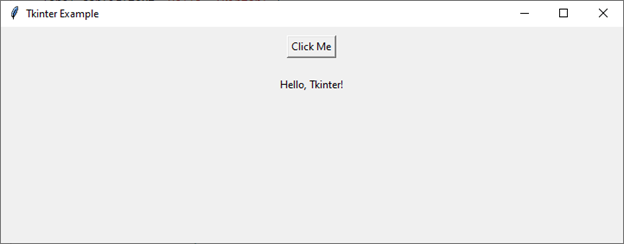
This simple example creates a window with a button. When the button is clicked, the label's text is updated. The command parameter in the Button widget is used to associate a function with the button click event.
Exploring Tix
Tix, or Tk Interface Extension, is an extension module for Tkinter that provides additional widgets and features. It is designed to enhance Tkinter's capabilities, offering more advanced widgets for complex GUI development.
Tix Features
Extended Widget Set Tix extends Tkinter's basic set of widgets with additional ones like
TixDirList,TixFileEntry, andTixFileSelect. These widgets offer more advanced functionality, facilitating the development of feature-rich applications.Themed Widget Set Tix provides a themed widget set, allowing developers to create more visually appealing and modern-looking GUIs. This feature enhances the overall aesthetics of the application.
Improved Customization Tix offers more options for customization and theming compared to Tkinter. Developers have greater control over the appearance of widgets, enabling them to tailor the GUI to specific design requirements.
Tix Implementation Example
Let's create a Tix application to demonstrate its enhanced widgets and theming capabilities ?
import tkinter.tix as tix

def on_tix_button_click():
    tix_label.config(text="Hello, Tix!")

# Create the main window using Tix
root = tix.Tk()
root.title("Tix Example")
root.geometry("720x250")

# Create a Tix button with a themed appearance
tix_button = tix.Button(root, text="Click Me (Tix)", command=on_tix_button_click)
tix_button.pack(pady=10)

# Create a label to display the Tix message
tix_label = tix.Label(root, text="")
tix_label.pack(pady=10)

# Run the Tix event loop
root.mainloop()
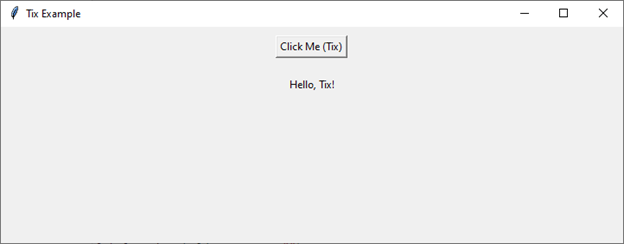
In this example, we've used Tix widgets to showcase Tix's enhanced widget set. While the basic functionality remains similar to Tkinter, Tix provides additional styling and theming options.
Key Differences
| Aspect | Tkinter | Tix |
|---|---|---|
| Widget Set | Basic standard widgets | Extended widget set with advanced components |
| Theming | Limited theming options | Enhanced theming and customization |
| Learning Curve | Easy for beginners | Requires additional learning |
| Application Size | Lightweight | Slightly larger due to extended features |
Choosing Between Tkinter and Tix
The decision to use Tkinter or Tix depends on the specific requirements of your application.
Use Tkinter if
Your application has basic GUI needs.
You are a beginner in GUI development.
Cross-platform compatibility is a priority.
Keeping the application lightweight is essential.
Use Tix if
Your application requires advanced widgets and features.
You need a themed widget set for a modern and visually appealing interface.
Customization and theming options are crucial.
You are willing to invest time in learning additional Tix-specific functionalities.
Conclusion
Tkinter is ideal for beginners and lightweight applications with its simple, cross-platform design. Tix extends Tkinter's capabilities with advanced widgets and better theming options for more complex, visually appealing GUIs. Choose based on your application's complexity and customization needs.

1K+ Views
