
Article Categories
- All Categories
-
 Data Structure
-
 Networking
-
 RDBMS
RDBMS
-
 Operating System
-
 Java
Java
-
 MS Excel
-
 iOS
iOS
-
 HTML
HTML
-
 CSS
CSS
-
 Android
-
 Python
-
 C Programming
-
 C++
C++
-
 C#
C#
-
 MongoDB
-
 MySQL
MySQL
-
 Javascript
-
 PHP
PHP
-
 Economics & Finance
Selected Reading
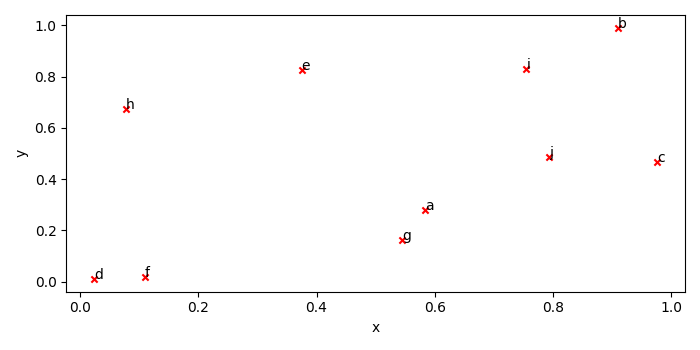
Annotate data points while plotting from Pandas DataFrame
To annotate data points while plotting from pandas data frame, we can take the following steps −
Create df using DataFrame with x, y and index keys.
Create a figure and a set of subplots using subplots() method.
Plot a series of data frame using plot() method, kind='scatter', ax=ax, c='red' and marker='x'.
To annotate the scatter point with the index value, iterate the data frame.
To display the figure, use show() method.
Example
import numpy as np
import pandas as pd
from matplotlib import pyplot as plt
import string
plt.rcParams["figure.figsize"] = [7.00, 3.50]
plt.rcParams["figure.autolayout"] = True
df = pd.DataFrame({'x': np.random.rand(10), 'y': np.random.rand(10)}, index=list(string.ascii_lowercase[:10]))
fig, ax = plt.subplots()
df.plot('x', 'y', kind='scatter', ax=ax, c='red', marker='x')
for k, v in df.iterrows():
   ax.annotate(k, v)
plt.show()
Output

Updated on: 2021-05-07T08:11:45+05:30
3K+ Views

Advertisements