
Article Categories
- All Categories
-
 Data Structure
-
 Networking
-
 RDBMS
RDBMS
-
 Operating System
-
 Java
Java
-
 MS Excel
-
 iOS
iOS
-
 HTML
HTML
-
 CSS
CSS
-
 Android
-
 Python
-
 C Programming
-
 C++
C++
-
 C#
C#
-
 MongoDB
-
 MySQL
MySQL
-
 Javascript
-
 PHP
PHP
-
 Economics & Finance
Selected Reading
Adding options to a using jQuery?
To add options to a <select>, you need to use append(). Following is the JavaScript code −
Example
<!DOCTYPE html>
<html lang="en">
<head>
<meta charset="UTF-8">
<meta name="viewport" content="width=device-width, initial-scale=1.0">
<title>Document</title>

<link rel="stylesheet" href="//code.jquery.com/ui/1.12.1/themes/base/jquery-ui.css">
<script src="https://code.jquery.com/jquery-1.12.4.js"></script>
<script src="https://code.jquery.com/ui/1.12.1/jquery-ui.js"></script>
</head>
<body>
<select name="mySelection" id="selectCategory">
<option value="Book">Book</option>
<option value="TV">TV</option>
</select>
<script>
   var mySelection = new Option("Mobile", "Samsung Mobile");
   $(mySelection).html("Samsung Mobile");
   $("#selectCategory").append(mySelection);
</script>
</body>
</html>
To run the above program, save the file name anyName.html(index.html) and right-click on the file and select the option open with live server in VS Code editor.
Output
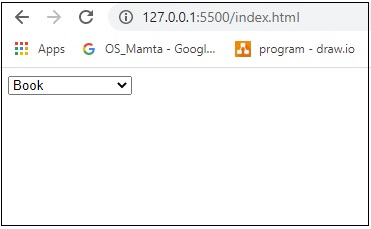

Updated on: 2026-03-11T22:50:50+05:30
258 Views

Advertisements