
Article Categories
- All Categories
-
 Data Structure
-
 Networking
-
 RDBMS
RDBMS
-
 Operating System
-
 Java
Java
-
 MS Excel
-
 iOS
iOS
-
 HTML
HTML
-
 CSS
CSS
-
 Android
-
 Python
-
 C Programming
-
 C++
C++
-
 C#
C#
-
 MongoDB
-
 MySQL
MySQL
-
 Javascript
-
 PHP
PHP
-
 Economics & Finance
Selected Reading
Using different Projection options in Calculation view in SAP HANA
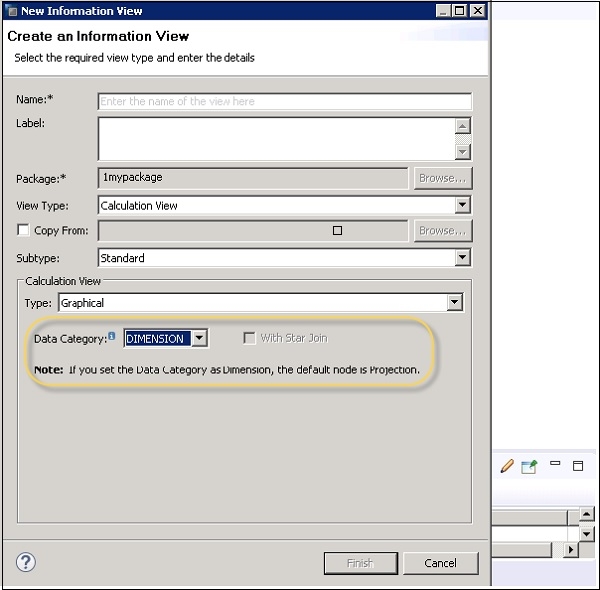
When you set data category as CUBE, the default node is aggregation. When you set data category as Dimension, default node is Projection.
You can change the Default node by selecting Star Join checkbox.
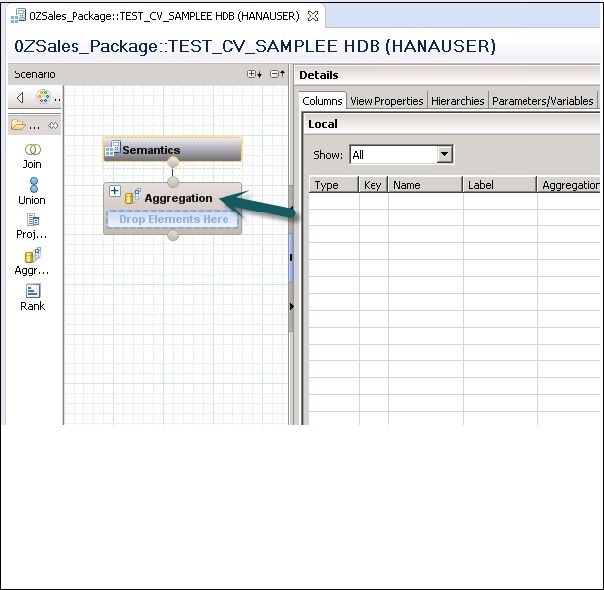
When you finish selection for data category, you get a default node under Scenario pane. Check the below snapshot:

Updated on: 2020-03-12T08:13:11+05:30
802 Views

Advertisements