
Article Categories
- All Categories
-
 Data Structure
-
 Networking
-
 RDBMS
RDBMS
-
 Operating System
-
 Java
Java
-
 MS Excel
-
 iOS
iOS
-
 HTML
HTML
-
 CSS
CSS
-
 Android
-
 Python
-
 C Programming
-
 C++
C++
-
 C#
C#
-
 MongoDB
-
 MySQL
MySQL
-
 Javascript
-
 PHP
PHP
-
 Economics & Finance
Selected Reading
How to store the contents of arrays in a file using Java?
You can use write data into a file using the Writer classes. In the example given below, we are writing the contents of the array using the BufferedWriter.
Example
import java.io.BufferedWriter;
import java.io.FileWriter;

public class WritingStringArrayToFile {
   public static void main(String args[]) throws Exception {
      String[] myArray = {"JavaFX", "HBase", "OpenCV", "Java", "Hadoop", "Neo4j"};
      BufferedWriter writer = new BufferedWriter(new FileWriter("myFile.txt", false));
      for(int i = 0; i < myArray.length; i++) {
         writer.write(myArray[i].toString());
         writer.newLine();
      }
      writer.flush();
      System.out.println("Data Entered in to the file successfully");
   }
}
Output
Data Entered in to the file successfully
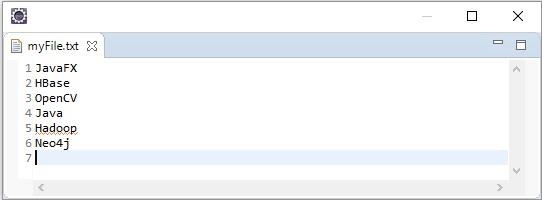
If you verify the file you can observe that the file with the contents of an array −
Example
import java.io.BufferedWriter;
import java.io.FileWriter;

public class WritingIntArrayToFile {
   public static void main(String args[]) throws Exception {
      Integer[] myArray = {23, 93, 56, 92, 39};
      BufferedWriter writer = new BufferedWriter(new FileWriter("myFile.txt", false));
      for(int i = 0; i < myArray.length; i++) {
         writer.write(myArray[i].toString());
         writer.newLine();
      }
      writer.flush();
      System.out.println("Data Entered in to the file successfully");
   }
}
Output
Data Entered in to the file successfully
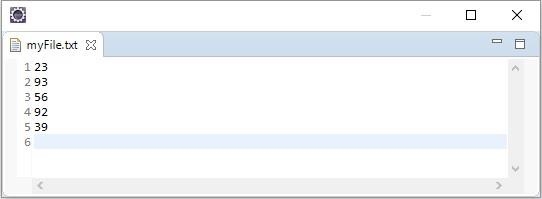
If you verify the file you can observe that the file with the contents of an array −

Updated on: 2026-03-11T22:50:41+05:30
3K+ Views

Advertisements