
Article Categories
- All Categories
-
 Data Structure
-
 Networking
-
 RDBMS
RDBMS
-
 Operating System
-
 Java
Java
-
 MS Excel
-
 iOS
iOS
-
 HTML
HTML
-
 CSS
CSS
-
 Android
-
 Python
-
 C Programming
-
 C++
C++
-
 C#
C#
-
 MongoDB
-
 MySQL
MySQL
-
 Javascript
-
 PHP
PHP
-
 Economics & Finance
Determining values of parameters of given type on a given selection screen in SAP
The function module RS_SELSCREEN_INFO will provide you with the list of parameters and selection options once the report name is input. You can see full details about this FM by entering the name RS_SELSCREEN_INFO into the relevant SAP T-code like SE37 or SE80.
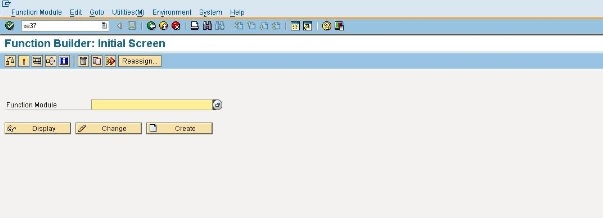
Using RS_SELSCREEN_INFO Function Module
You can call this FM RS_SELSCREEN_INFO as below ?
CALL FUNCTION 'RS_SELSCREEN_INFO'
   EXPORTING
      report = 'REPORT_NAME'           " rsvar-report Report Name
   TABLES
      field_info = lt_field_info       " scr_info Information about type, reference field, etc.
   EXCEPTIONS
      NO_SELECTIONS = 1                " Report has no selections
      REPORT_NOT_EXISTENT = 2          " Report does not exist
      SUBROUTINE_POOL = 3              " Subroutine pool cannot be processed
      OTHERS = 4.

IF sy-subrc <> 0.
   MESSAGE ID sy-msgid TYPE sy-msgty NUMBER sy-msgno
           WITH sy-msgv1 sy-msgv2 sy-msgv3 sy-msgv4.
ENDIF.
The field_info table contains detailed information about each parameter including field name, data type, reference field, and other attributes of the selection screen elements.
Alternative Method: GET_DICTIONARY_FIELDS
Alternatively, you can try using the function module GET_DICTIONARY_FIELDS to provide all Dictionary fields used in an ABAP program. You can get complete details by entering the name GET_DICTIONARY_FIELDS into the relevant SAP transaction such as SE37 or SE80.
CALL FUNCTION 'GET_DICTIONARY_FIELDS'
   EXPORTING
      progname = sy-repid              " Program name
   TABLES
      field_tab = lt_field_tab         " Table containing dictionary fields
   EXCEPTIONS
      OTHERS = 1.

IF sy-subrc <> 0.
   MESSAGE ID sy-msgid TYPE sy-msgty NUMBER sy-msgno
           WITH sy-msgv1 sy-msgv2 sy-msgv3 sy-msgv4.
ENDIF.
This function module provides all Dictionary fields used in a program, which can be helpful when you need to analyze the data elements and structures referenced in your ABAP code.
Conclusion
Both RS_SELSCREEN_INFO and GET_DICTIONARY_FIELDS are valuable function modules for analyzing SAP report parameters and selection screen elements programmatically, helping developers understand and work with existing report structures.

1K+ Views
