
Article Categories
- All Categories
-
 Data Structure
-
 Networking
-
 RDBMS
RDBMS
-
 Operating System
-
 Java
Java
-
 MS Excel
-
 iOS
iOS
-
 HTML
HTML
-
 CSS
CSS
-
 Android
-
 Python
-
 C Programming
-
 C++
C++
-
 C#
C#
-
 MongoDB
-
 MySQL
MySQL
-
 Javascript
-
 PHP
PHP
-
 Economics & Finance
Create database view in SAP ABAP
In ABAP, you can make use of Function modules - DDIF_VIEW_PUT and DDIF_VIEW_ACTIVATE for view activation. All table parameters should be defined correctly otherwise it can result in an error in the creation process.
DDIF_VIEW_PUT − Interface for writing a view in the ABAP Dictionary.
You can refer to below link for more details −
http://www.se80.co.uk/sapfms/d/ddif/ddif_view_put.htm
CALL FUNCTION 'DDIF_VIEW_PUT' "DD: Interface for writing a view in the ABAP Dictionary
EXPORTING
name = " ddname Name of the view to be written
* dd25v_wa = ' ' " dd25v View header
* dd09l_wa = ' ' " dd09v Technical settings of the view
* TABLES
* dd26v_tab = " dd26v Basis tables of the view
* dd27p_tab = " dd27p View fields
* dd28j_tab = " dd28j Join conditions of the view
* dd28v_tab = " dd28v Selection conditions of the view

EXCEPTIONS
VIEW_NOT_FOUND = 1 " Header of the view could not be found
NAME_INCONSISTENT = 2 " Name in Sources Inconsistent with NAME
VIEW_INCONSISTENT = 3 " Inconsistent Sources
PUT_FAILURE = 4 " Write Error (ROLLBACK Recommended)
PUT_REFUSED = 5 " Write not Allowed

. " DDIF_VIEW_PUT
DDIF_VIEW_ACTIVATE: Interface for activating a view
EXPORTING

name = " ddname Name of view to be activated
* auth_chk = 'X' " ddbool_d 'X': Perform authorization check for DB operations
* prid = -1 " sy-tabix ID for Log Writer
IMPORTING
rc = " sy-subrc Result of Activation
EXCEPTIONS

NOT_FOUND = 1 "View not found
PUT_FAILURE = 2 "View could not be written
. " DDIF_VIEW_ACTIVATE
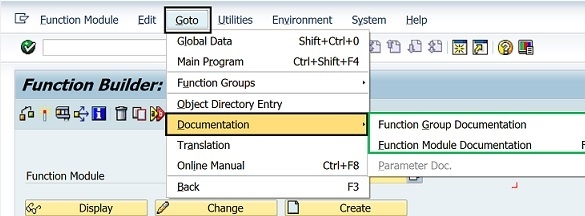
Both of these views can be used in T-code: SE80 or SE37. You can use both the transactions to display SAP function module documentation available within your SAP system.
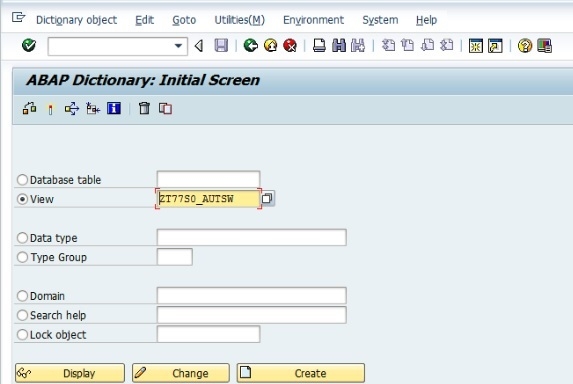
You can also create a view of Transaction code SE11 in SAP ABAP as below:
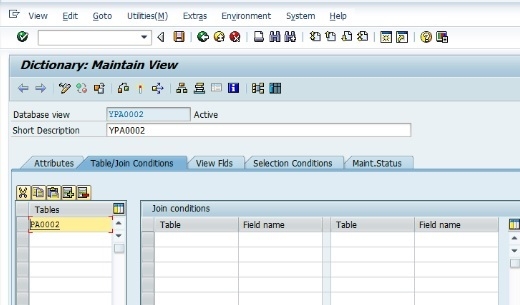
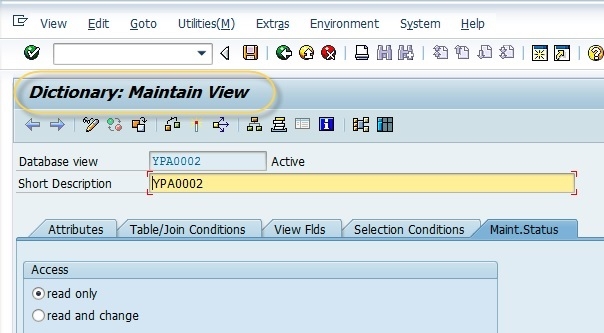
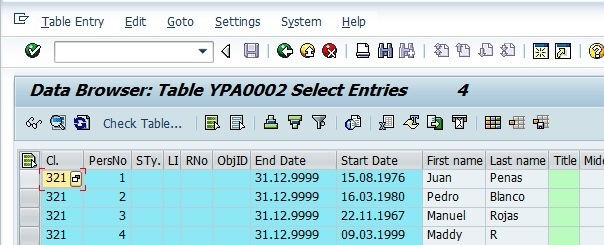
You have to maintain and activate the view. Once activated, you can view the contents of standard transactions code SE16 as shown below −

2K+ Views
