
Article Categories
- All Categories
-
 Data Structure
-
 Networking
-
 RDBMS
RDBMS
-
 Operating System
-
 Java
Java
-
 MS Excel
-
 iOS
iOS
-
 HTML
HTML
-
 CSS
CSS
-
 Android
-
 Python
-
 C Programming
-
 C++
C++
-
 C#
C#
-
 MongoDB
-
 MySQL
MySQL
-
 Javascript
-
 PHP
PHP
-
 Economics & Finance
How to make a Website step by step?
A website is a collection of web pages containing content, images, videos, and other elements, accessible through a unique domain name and hosted on a web server. Creating a website involves several key steps from planning to deployment.
Step 1: Choose and Register a Domain
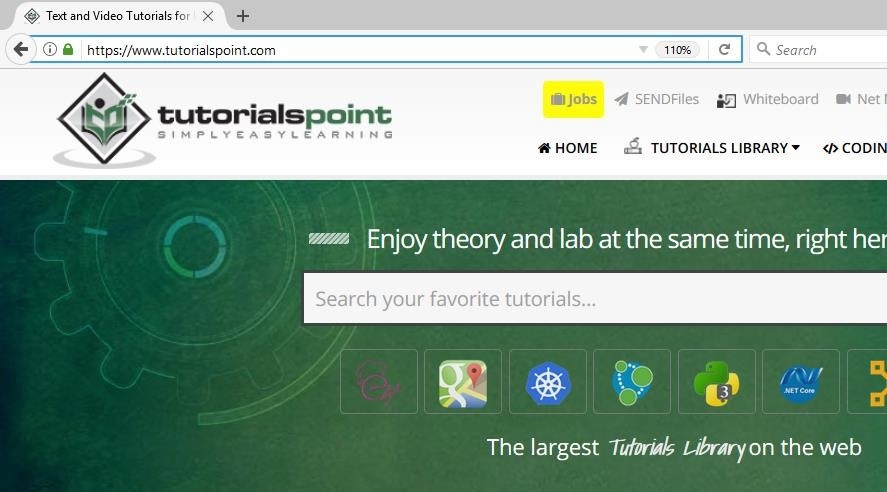
A domain is the web address users type to access your website (e.g., www.tutorialspoint.com). Each domain is unique and serves as your website's identity on the internet. Purchase a domain name from registrars like GoDaddy, Namecheap, or other hosting companies.
Here's how a domain appears in the browser address bar:
Step 2: Select a Hosting Package
Web hosting provides the server space where your website files are stored and made accessible to visitors. Your hosting plan determines storage space, bandwidth, and features available. Choose between shared hosting (budget-friendly), VPS hosting (more control), or dedicated hosting (maximum resources) based on your needs and budget.
Step 3: Plan Your Website
Define your website's purpose, target audience, and content structure. Create a sitemap outlining all pages and their hierarchy. Consider what features you need: contact forms, galleries, blogs, or e-commerce functionality. This planning phase guides your design and development decisions.
Step 4: Choose Your Development Approach
Using Templates and Website Builders
For beginners, website builders like WordPress.com, Wix, or Squarespace offer drag-and-drop interfaces with pre-designed templates. These platforms require no coding knowledge and include hosting services.
Using HTML/CSS Editors
For more control, use HTML editors like Visual Studio Code, Adobe Dreamweaver, or Sublime Text. This approach requires basic HTML, CSS, and JavaScript knowledge but offers complete customization.
<!DOCTYPE html>
<html lang="en">
<head>
    <meta charset="UTF-8">
    <meta name="viewport" content="width=device-width, initial-scale=1.0">
    <title>My Website</title>
</head>
<body>
    <header>
        <h1>Welcome to My Website</h1>
    </header>
    <main>
        <p>This is the main content area.</p>
    </main>
</body>
</html>
Step 5: Select a Content Management System
Content Management Systems (CMS) like WordPress, Joomla, or Drupal provide user-friendly interfaces for managing website content without extensive coding. WordPress powers over 40% of websites and offers thousands of themes and plugins for customization.
Step 6: Design and Develop
Create your website's layout, choose colors and fonts, and organize content. Ensure responsive design for mobile compatibility. Test functionality across different browsers and devices before going live.
Step 7: Implement SEO Best Practices
Search Engine Optimization (SEO) improves your website's visibility in search results. Key techniques include:
- Adding descriptive meta titles and descriptions
- Using relevant keywords naturally in content
- Optimizing images with alt text
- Creating high-quality, original content
- Ensuring fast loading speeds
- Building internal and external links
Step 8: Launch and Monitor
Upload your files to the hosting server, configure domain settings, and test all functionality. Use analytics tools like Google Analytics to monitor traffic and user behavior. Regularly update content and security patches to maintain your website.
Conclusion
Building a website involves choosing a domain, hosting, planning content, selecting development tools, and implementing SEO strategies. Start with simple approaches like website builders, then advance to custom development as your skills grow.

1K+ Views
